Server Port 1812 UDP port used for RADIUS authentication messages.
Re-Authentication 3600 Defines a maximum period of time for which the
Period seconds RADIUS server will dynamically re-
assign a
session key to a connected client
station.
Secret
Key
None
Defines a text string on both the
RADIUS client
and server to secure RADIUS
traffic.The
RADIUS server requires the MD5
Message-
Authenticator attribute for all access
request
messages. The 802.1x authentication
scheme is
supported by using the Extensible
Authentication
Protocol (EAP) over the RADIUS
server.
NAS-ID None
Defines the request identifier of the
Network
Access Server (NAS) or RADIUS
client that is
requesting client authentication from
the RADIUS
server.
Easy pairing
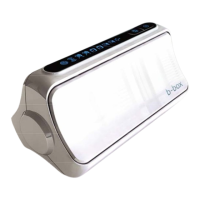
Your Belgacom b-box is equipped with a wireless pairing button. This button helps you to set up a
wireless network with protection at the push of a button. You can install wireless security by
pressing the easy pairing button on your Belgacom b-box. The easy pairing button can be found
on the top bezel of your Belgacom b-box and looks like depicted below.
NAT
From this section you can configure the Virtual Server, and Special Application features
that provide control over the TCP/ UDP port openings in the router’s firewall. This section
can be used to support several Internet based applications such as web, email, FTP, and
Telnet.
46


 To Next Page