3-10
Obtain IP Settings from Your Belgacom b-box
Now that you have configured your computer to connect to your Belgacom b-box, it needs to
obtain new network settings. By releasing old DHCP IP settings and renewing them with settings
from your Belgacom b-box, you can verify that you have configured your computer correctly.
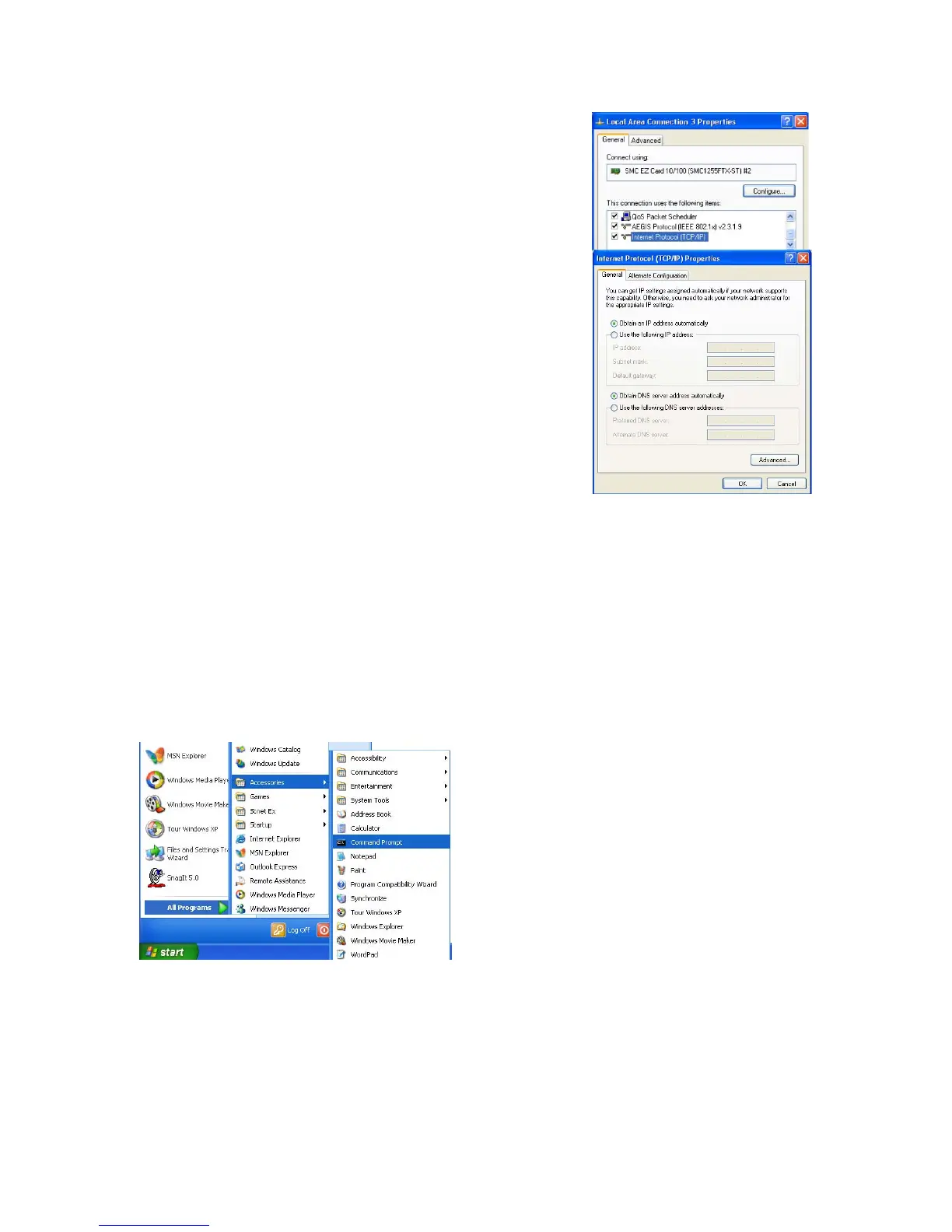
1. On the Windows desktop, click Start/Programs/Accessories/ Command Prompt.
2. In the Command Prompt window, type “IPCONFIG /RELEASE” and press the ENTER
key.
17


 To Next Page