Using the Web-Based Advanced User Interface
18
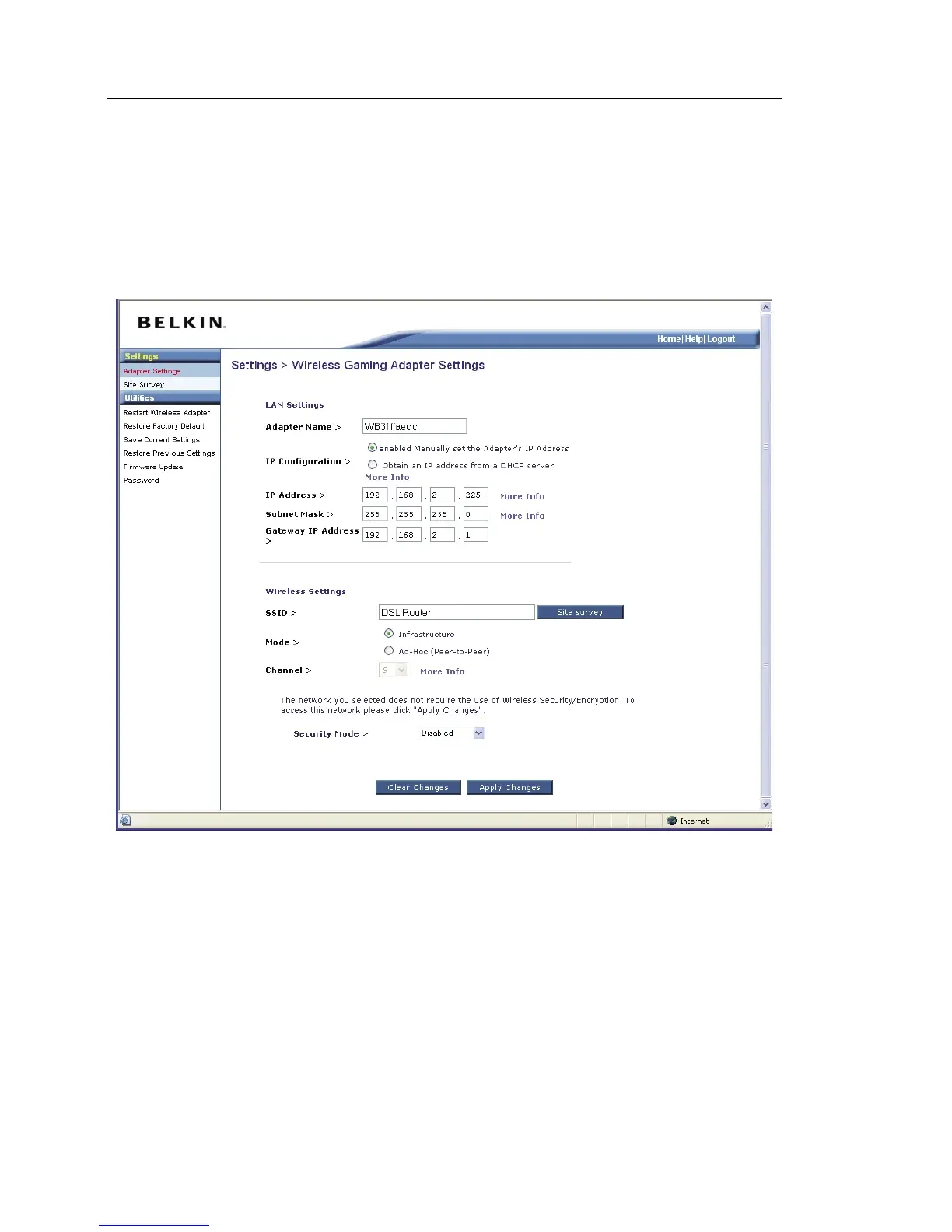
Settings > Adapter Settings
The “Settings > Adapter Settings” page lets you make changes to the
wireless network settings. From this page you can make changes to the
wireless settings.
(1) Adapter Name
You can name the Adapter by typing a name here.
(2) IP Configuration
Select either to manually enter your IP address or have it automatically set
from the DHCP of your network router.
(3) IP Address
The IP address is the internal IP address of the Adapter. The default IP
address is “192.168.2.225”. To access the Web-Based Advanced User
Interface, type this IP address into the address bar of your browser. This
address can be changed if needed. To change the IP address, type in the
new IP address and click “Apply Changes”. The IP address you choose
should be a non-routable IP.


 To Next Page