Changing System Settings
section
2
1
3
4
5
6
7
29
Utilities
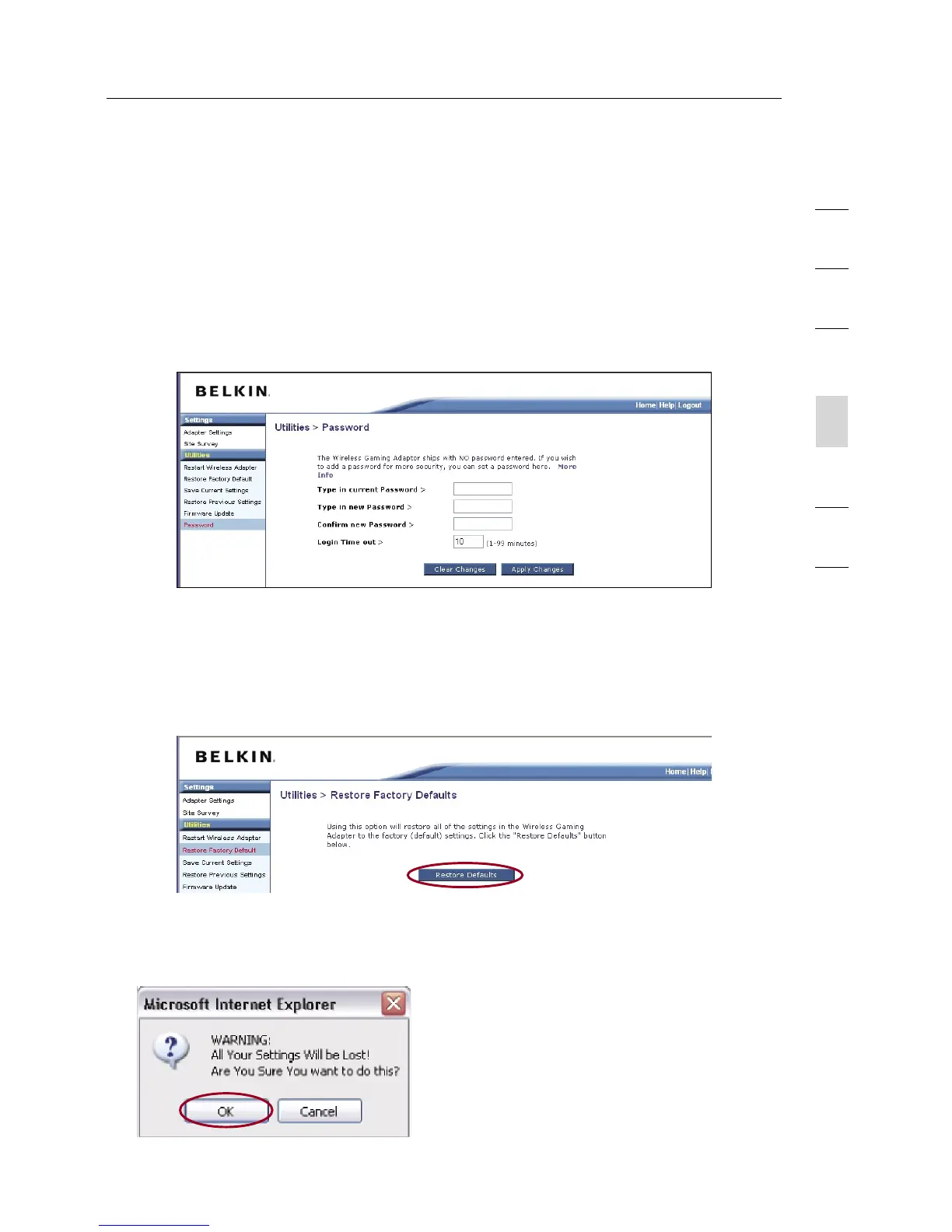
Password
The Adapter ships with NO password entered. If you wish to add a
password for greater security, you can set a password here. Write down
your password and keep it in a safe place, as you will need it in order to
log into the Adapter in the future.
Restore Factory Defaults
This option restores all of the settings in the Adapter to the factory
(default) settings. We recommend that you back up your settings before
you restore all of the defaults.
1. Click the “Restore Defaults” button.
2. The following message will appear. Click “OK”.


 To Next Page