Configuring the WURE
11
section
1
2
3
4
5
6
7
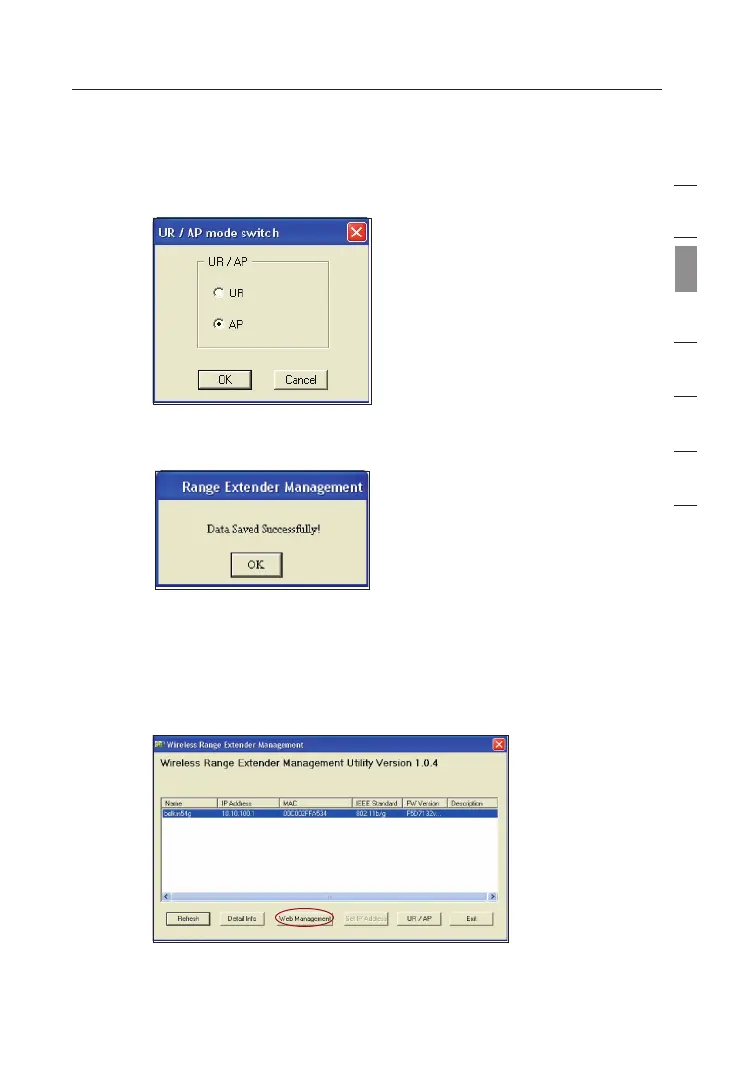
3.6 The “UR/AP mode switch” window will appear. Select the
AP radio button.
Congratulations. Your WURE is now set up for access point
mode.
4. Advanced Configuration
Configuring your WURE through the Web-Based Advanced User Interface
4.1
If you wish to use the Web-Based Advanced User Interface, click
the “Web Management” button.
4.2 For more details, see the “Understanding the Web-Based
Advanced User Interface” section.
Wir eless Rang e Extend er


 To Next Page