3534
Changing System Settings
3534
Changing System Settings
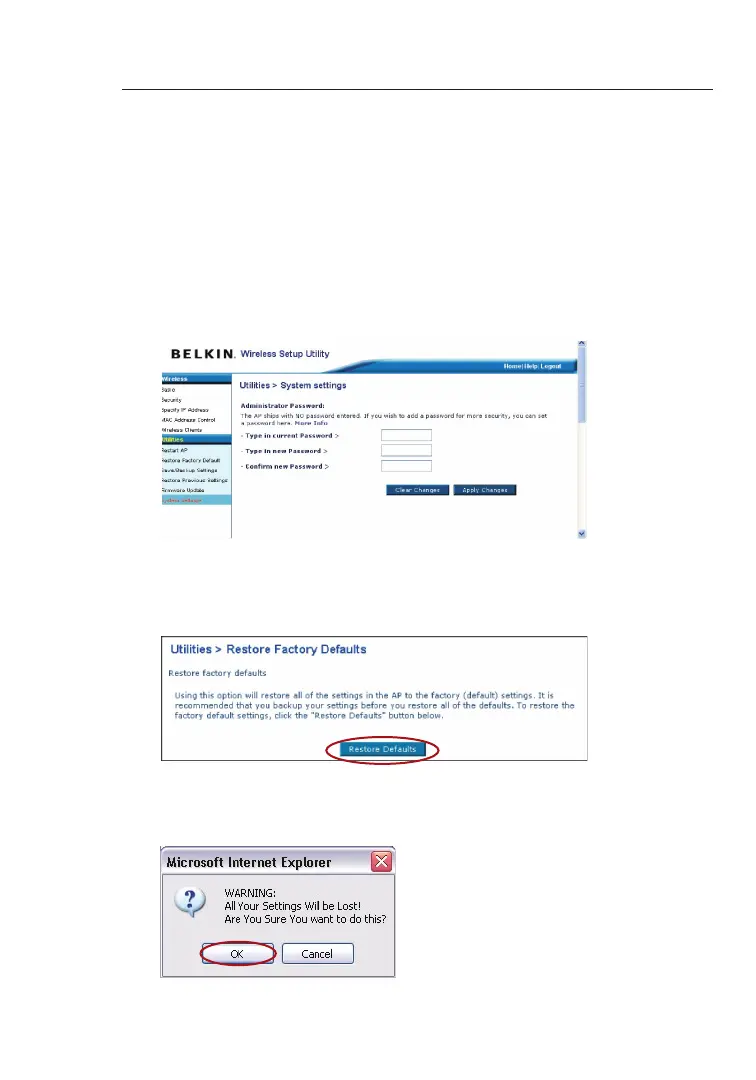
The “System Settings” page is where you can enter a new administra-
tor password.
Setting or Changing the Administrator Password
The WURE ships with NO password entered. If you wish to add a
password for greater security, you can set a password here. Write
down your password and keep it in a safe place, as you will need it in
order to log into the WURE in the future.
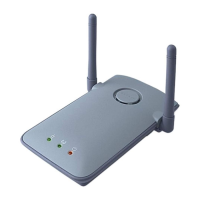
Restoring Factory Default Settings
This option restores all of the settings in the WURE to the factory (de-
fault) settings. We recommend that you back up your settings before
you restore all of the defaults.
1. Click the “Restore Defaults” button.
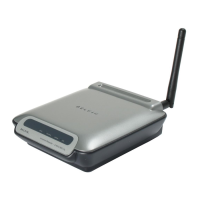
2. The following message will appear. Click “OK”.


 To Next Page