Changing System Settings
37
section
1
2
3
4
5
6
7
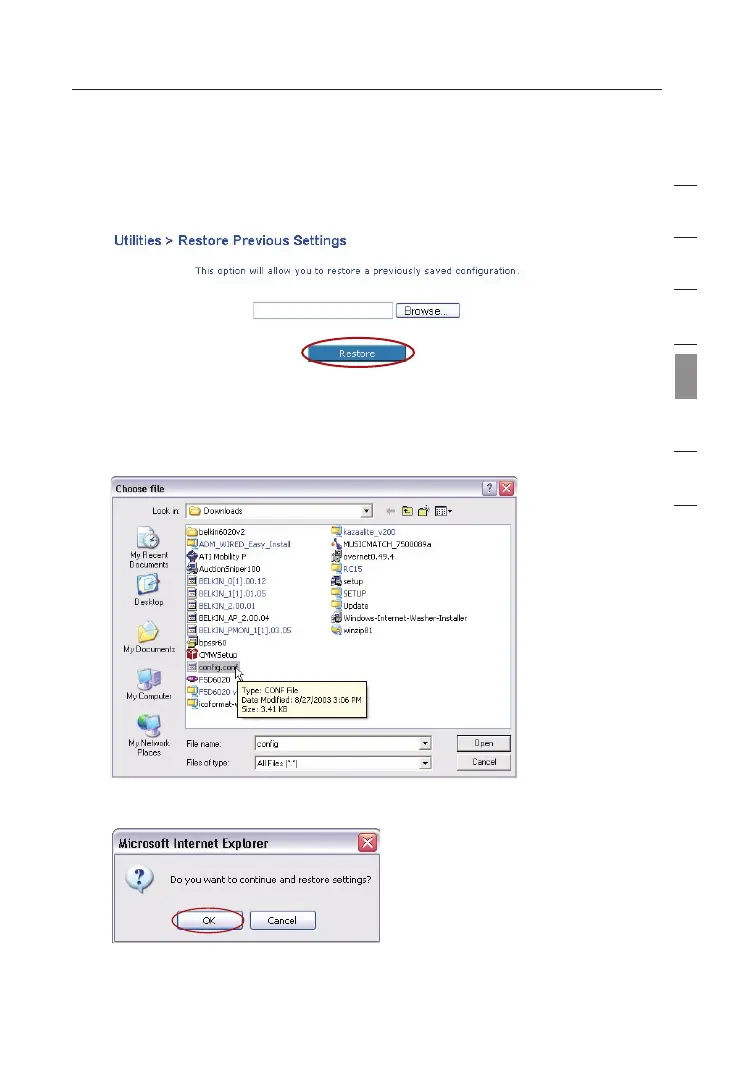
Restoring a Previous Configuration
This option will allow you to restore a previously saved configuration.
1. Click “Browse”. A window will open that allows you to select the
location of the configuration file. All configuration files end with
a “.cfg”. Locate the configuration file you want to restore and
double-click on it.
2. You will be asked if you want to continue. Click “OK”.


 To Next Page