3736
Changing System Settings
3736
Changing System Settings
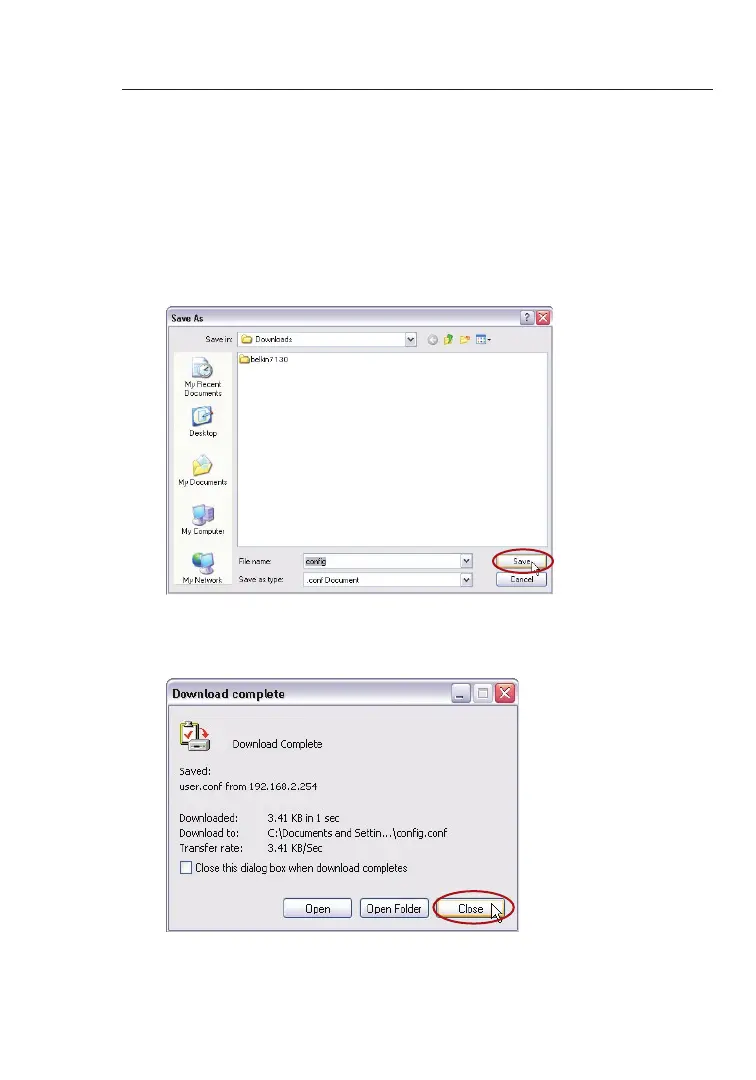
2. A window will open in which you can select the location where
you want to save the configuration file. Select a location. You
can name the file anything you want, or use the default name
“Config”. Be sure to name the file so you can locate it yourself
later. When you have selected the location and name of the file,
click “Save”.
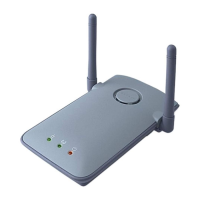
3. When the save is complete, you will see the window below. Click
“Close”.
The configuration is now saved!


 To Next Page