EasyManua.ls Logo

Bell System BSX - User Manual

Bell System BSX
32 pages
Print Icon
To Next Page IconTo Next Page
Loading...
PD-142 Issue 1 March 2013
Bell System (Telephones) Ltd.
BSX
Isolated Audio Door Entry System
2 to16 Way, 1 or 2 Door
Installation & Operation Manual
This manual applies to the following BSX Systems:
BSX 8 Up to 8 flats 1 Door
BSX 8-2 Up to 8 flats 2 Doors
BSX 16 Up to 16 flats 1 Door
BSX 16-2 Up to 16 flats 2 Doors
The systems are for use with :-
801 Audio Phone
BSLX Audio Phone

Questions and Answers

  • R
    Ross McgeeSep 2, 2025
    Why is my Bell System Intercom System phone ringing but there is no ring tone at the door panel?
    • C
      Cynthia VaughanSep 2, 2025
      If the phone rings but there's no ring tone at the door panel: * Confirm that you are using Models 801 or BS-LX, as only these models have this function. * Check the R connection for faults. * Increase the Speech volume on Model 61.
  • P
    Paul MaxwellAug 31, 2025
    What to do if the Bell System BSX lock clicks but does not open?
    • S
      Shelley SpearsAug 31, 2025
      If the lock clicks but doesn't open and the LED flashes briefly, it could be due to: * The lock current being too high, causing the PSU to reset. Check the PSU and ensure the lock release follows the 1A max specification. * A short-circuit on the LOCK connections. Inspect for short-circuits.
  • G
    greenkaylaAug 29, 2025
    How to increase the speech volume on a Bell System BSX Intercom System?
    • B
      Brittany ChristensenAug 29, 2025
      If the speech volume is too low: * Adjust the speech volume control on Model 61 by increasing it. * Ensure the Model 61 speech unit is aligned with the holes in the panel.
  • A
    Alisha ColeAug 28, 2025
    Why is there only one way speech from the phone to the door on my Bell System Intercom System?
    • E
      Erica GeorgeAug 28, 2025
      One-way speech from the phone to the door can occur if: * There's a short circuit or broken R connection; check the R connection. * The microphone volume is turned down on the Speech Unit; increase the microphone volume. * There's an issue with the Model 61 Speech unit; inspect the unit.
  • V
    Vanessa MasonAug 26, 2025
    Why is there only one way speech from the door to the phone on my Bell System BSX?
    • S
      Sarah RamirezAug 27, 2025
      One-way speech from the door to the phone could be caused by: * A short circuit or broken T connection; check for these issues. * The speaker volume on the Speech Unit being turned down; increase the speaker volume. * A problem with the Model 61 Speech unit; inspect the unit.
  • M
    Miss Tricia RossAug 25, 2025
    How to fix no lock tone at the door with Bell System Intercom System?
    • T
      Tracy WeissAug 25, 2025
      If there's no lock tone at the door, consider the following: * The R core might be broken; replace the R core. * The Lock Tone Volume on the BSX2 PCB might be turned down; adjust the Lock Tone Volume. * The Phone Speech volume might be turned down on 61; increase the Phone Speech Volume. * There might be no power to the 61 speech unit; ensure power is available to the 61 speech unit.
  • B
    Brian ThomasAug 22, 2025
    What to do if the Bell System BSX Intercom System lock operates all the time?
    • A
      Arthur BowenAug 22, 2025
      If the lock operates continuously, it could be due to: 1. A normally closed switch being used for the exit button; replace it with a normally open switch. 2. Short-circuited exit terminals; inspect the exit terminals for short circuits.

Summary

Introduction to the BSX System

BSX System Features

Key features of the BSX Isolated Audio Entry System, including duplex speech, isolation, and vandal resistance.

Basic System Operation

How to Make a Call

Procedure for visitors to initiate a call from the entrance panel to a resident's phone.

Ensuring Speech Privacy

Details on how the system ensures private conversations between callers and residents.

Ringer Mute Functionality

Explains the Ringer Mute feature for phones to avoid nuisance calls.

Door Monitoring Feature

Describes the Door Status Indication feature for monitoring the entrance door.

Tradesmen Access Facility

Information on the optional Trades button for independent access and time clock control.

Second Entrance Operation

How the system handles calls when a second entrance is in use.

Egress Button Function

Details on the optional Egress button for exiting the building.

Equipment & Design Considerations

BSX System Equipment Summary

Lists all necessary components for different BSX system configurations.

Entrance Panel Types

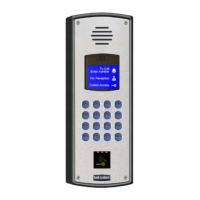
Details on Vandal Resistant and Laser-Cut Vandal Resistant entrance panels.

BSX Control Equipment

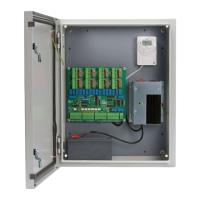
Description of the lockable steel cabinet housing control PCBs, power supply, and time-clock.

BSX Phone Models

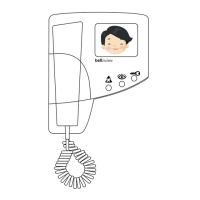
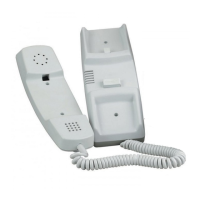
Overview of standard (801, 801S) and advanced (BS-LX) phone models.

Electric Lock Release Options

Explanation of Fail-Safe and Fail-Secure lock release types and requirements.

Exit Button Options

Details on the Egress button and DDA panel features.

BSX Cable Requirements

Specifications for phone and door panel cable types and maximum lengths.

Power Supply and Battery Backup

Details on power supply units (Cab3, Cab5) and battery backup capabilities.

Installation

Installation Prerequisites

Important safety checks, general guidelines, and initial steps for installation.

Control Unit and Entrance Panel Setup

Procedures for installing the control unit box and mounting the entrance panel.

Door Release and Connection Details

Wiring and configuration for electric door releases, connections to phones, and door monitoring.

Exit Button and Tone Configuration

Details on installing the exit button and configuring tone outputs.

BSX2 Controller Settings

Configuration of the BSX2 controller via DIP switches for various system functions.

Phone Configuration and Setup

Setting up BS-LX and 801xx phone models, including ringer and mute functions.

Time-Clock Module Operation

Operation and programming of the TS2000-BST Time Clock for the Trades facility.

Testing & Commissioning

Safety During Testing

Safety precautions to be taken before and during system testing and commissioning.

Basic Functional Test Procedure

Step-by-step guide for performing a basic functional test of the system.

Speech Unit Adjustment

How to adjust the volume controls on the Model 61 Speech Unit for optimal clarity.

Battery Test Procedure

Procedure for testing the system with mains power on and off to verify battery backup.

Troubleshooting

Common Installation Faults

Identifies common wiring faults and connection issues encountered during installation.

Preliminary Configuration Checks

Verifying controller PCB DIP switch settings before troubleshooting.

Lock Release Troubleshooting

Diagnosing and resolving problems related to the electric door lock release operation.

Call Problem Troubleshooting

Steps to diagnose and fix issues with establishing calls, ringing, and button operation.

Speech Problem Troubleshooting

Resolving issues with one-way speech, volume, or noise during conversations.

Phone and Speech Unit Testing

Procedures for testing individual phones and speech units for correct operation.

Specifications

BSX2 Controller PCB Specifications

Technical specifications for the BSX2 controller PCB, including size and power.

Audio Phone Specifications

Specifications for 801, 801P, 801S, 801PS, and BS-LX audio phones.

Power Supply Unit Specifications

Technical details for Cab 3 and Cab5 battery-backed power supplies.

Wiring Diagrams

BSX2 PCB Layout Diagram

Diagram showing the layout and terminal connections on the BSX2 controller PCB.

Wiring to Phones Diagram

Diagram illustrating how to connect BS-LX and 801 phones to the controller.

Wiring to Door Components

Diagrams for wiring push buttons, trades, time clock, and door equipment.

External System Connections

Diagrams for connecting Bell 200, ACT FOB, and Paxton FOB access systems.

Third-Party Equipment Wiring

Wiring diagrams for connecting other equipment to BSX drives locks.

Safety Information and Declarations

Mains Supply Safety Precautions

Safety requirements for connecting the 240VAC mains supply by qualified personnel.

Control Cabinet Safety

Guidelines for installing the BSX2 control cabinet in a protected environment.

Earthing and Battery Safety

Ensuring proper earthing and safe handling of the system battery.

Bell System BSX Specifications

General IconGeneral
BrandBell System
ModelBSX
CategoryIntercom System
LanguageEnglish

Related product manuals