EasyManua.ls Logo

Bell System bellview - User Manual

Default Icon
58 pages
Print Icon
To Next Page IconTo Next Page
Loading...
Bell System (Telephones) Ltd.
bellview
Video Entry System
Installation & Operation
Manual
PD-007 Issue 3

Table of Contents

Questions and Answers

Summary

General Description

System Components Overview

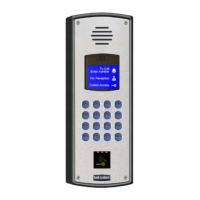
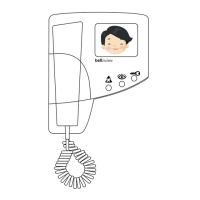
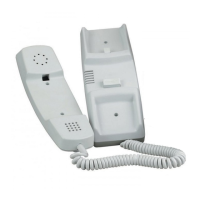
Covers Video Telephones (BV), Entrance Panels (BVP series), and key System Features of the Bellview system.

Telephone Controls and Operation

Adjusting Picture and Buttons

Details on Brightness/Contrast controls, and the function of telephone buttons and indicators.

System Operation Modes

Primary Operation and Privacy

Explains general call handling, privacy mode, multi-door logic, and monitor mode functionality.

Required Equipment and Components

Control Cabinet and Power Supply

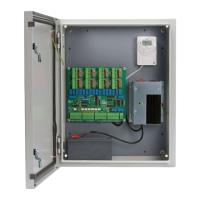
Details on the lockable cabinet for power supply/control circuitry and lists key cabinet components.

System Design Considerations

Cable Requirements and System Configuration

Guidance on selecting cable sections (CW1-CW5) and considerations for multi-telephone flats and multi-way systems.

Installation Guide

Important Safety Information

Details electrical safety, cable specifications, fuse types, environmental hazards, and component risks.

Commissioning and Settings

Video Telephone Settings Adjustment

Guides on adjusting picture, buzzer, call times, and privacy options via telephone controls.

Troubleshooting Guide

Diagnostic Aids and Indicators

Explains LED indicators for Power Supply status and 819S Switching Unit diagnostics.

Product Specifications

Component Specifications

Provides technical specs for Video Telephone, Speech Unit, Camera, Power Supplies, and Control Units.

Cable and Wiring Details

System Configuration Table

Table listing wiring sections (CW1-CW5) for different system types: 1-way, 2-10 way, 11-60 way, single/double door.

1 Way Single Door System Wiring

Diagram 2 a: Cabling Layout

Diagram showing cabling connections from Door Panel to Flat Video Phone via Electrical Cupboard and M540 Power Supply.

2-10 Way Single Door System Wiring

Diagram 3 a: Cabling Layout

Diagram showing connections from Door Panel to multiple Video Phones via Electrical Cupboard and M540 Power Supply.

11-60 Way Single Door System Wiring

Diagram 4 a: Cabling Layout

Diagram showing connections from Door Panel to multiple Video Phone groups via PSU Control Cabinet and VDC6 Distributor.

1-10 Way 2 Door System Wiring

CW4: Cable Requirements

Details cable types and conductor sizes for 1-10 way, 2-door systems.

2 Door 1-10 Way System Wiring

Diagram 5 a: Cabling Layout

Diagram showing cabling from two Door Panels to multiple Video Phones via Electrical Cupboard.

11-60 Way 2 Door System Wiring

CW5: Cable Requirements

Details cable types and conductor sizes for 11-60 way, 2-door systems.

2 Door 11-60 Way System Wiring

Diagram 6 a: Cabling Layout

Diagram showing cabling from two Door Panels to multiple Video Phone groups via PSU Control Cabinet.

Compliance Information

European Directives Compliance

States compliance with EMC (89/336/EEC) and Low Voltage (72/23/EEC) directives.

Bell System bellview Specifications

General IconGeneral
ManufacturerBell System
ModelBellview
TypeIntercom System
InstallationWall-mounted
FeaturesVoice communication, Door release

Related product manuals