EasyManua.ls Logo

Bell System bellview - User Manual

Default Icon
58 pages
Print Icon
To Next Page IconTo Next Page
Loading...
Bell System (Telephones) Ltd.
bellview
Video Entry System
Installation & Operation
Manual
PD-007 Issue 3

Table of Contents

Questions and Answers

  • J
    Jose BoyleAug 21, 2025
    Why is my Bell System bellview Intercom System telephone not buzzing?
    • M
      millerlisaAug 22, 2025
      If the Bell System Intercom System telephone is not buzzing, first ensure the red telephone LED is off, as the buzzer may be disabled by the PRIVATE button. If that's not the issue, check the ‘V’, 'O' or 'I' line between the power supply and the phone for faults. Specifically, verify there's 10.5V - 15V across ‘V’ and ‘O’, and also across ‘I’ and ‘O’ when a call is in progress. If the wiring is correct, the panel button may be faulty.
  • K
    Kenneth AllenSep 4, 2025
    What causes the lock release to operate all the time on Bell System Intercom System?
    • D
      Dave JohnsonSep 4, 2025
      If the lock release is operating continuously on your Bell System Intercom System, check the lock type and its connection to the system. If it's a 'fail-safe' lock, ensure it's connected to the 'FAIL SAFE' output, and if it's a 'fail-secure' lock, ensure it's connected to the 'FAIL SECR' output. Check if the release is inactive when the lock button is pressed or try swapping the connections over. Also, verify that the ‘DOOR’ button isn't stuck down and that the 'Z' and 'O' lines or the 'EXIT' input (for 2-door systems) aren't permanently shorted together.
  • B
    Bryan StanleySep 2, 2025
    Why are the Trades, Exit button, or Fire Switch inoperative on my Bell System bellview?
    • T
      Trevor HallSep 2, 2025
      If the Trades, Exit button, or Fire Switch is inoperative on your Bell System Intercom System, check if the Time-Clock is running and correctly set (Trades button only). For single-door systems, inspect the 'Z' or 'O' wires between the Lock Timer (LT88 or M540) and the button/switch, verifying the lock operates from the phone. For 2-door systems, check the wires between the EXIT input and the button/switch, and again, verify the lock operates from the phone. Lastly, ensure the button itself is not faulty.
  • D
    Daniel FowlerSep 1, 2025
    What to do if there is no speech when the Bell System bellview Intercom System phone is buzzed?
    • K
      Kevin PierceSep 1, 2025
      If there's no speech when the Bell System Intercom System phone is buzzed, first check that the ‘Auto - Display’ DIP switch setting is ON. Verify the power supply to the phone, ensuring there's 10V - 15V across the ‘+’ and ‘-’ video supply connections. Inspect the wiring on the speech signal connections ‘R’ and ‘T’ for any faults, as ‘R’ carries the phone microphone signal to the speech unit, and ‘T’ carries the Speech unit microphone signal to the phone. If you have a 2-door system, confirm that the common call button wire is connected to ‘B’ on the Switching Unit, not ‘+’ or ‘C’.
  • J
    John ThomasAug 30, 2025
    How to fix impaired or unsynchronized video picture on Bell System Intercom System?
    • J
      Joshua TylerAug 30, 2025
      If the video picture on your Bell System Intercom System is impaired or unsynchronized, first check that all phone terminating slide switches are correctly set. Inspect the coaxial cable connection for any issues, ensuring the screen is properly connected. Also, consider whether the phone is too close to a magnetic field or if the coaxial cable is running too close to a mains cable. Finally, ensure the coaxial cable is of the 75 type.
  • K
    Katherine CarsonAug 29, 2025
    What to do if speech is not audible when Bell System Intercom System phone is live?
    • J
      Jamie WarnerAug 29, 2025
      If speech is not audible when the Bell System Intercom System phone is live, it may be due to low speech volume. Also, check the Speech Unit's power supply, ensuring it receives 10V-15V across 'C' (positive) and 'H' after activation. Finally, inspect the 'R', 'O', and 'T' lines for any faults.
  • J
    Jason BryantAug 27, 2025
    Why is there a constant tone/feedback when using Bell System Intercom System?
    • L
      Levi GuzmanAug 27, 2025
      If you're hearing a constant tone or feedback when using your Bell System Intercom System, it might be due to a volume issue on the Speech Unit, which requires adjustment. Also check for an open circuit in the ‘O’ connection between the Speech unit and the telephone. Ensure the Speech Unit is tightly fitted against the panel grill and that the entrance panel and telephone are not too close together. Additionally, consider whether the entrance panel is surrounded by reflecting walls or if the panel grill is blocked.
  • J
    James ReyesAug 27, 2025
    What to do if the picture does not appear when Bell System Intercom System phone is buzzed?
    • R
      ronald77Aug 27, 2025
      If the picture doesn't appear when the Bell System Intercom System phone is buzzed, ensure the necessary phone termination slide switch(s) is set to ‘HI’. Check the 'M' and 'S' connections on the video coaxial cable for any faults. Verify that the camera and the phone have adequate power by checking for 10V-15V across the Camera '+' and '-' connections, and also across the '+' and '-' video supply on the phone. Confirm that the coaxial cable is of the 75 type and that the ‘Auto - Display’ DIP switch setting is ON.
  • W
    wguerreroAug 25, 2025
    How to fix low speech volume on Bell System Intercom System?
    • C
      Carlos BarrettAug 25, 2025
      If you're experiencing low speech volume with your Bell System Intercom System, you may need to adjust the volume on the Speech Unit. Also, ensure the Speech Unit is tight against the panel grill and that the panel grill isn't blocked. Check that there is not more than one active telephone off the hook. Finally, verify the Speech Unit supply voltage is within the correct range by checking for 10V-15V across 'C' and 'H' on the unit after activating it.
  • M
    Mary PerezAug 23, 2025
    What to do if the Bell System Intercom System telephone ‘DOOR’ button does not operate the release?
    • A
      Amanda CummingsAug 23, 2025
      If the ‘DOOR’ button on your Bell System Intercom System telephone isn't working, first ensure that the telephone has been called. If it has, check the 'Z' or 'O' line for faults. To do this, check if shorting 'Z' or ’TRIG +’ to 0V at the Switching Unit (for 2-door systems) or Lock Timer (for single-door systems M540/LT88) when live operates the release. Also, check the lock release supply to ensure it's between 10V-15V across the release while the lock button is pressed and the phone has been called. If these steps don't resolve the issue, the ‘DOOR’ button on the telephone itself might be faulty.

Summary

General Description

System Components Overview

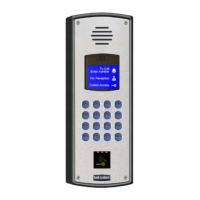
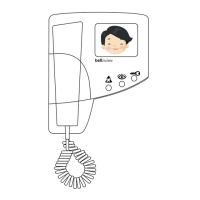
Covers Video Telephones (BV), Entrance Panels (BVP series), and key System Features of the Bellview system.

Telephone Controls and Operation

Adjusting Picture and Buttons

Details on Brightness/Contrast controls, and the function of telephone buttons and indicators.

System Operation Modes

Primary Operation and Privacy

Explains general call handling, privacy mode, multi-door logic, and monitor mode functionality.

Required Equipment and Components

Control Cabinet and Power Supply

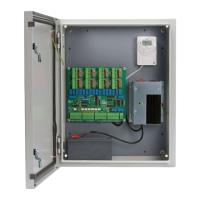
Details on the lockable cabinet for power supply/control circuitry and lists key cabinet components.

System Design Considerations

Cable Requirements and System Configuration

Guidance on selecting cable sections (CW1-CW5) and considerations for multi-telephone flats and multi-way systems.

Installation Guide

Important Safety Information

Details electrical safety, cable specifications, fuse types, environmental hazards, and component risks.

Commissioning and Settings

Video Telephone Settings Adjustment

Guides on adjusting picture, buzzer, call times, and privacy options via telephone controls.

Troubleshooting Guide

Diagnostic Aids and Indicators

Explains LED indicators for Power Supply status and 819S Switching Unit diagnostics.

Product Specifications

Component Specifications

Provides technical specs for Video Telephone, Speech Unit, Camera, Power Supplies, and Control Units.

Cable and Wiring Details

System Configuration Table

Table listing wiring sections (CW1-CW5) for different system types: 1-way, 2-10 way, 11-60 way, single/double door.

1 Way Single Door System Wiring

Diagram 2 a: Cabling Layout

Diagram showing cabling connections from Door Panel to Flat Video Phone via Electrical Cupboard and M540 Power Supply.

2-10 Way Single Door System Wiring

Diagram 3 a: Cabling Layout

Diagram showing connections from Door Panel to multiple Video Phones via Electrical Cupboard and M540 Power Supply.

11-60 Way Single Door System Wiring

Diagram 4 a: Cabling Layout

Diagram showing connections from Door Panel to multiple Video Phone groups via PSU Control Cabinet and VDC6 Distributor.

1-10 Way 2 Door System Wiring

CW4: Cable Requirements

Details cable types and conductor sizes for 1-10 way, 2-door systems.

2 Door 1-10 Way System Wiring

Diagram 5 a: Cabling Layout

Diagram showing cabling from two Door Panels to multiple Video Phones via Electrical Cupboard.

11-60 Way 2 Door System Wiring

CW5: Cable Requirements

Details cable types and conductor sizes for 11-60 way, 2-door systems.

2 Door 11-60 Way System Wiring

Diagram 6 a: Cabling Layout

Diagram showing cabling from two Door Panels to multiple Video Phone groups via PSU Control Cabinet.

Compliance Information

European Directives Compliance

States compliance with EMC (89/336/EEC) and Low Voltage (72/23/EEC) directives.

Bell System bellview Specifications

General IconGeneral
ManufacturerBell System
ModelBellview
TypeIntercom System
InstallationWall-mounted
FeaturesVoice communication, Door release

Related product manuals