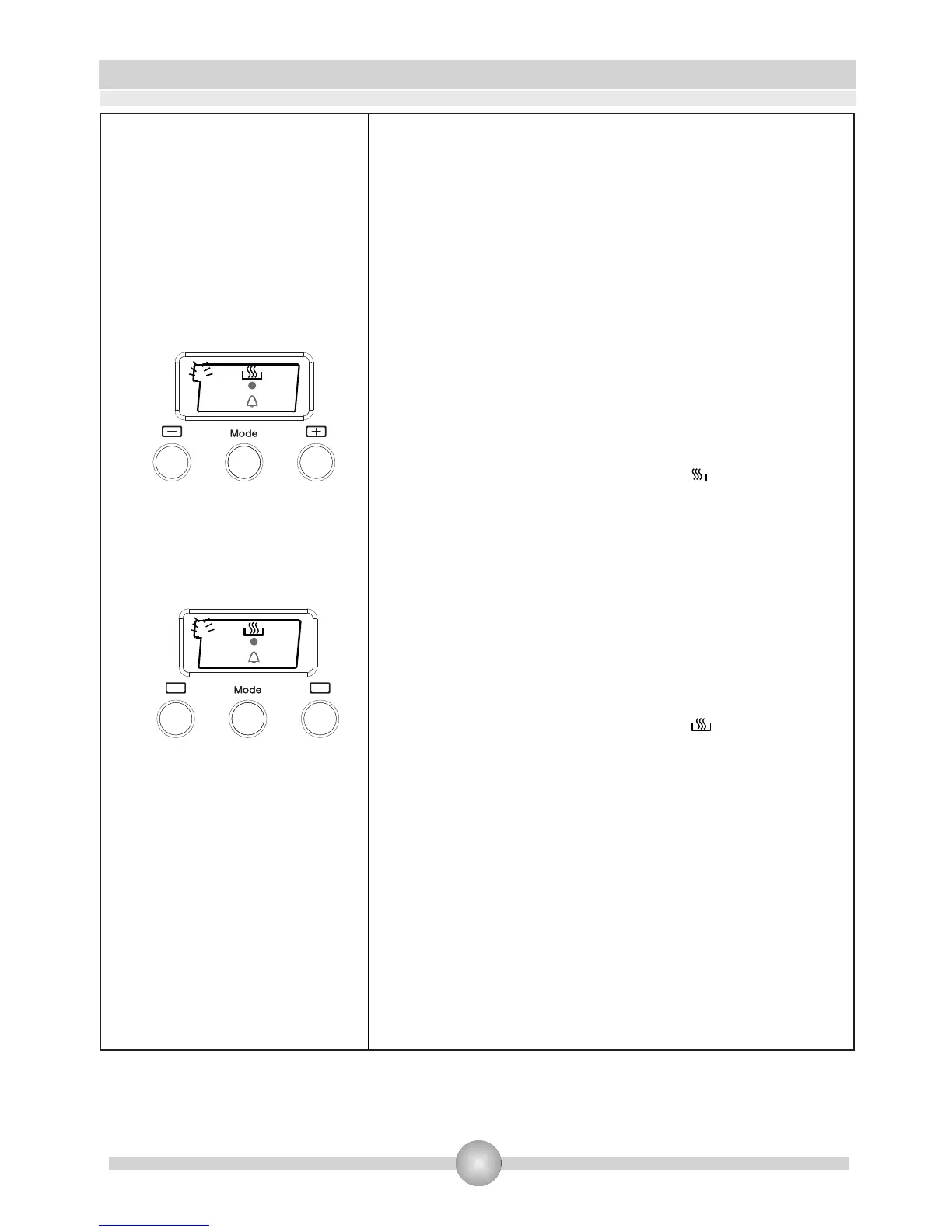
Full-Automatic Programming:
This function will get the oven to begin operating at a
certain time depending on the cooking duration and end
time you have set.
Step 1:
1. Put the food you want to cook in the oven.
2. Use the control knobs to select the cooking function
and temperature you want.
3. Next, keep pressing MODE until you see “dur” appear
on the screen and the “A” symbol is flashing.
4. Adjust the cooking period/time for the food you want to
cook, using the (+) and (-) buttons
5. A cooking time between 0 and 10 hours can be set.
6. A few seconds after you have set the time, the current
day's time will appear again on the screen.
7. The “A” symbol stops flashing, the will appear and
both will remain lit to show the time is set.
Step 2:
8. Then keep pressing MODE again until you see “End”
appear on the screen and the symbol “A” and the day's
time is flashing with the addition of the cooking period.
9. Adjust the time to the time of day that you want the
cooking to finish by using the (+) and (-) buttons.
10. You can set a time up to 10 hours after the current
day's time.
11. A few seconds after you have set the time, the current
day's time will appear again on the screen.
12. The “A” symbol stops flashing, the will appear and
both will remain lit to show the time is set.
Step 3:
13. The oven will start at the time calculated by deducting
the cooking period from the set finishing time.
14. Once the set time is up, the oven will stop operating
and will give an audible warning.
15. The “A” symbol will begin to flash
16. Press any button to stop the audible warning
17. Turn the function and thermostat control knobs to “0”
18. You can now manually operate the oven again
A
En
d
A
du
r
17








 To Next Page