10
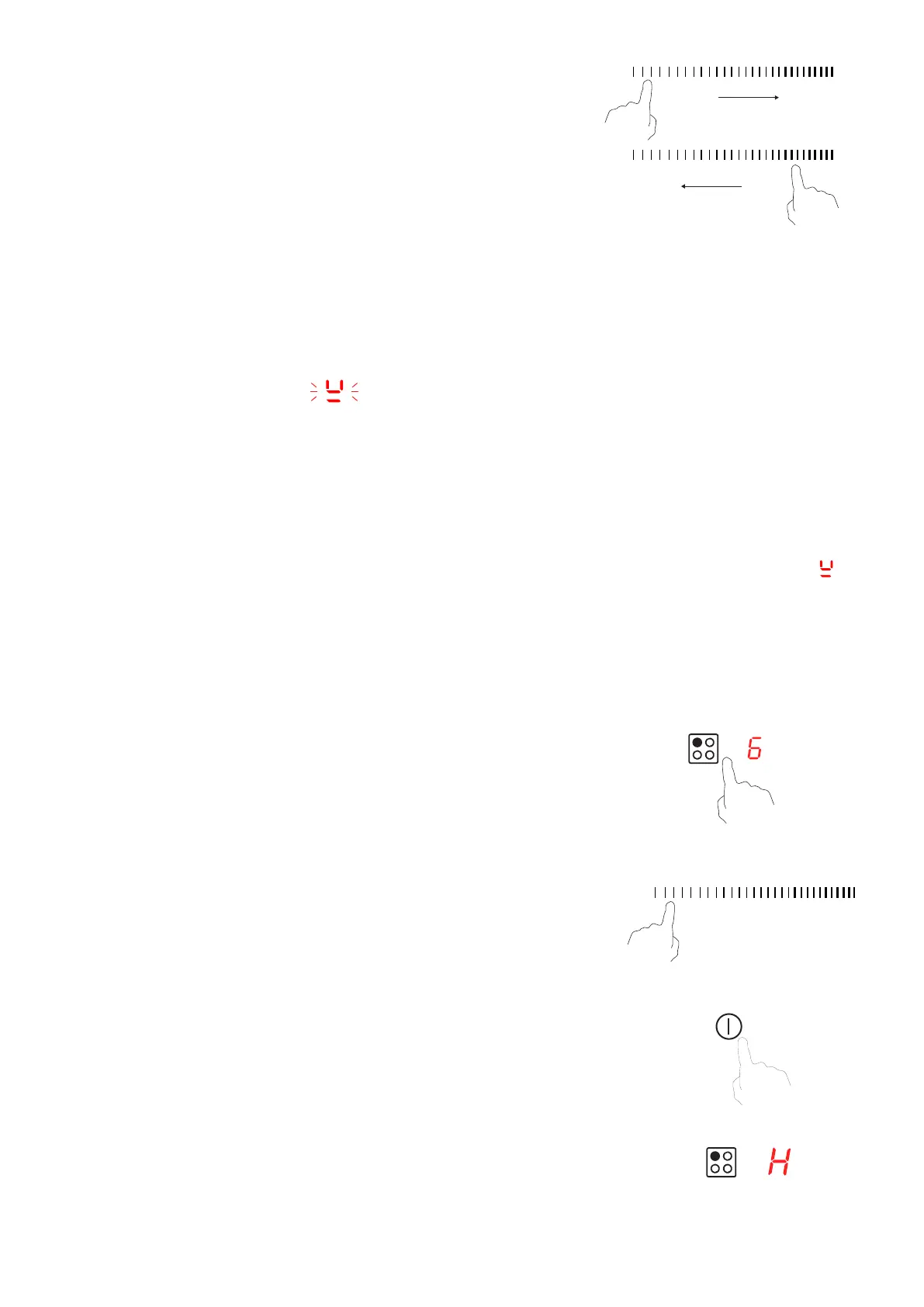
slider control to select the power level.
• If you don’t select a power level within about 1 minute,
need to start again from step 1.
• When you need to adjust the power level, touch the
relevant heating zone selection control key again until
to adjust the power level. Adjusting the power level
0
If the display ashes alternately with the heat setting
Finish cooking
Touch the relevant heating zone selection control key for the zone
0
/
Beware of hot surfaces
H will show which cooking zone is hot to the touch. It will disappear
when the surface has cooled down to a safe temperature.
This can also be used to save energy if you wish to heat other
pans, use the hotplate that is still hot.
• You have not placed a pan on the correct cooking zone or;
• The pan you’re using is not suitable for induction cooking or;
• The pan is too small or not properly centered on the cooking zone.
power up
power down
No heating takes place unless there is a suitable pan on the cooking zone. The display “ ” will
1


 To Next Page