14
G87
OVEN TIMER OPERATION CONTINUED
AUTOMATIC COOKING PROGRAMMES
There are two automatic cooking programmes that can be selected using your timer:
(a) To set the timer to switch the oven(s) ON and OFF automatically.
(b) To set the timer to switch on immediately and OFF automatically after a set Cook Time.
(a) To set the timer to switch the oven(s) ON and OFF automatically.
This allows you to cook at a specific time for a chosen period before the oven switches off automatically.
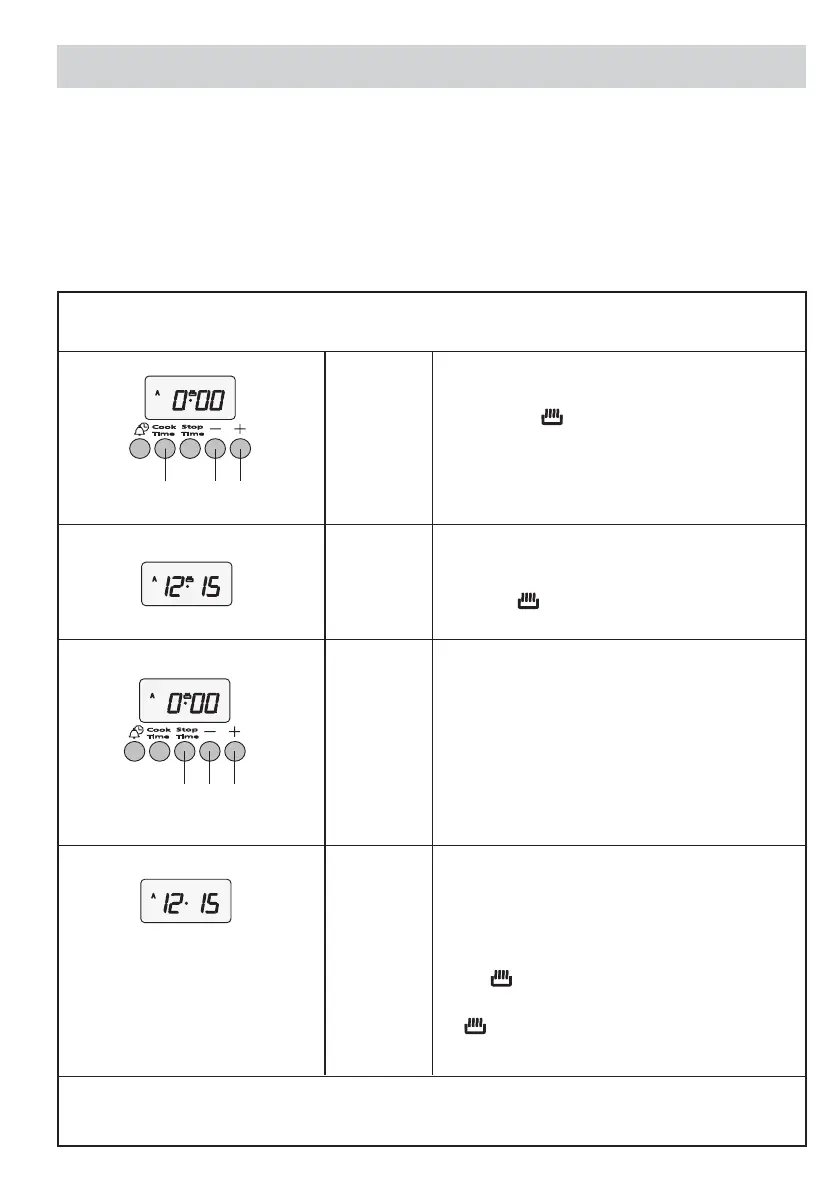
Step 3 ➤ Press and hold the Cook Time (2) button. The
display will read 0.00 with the cookpot
symbol lit.
Step 4 ➤ With the Cook Time button still held in set the
required cook period using + (5) and - (4)
buttons.
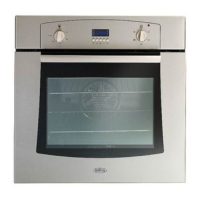
Release the buttons and the timer display will
revert to the time of day with the
A symbol and
symbol lit.
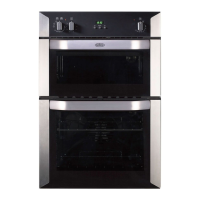
Step 5 ➤ Press and hold the Stop Time (3) button. The
display will read the earliest possible time for
the Cook Time that you have set above.
Step 6 ➤ With the Stop Time button still held in, use the
+ (5) and - (4) buttons to set the Stop Time.
i.e. the time you require the oven to switch off.
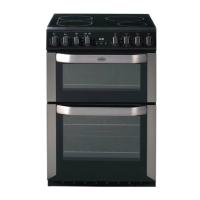
Release all the buttons and the timer will revert
back to the time of day.
The
A symbol will remain lit to signify that an
automatic cooking programme has been set.
The symbol will go out.
When the auto cook programme starts the
s symbol will then light up again.
Step 1 ➤ Check that the correct time of day is set. If not follow instructions for setting the time of day.
Step 2 ➤ Place food onto the correct shelf position in the oven and close the oven door.
Step 7 ➤ Turn the oven control(s) to the required temperature and if necessary select the appropriate
oven function.
2
45
2
345



 To Next Page