9
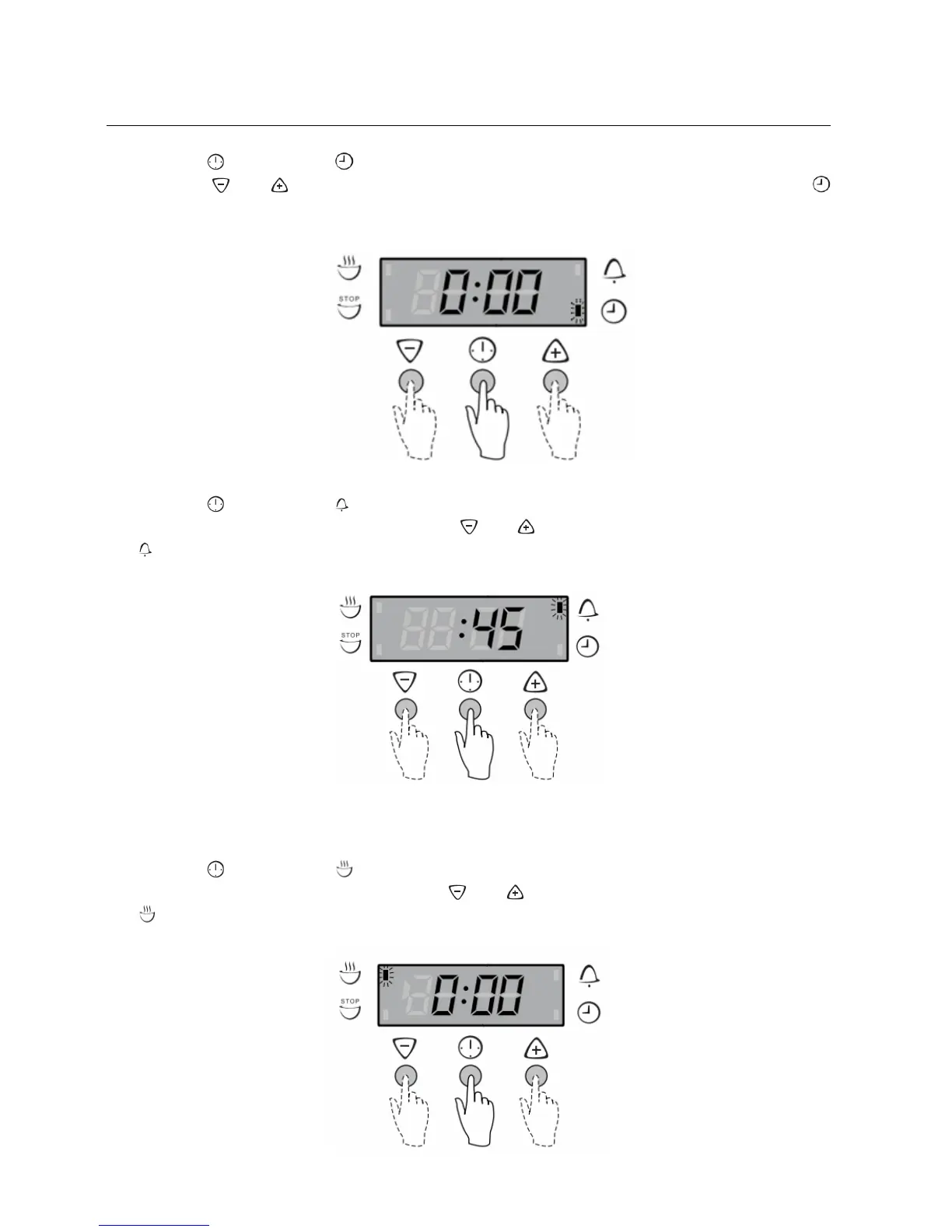
O’Clock Time Setting
Press the
button until the ‘indicator’ begins flashing.
Press the
and buttons to change the time of day. 5 seconds after the last change, the
‘indicator’ will disappear, confirming the time has been adjusted.
Timer Setting
Press the
button until the ‘indicator’ begins flashing.
Set the countdown time you wanted by using the
and buttons. 5 seconds after the last change the
‘indicator’ will stop flashing and the countdown will start in minutes.
To stop the beeper, press any button.
Cooking Duration Setting
Select the desired oven function and temperature.
The oven indicator light will glow and the heating source will come on.
Press the
button until the ‘indicator’ begins flashing.
Set the cooking duration you want by using the
and buttons. 5 seconds after the last change the
‘indicator’ will stop flashing, and the time of day will be displayed.
* Remember to add pre-heating time if necessary.


 To Next Page
 Loading...