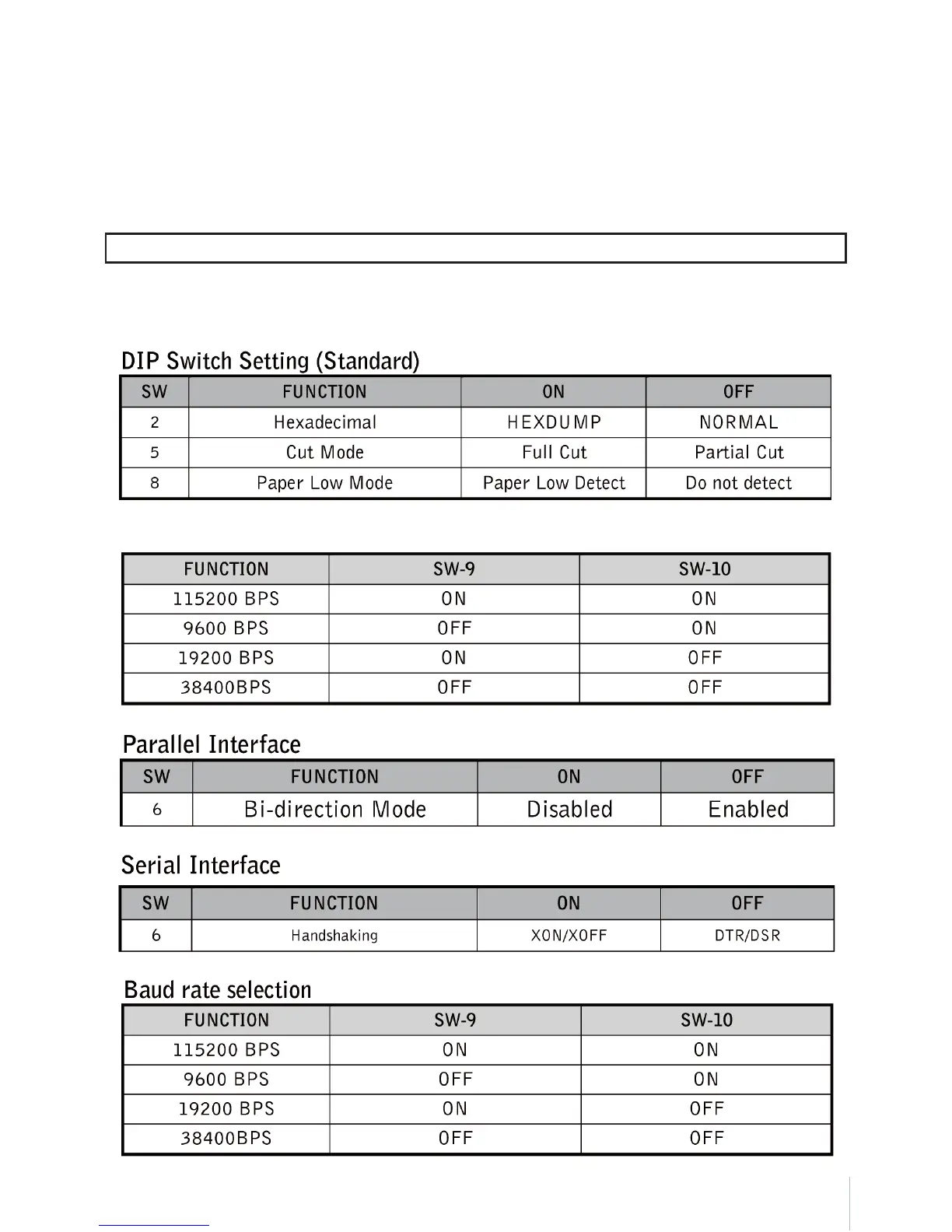
2.4 - DIP SWITCH SETTING
The printer is set up at the factory to be appropriate for almost all users. It does, however, offer some
settings for users with special requirements.
It has DIP switches that allow you to change communication settings, such as handshaking and parity
check, as well as print density.
Your printer has two sets of DIP switches. The functions of the switches are shown in the following tables.
2.4.1 - Serial Interface Specification
Note : Turn power off unplug the printer. Open the Dip Switch cover to change settings.
Configuring the print intensity



 To Next Page