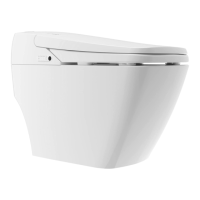
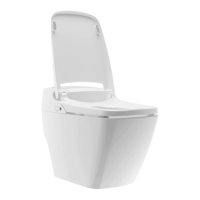
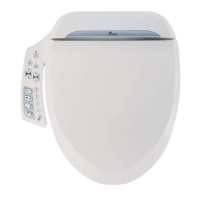
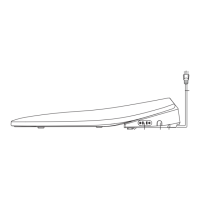
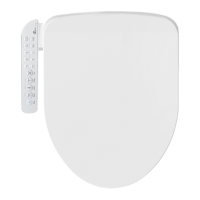
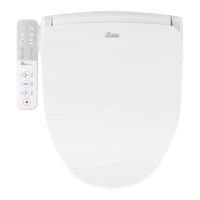
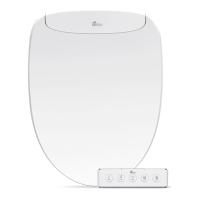
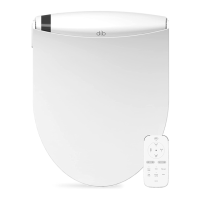
This document is the owner's manual for the Prodigy smart toilet, available in two models: P700 and P770. It provides comprehensive information on product features, operation, maintenance, troubleshooting, and warranty.
Function Description
The Prodigy smart toilet offers a range of standard and comfort functions designed for personal hygiene and convenience.
- Standard Functions:
- Posterior Wash: Cleanses the posterior area.
- Feminine Wash: Cleanses the feminine area.
- Enema: Helps relieve constipation.
- Dry: Activates the dryer function.
- Water Pressure: Allows adjustment of water pressure.
- Nozzle Position: Enables adjustment of the nozzle position.
- Oscillating: Provides back-and-forth nozzle movement for thorough cleansing.
- Pulsating: Delivers a rhythmic stream of water for cleansing.
- Rhythm: Combines oscillating and pulsating features.
- Seat Temperature: Adjusts the seat temperature.
- Water Temp.: Adjusts the water temperature.
- Dry Temp.: Adjusts the dryer temperature.
- Remote Control: Operates all bidet functions.
- Operation Light: Indicates current operation (power, seat sensor, power saving, seat temp, water temp).
- Water Saving Functions:
- Full Flushing: Uses -1.28 gallons per flush.
- Small Flushing: Uses -0.83 gallons per flush.
- Comfort Functions:
- Deodorant: Reduces bathroom odors.
- Remote Control Flushing: Allows full and small flushing via remote control.
- Auto Flushing: Automatically flushes when the user stands up.
- Auto Lid OPEN/CLOSE (P770 only): Automatically opens the lid when a user approaches and closes it when they move away.
- Night Light: Automatic sensors detect motion and activate the night light, which can be enabled or disabled via remote control.
- Safety Functions:
- Power Saving: Saves power when not in use.
- Anti-short Circuit: Automatically turns off power during a short circuit.
- Burn Protecting: Turns off seat temperature after 30 minutes of use to protect the user.
- Antibacterial: The nozzle, seat, and lid are coated to protect against bacteria.
- Emergency Button: Bypasses the remote control for power, posterior, feminine, and auto flush functions.
- Manual Flush Button: Activates a manual flush, usable during a power failure.
- Self Checking: Automatically detects malfunctions before use.
- Sanitary Functions:
- Nozzle Cleaning: Automatically cleans the nozzle before and after use.
- Nozzle button: Extends the nozzle for manual cleaning.
- Anti Pollutant Coating: The toilet bowl has a special non-stick coating.
Important Technical Specifications
The Prodigy smart toilet is available in two models, P700 and P770, with slight differences in weight and lid operation.
- Rated Power Consumption: 703W for both models.
- Power Cord Length: 5 feet.
- Water Consumption:
- Full Flush: ~1.28 gallons.
- Small Flush: ~0.83 gallons.
- Flushing System: Siphon jet, Tornado flushing.
- Wash Unit:
- Posterior Wash: Max 0.31 gal/min.
- Feminine Wash: Max 0.31 gal/min.
- Enema: Max 0.31 gal/min.
- Water Temp.: Adjustable 93°F - 104°F.
- Water Tank: 0.31 gallons.
- Heater Capacity: 600W.
- Safety Device: Thermal cutoff, overheating prevention circuit, temp. sensor.
- Heated Seat:
- Seat Temp.: Adjustable 93°F - 104°F.
- Heater Capacity: 55W.
- Safety Device: Thermal cutoff, temperature sensor.
- Dry:
- Hot Air Temp.: Adjustable 93°F - 104°F.
- Heater Capacity: 250W.
- Safety Device: Thermal cutoff, temp. overheat preventer (manual recovery bimetal).
- Deodorization: Automatic deodorizer.
- Lighting: LED light (P700), Auto LED light (P770).
- Auto Lid: Not applicable for P700, Auto lid for P770.
- Water Pressure: Min: 1.5 kgf/cm² (0.15 Mpa) [with 20l/min flow], Max: 7.5 kgf/cm² (0.75 Mpa).
- Waterproof Rating: IPX4.
- Inlet Water Temp.: 41°F - 95°F.
- Ambient Temp.: 41°F - 104°F.
- Dimension: W 410mm x L 720mm x H 525mm for both models.
- Weight:
- P700: 58 lbs (Bidet: 16 lbs, Toilet: 42lbs).
- P770: 59 lbs (Bidet: 17 lbs, Toilet: 42lbs).
- Average results are based on a fixed water pressure of 40 psi.
Usage Features
The manual outlines detailed steps for preparing the unit for use and operating its various functions.
- Remote Control: The remote control is the primary interface for most functions. It requires 3 AA batteries. Users are advised to remove batteries if the remote is not used for a long time and to avoid rechargeable batteries. Settings may reset after battery replacement.
- Water Flow Adjustment: The shutoff valve can be adjusted clockwise to reduce water pressure and prevent splashing or overflow.
- Display Panel Check: The main body has a display panel to indicate power, seat sensor, power saving, seat temperature, and water temperature status. Users should ensure the operation and seat lights are on.
- Cleansing Functions: Posterior Wash, Feminine Wash, and Enema functions are activated via the remote control. Each function operates for one minute.
- Dryer Function: The dryer operates for three minutes.
- Temperature Adjustment: Seat, water, and dryer temperatures can be adjusted up to three levels using the +/- buttons on the remote control. Activating seat or water temperature turns on the corresponding light on the main body display.
- Oscillating, Pulsating, and Rhythm: These comfort settings can be activated during washing by pressing the respective buttons on the remote.
- Nozzle Position and Water Pressure Adjustment: Both can be adjusted up to five levels using the up/down buttons on the remote. The nozzle defaults to the middle position.
- Deodorant Function: Activated by the Deodorant button, it automatically deodorizes when the user is seated (up to 20 minutes) and for one minute after standing up.
- Power Saving Mode: Activated by the Power Saving button, it maintains water and seat temperatures at 86°F. It automatically turns off when seated and reactivates upon standing.
- Seat and Lid Operation (P770 only):
- Remote Controlled: The seat and lid can be opened or closed by pressing corresponding buttons on the remote.
- Automatic Open/Close: The lid automatically opens when a user stands in front of the toilet and closes when they move away. This feature is activated via the "Auto Lid OPEN/CLOSE" button on the remote.
- Flushing:
- Remote Control: Full or small flush buttons on the remote.
- Auto Flush: Automatically flushes when the user stands up, activated by the Auto Flush button.
- Manual Flush: A button on the main body control panel for manual flushing, useful during power failures.
- Bowl Cleaning: Activated by pressing the Bowl cleaning button for 3 seconds, followed by the Flush button for 5 seconds, and then the Bowl cleaning button again for 3 seconds. This function cleans the inner ceramic bowl with high-pressure water jets.
Maintenance Features
The manual provides clear instructions for regular and specific maintenance tasks.
- General Cleaning:
- Routine Cleaning: Use a wet cloth.
- Deep Cleaning: Use a soft wet cloth and mild detergent, then dry thoroughly.
- Caution: Avoid harsh detergents to prevent discoloring.
- Recommendation: BioMist Bidet Cleaner method is recommended.
- Deodorizer Filter Cleaning:
- Removal: Locate the filter beneath the bidet and pull it forward.
- Cleaning: Use a toothbrush to remove dust particles.
- Re-securing: Push the filter back until it clicks. Do not use the unit without the filter.
- Nozzle Cleaning:
- Extend the nozzle by pressing the Nozzle Cleaning button for 3 seconds (without sitting on the seat).
- Clean the nozzle with a toothbrush.
- Retract the nozzle by pressing the Nozzle Cleaning button again.
- Pre-Maintenance Step: Always turn off the Auto Flush Feature before performing any maintenance.



 To Next Page

 General