D2400 Homogenizer Manual Chapter 4 Operation Guide
─ 8 ─
4. Running and stopping programmed operation
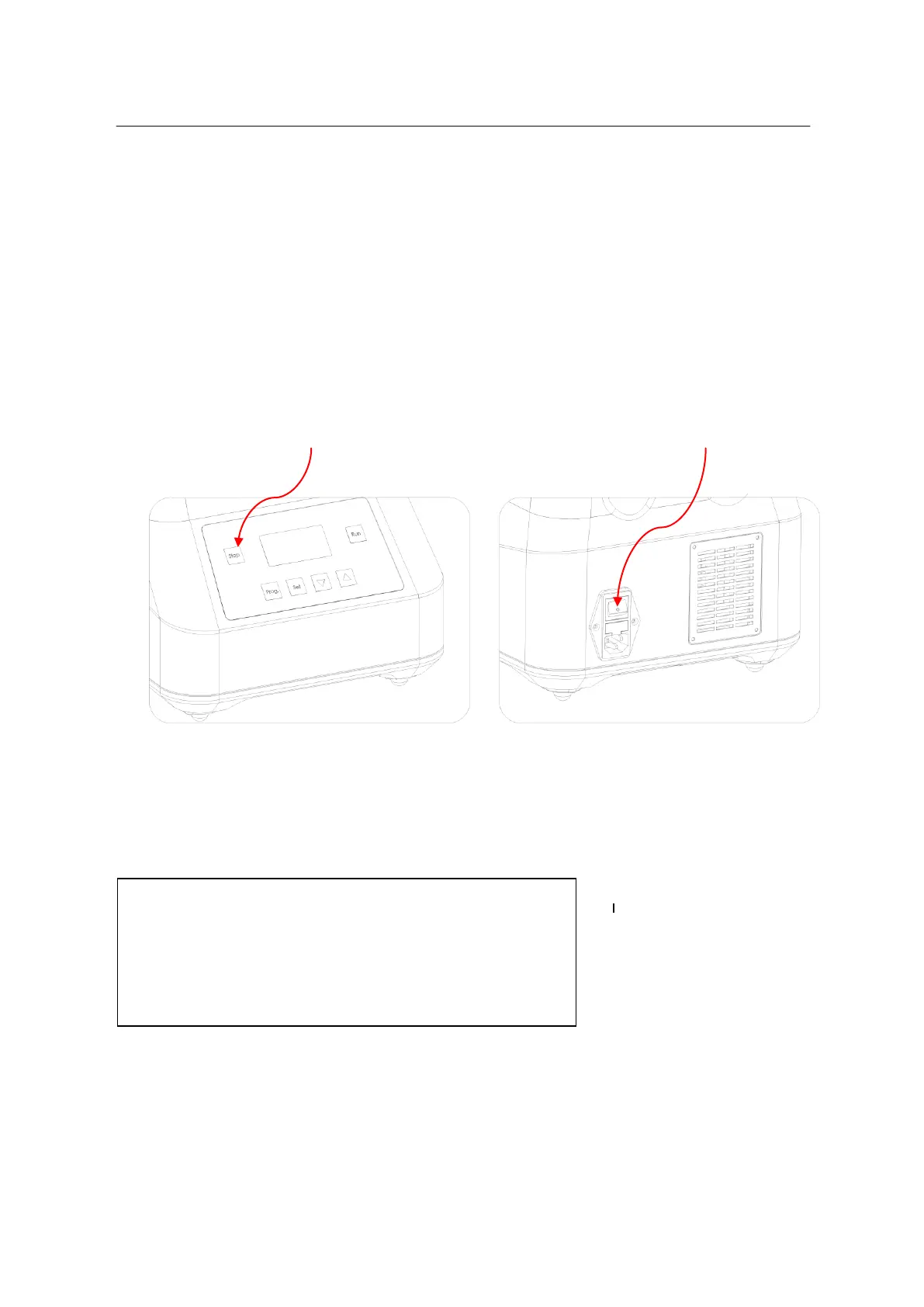
Press “Start” to begin operation.
Press “Stop” to end operation.
Note:Before beginning operation, be sure that the tube retainer is in the proper
position and locked in place.
If there is abnormal noise during operation, press “Stop” at once to stop running, or
turn off using the On/Off switch on the back of the instrument directly.
5. Motor over-temperature protection
An over temperature sensor protects the motor against damage. The display shows the
temperature of the motor. If the temperature goes above 65º, the unit will shut down until the
temperature has dropped below 60ºC. The display of the motor temperature can be turned on or
off. Press the "Prog" and "Set" keys simultaneously to display the following screen:
Press “” or “”, to toggle between ON and OFF. Press start to confirm the selection. If set to
"ON" the temperature of the motor will appear in the screen.
Sensor: on
Press run to return


 To Next Page