14
3.4 CONNECT THE LI-ION BATTERY
WARNING!
The improper use of a lithium-ion battery can cause battery
damage and/or endanger personal safety. Please read carefully,
use correctly and take precautions. Do not expose to extreme
temperatures. Users must not dismantle or service. Do not
dispose in household trash. Dispose and transport according to
local lithium-ion battery guidelines.
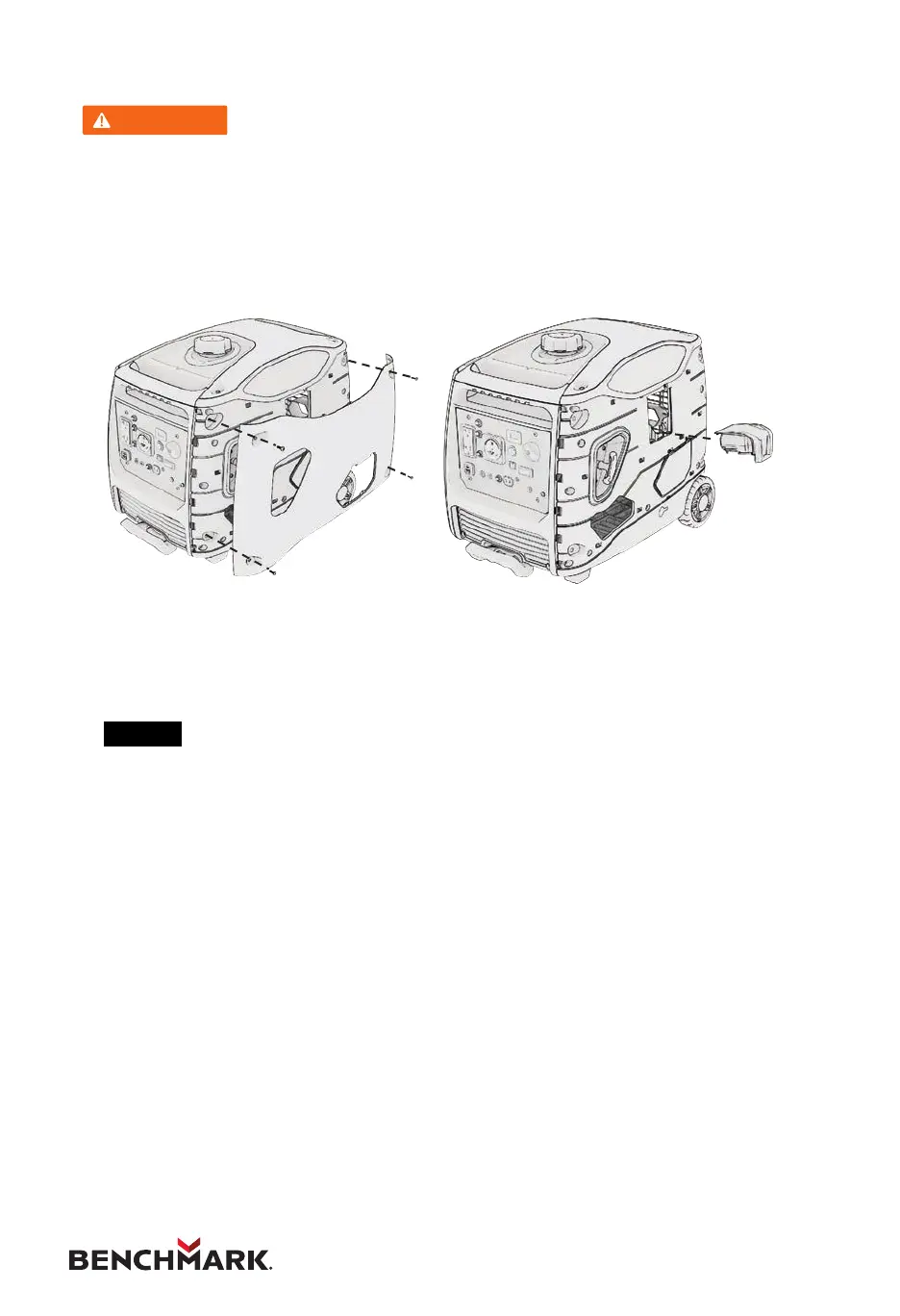
1. Loosen the four screws of the battery maintenance cover and remove it.
2. Slide the battery into place until it clicks and replace the cover.
3.
NOTE
Be sure to connect the battery to the generator set before operation.


 To Next Page