36
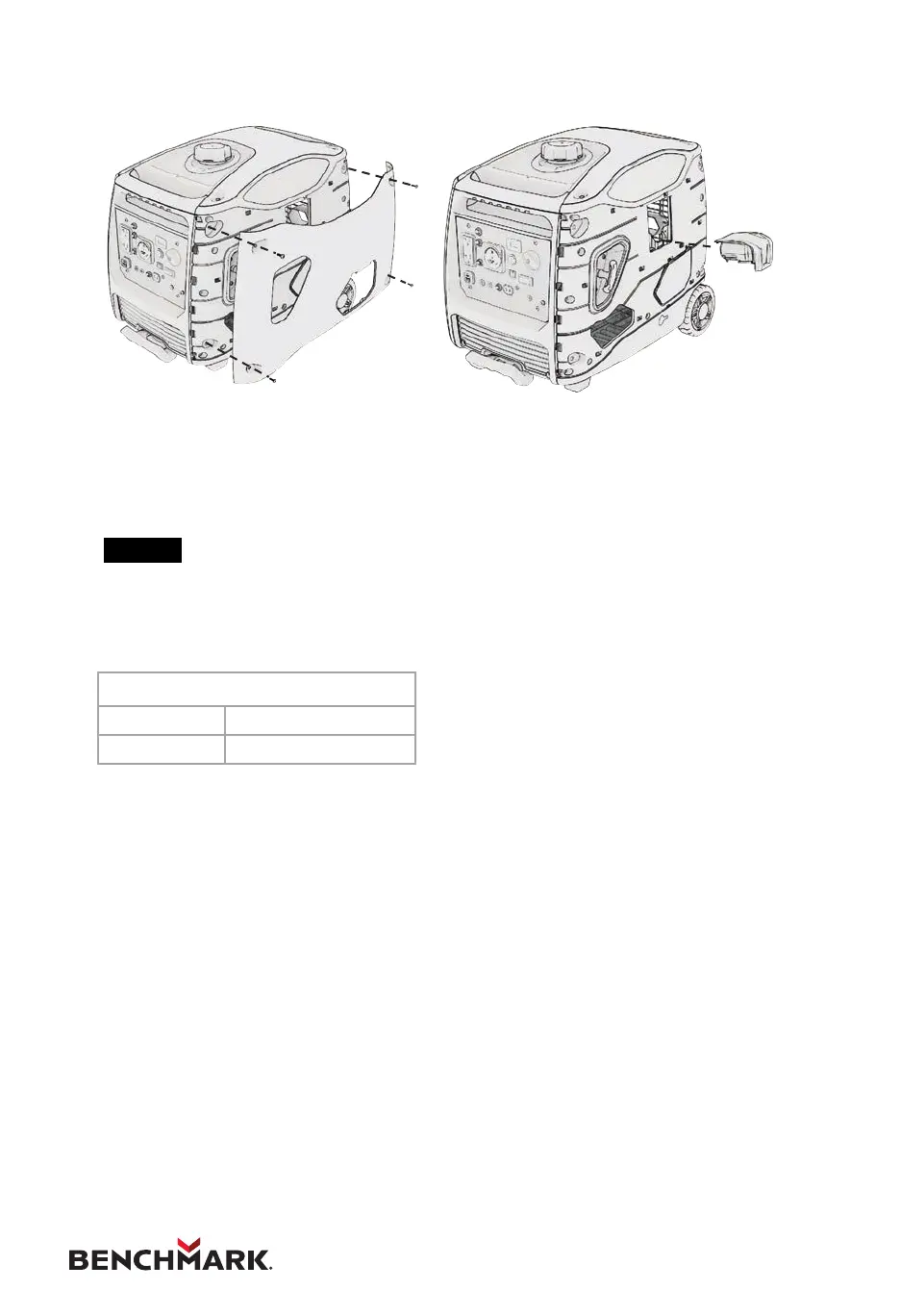
7.9 REPLACING THE BATTERY
1. Loosen the screws of the battery maintenance cover, remove the cover.
2. Remove the old battery and snap in the new battery.
3. Reinstall the battery maintenance cover.
NOTE
If the battery is dead, start the generator manually. The battery will
charge while the engine is running.
Li-ion Battery Specications
Voltage Capacity
~12V 2000mAh


 To Next Page