18
Silver Crown Plus Pilot’s Guide
mode. The unit will also exit the channel
program mode if there is no button or knob
activity for 20 seconds.
The channel selection mode can then
be entered by momentarily pushing the
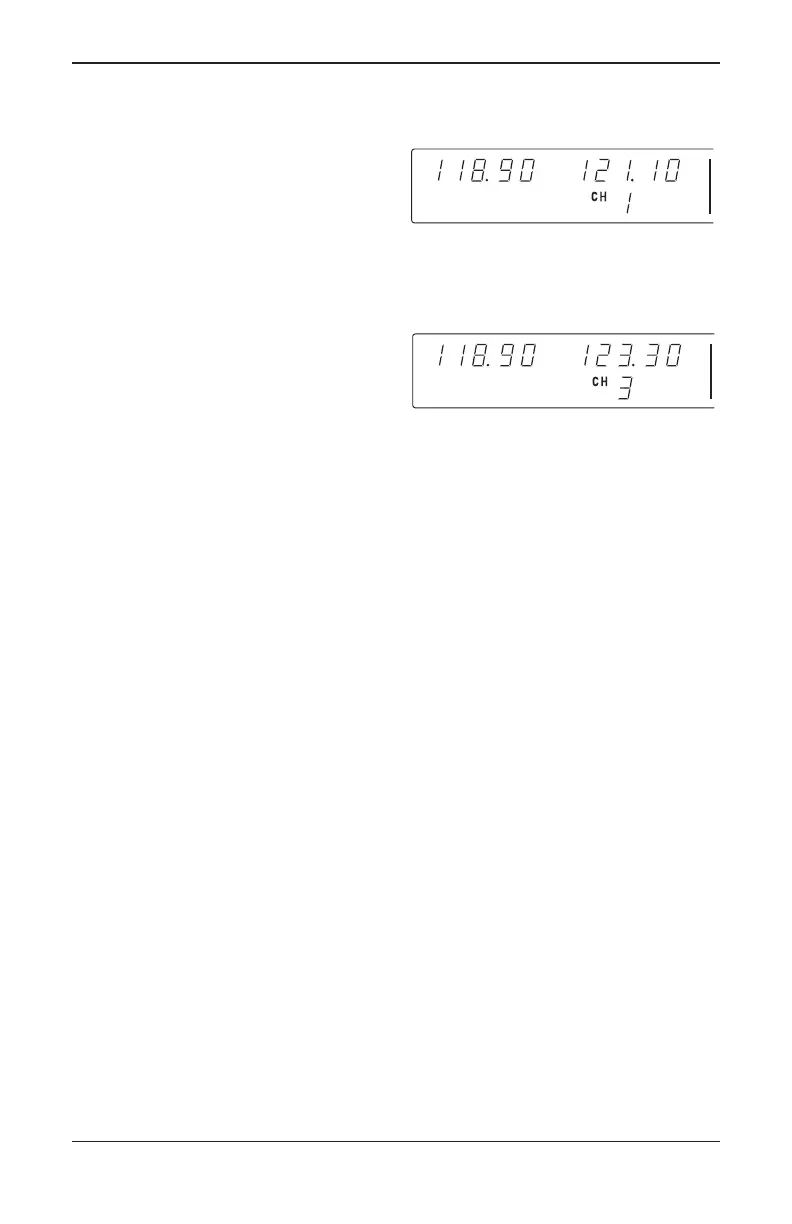
CHAN button (Figure 9). “CH” is displayed
next to the last used channel number.
NOTE: If no channels have been pro-
grammed, channel 1 appears with dashes
displayed.
The comm frequency knobs can be
used to select the desired channel (Figure
10). The unit will automatically exit the
channel mode, with the channel frequency
remaining in the STANDBY window, if no
channel is selected within 5 seconds after
entering the channel selection mode. The
channel frequency is then made the
ACTIVE frequency in the normal manner
by pressing the COMM TRANSFER but-
ton.
NOTE: An optional remote mounted channel
switch may be installed that increments the
next programmed channel into the standby
window each time the switch is activated.
The unit is placed in the transmit mode
by depressing the MIC KEY button. The
unit has a stuck microphone alert feature.
If the microphone is keyed continuously for
greater than 33 seconds, the transmitter
stops transmitting and the active Comm
frequency flashes to alert the pilot of the
stuck microphone condition.
NAV Receiver
The right portion of the display is allo-
cated to NAV receiver information. The
frequency channeling is similar to the
COMM when operating in the frequency
mode (Figure 1A and 1B). The NAV incre-
ment/decrement knobs are located on the
right hand side of the front panel. The
outer knob operates in 1 MHz steps and
increments/decrements the STANDBY fre-
quency display.
The inner knob operates in 50 kHz
steps. The NAV receiver’s lower and
FIGURE 9
Entering channel selection mode
FIGURE 10
Selecting desired channel
Silver Crown Plus 5/12/00 9:55 AM Page 18



 To Next Page