19
KX 155A/165A
upper frequency limits are 108.00 MHz
and 117.95 MHz. Exceeding the upper
limit of frequency band will automatically
return to the lower limit and vice versa.
Depressing the NAV frequency trans-
fer button for 2 seconds or more will cause
the display to go in to the ACTIVE ENTRY
mode. Only the ACTIVE frequency will be
displayed and it can be directly changed
by using the NAV inc/dec knobs. The dis-
play will return to the ACTIVE/STANDBY
mode when the NAV frequency transfer
button is pushed.
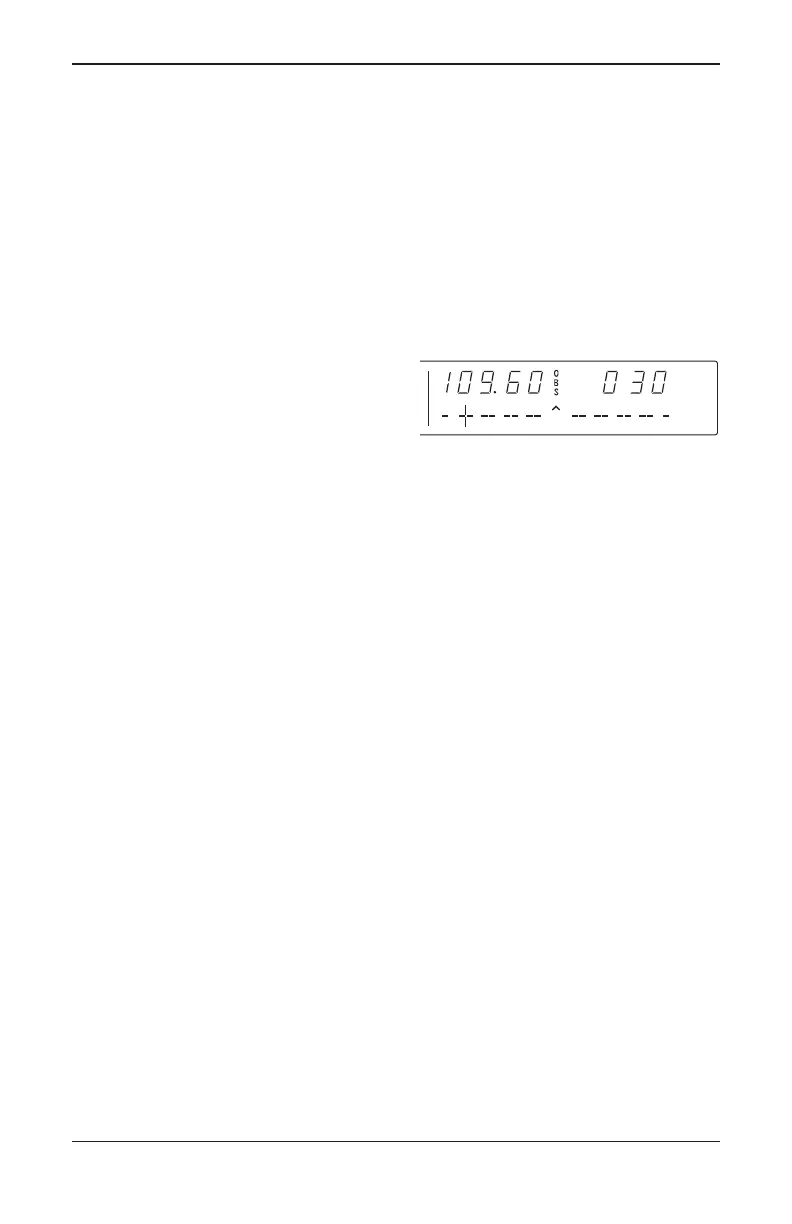
Depressing the mode button will
cause the NAV display to go from the
ACTIVE/STANDBY format to the
ACTIVE/CDI (Course Deviation Indicator)
format as shown in Figure 11. The vertical
“needle” moves side to side similar to a
mechanical CDI. When the needle is cen-
tered, the aircraft is on the selected OBS
course. When the active frequency is
tuned to a VOR frequency, the center of
the CDI scale displays the “TO” or “FROM”
indicator.
In the CDI mode, the increment/decre-
ment knob (pushed in) channels the
ACTIVE frequency window and depress-
ing the frequency transfer button will
cause the ACTIVE frequency to be placed
in blind storage and the STANDBY fre-
quency (in blind storage) to be displayed
in the ACTIVE window display.
When the ACTIVE window is tuned to
a VOR frequency, the standby frequency
area is replaced by a three digit OBS
(Omni Bearing Selector) display. The
desired OBS course can be selected by
pulling out the inner NAV frequency knob
and turning it. The CDI needle may be
automatically centered with a “TO” indica-
tion by depressing the mode button for 2
seconds. This OBS display is indepen-
dent of any OBS course selected on an
external CDI or HSI. An “OBS” in the
middle of the NAV display will flash while
the inner NAV frequency knob is pulled
out. The CDI is displayed on the line
below the frequency/OBS.
FIGURE 11
Nav display active VOR frequency/
CDI format
Silver Crown Plus 5/12/00 9:55 AM Page 19



 To Next Page