Recalling Memory Locations
Any of the frequencies from the
ten memory locations can be recalled
by simply pressing the MEM key on
the keyboard followed by the corre-
sponding Memory Location. For
example, pressing MEM and then the
1
key
will
recall the frequency stored
in Memory Location 1.
To
recall the frequency previ-
ously stored in Memory Location
1
press the keys on the keyboard in the
following order:
p4+p-]
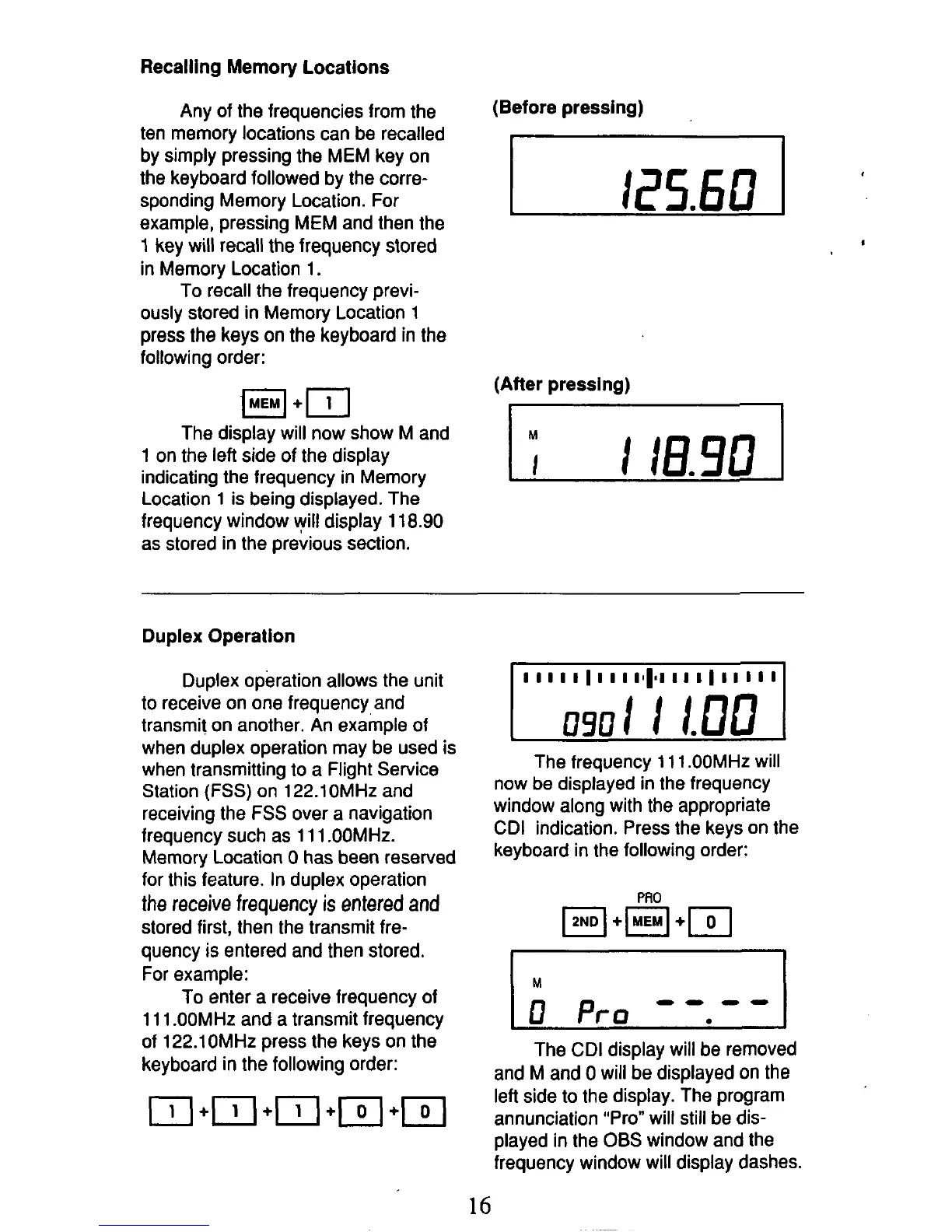
The display will now show M and
1
on the left side of the display
indicating the frequency in Memory
Location
1
is being displayed. The
frequency window
will
display
118.90
as stored in the previous section.
(Before pressing)
7
125.60
(After pressing)
1;
I
If3.90
I
Duplex Operation
Duplex operation allows the unit
to
receive on one frequency and
transmit on another. An example of
when duplex operation may be used
is
when transmitting
to
a Flight Service
Station
(FSS)
on 122.10MHz and
receiving the FSS over a navigation
frequency such as 11 1 .OOMHz.
Memory Location
0
has been reserved
for this feature. In duplex operation
the
receive frequency
is
entered
and
stored first, then the transmit fre-
quency
is
entered and then stored.
For example:
To enter a receive frequency of
1
1 1 .OOMHz and a transmit frequency
of 122.1 OMHz press the keys on the
keyboard in the following order:
The frequency 11
1
.OOMHz will
now be displayed in the frequency
window along with the appropriate
CDI indication. Press the keys on the
keyboard in the following order:
The CDI display will be removed
and M and
0
will
be displayed on the
left side
to
the display. The program
annunciation "Pro" will still be dis-
played in the
06s
window and the
frequency window will display dashes.
16



 To Next Page