46 Menu operation
5. Main menu: System
Structure
Image Memory
• Save Image Memory: Allows you to save and apply several sets of
image settings for regularly used circumstances, including the
following settings: Projector Position, Aspect Ratio, Picture Mode,
Source, Resolution, Light Source Mode, Digital Shrink & Shift,
Blanking, Corner Fit, 2D Keystone, 3D Keystone, ZOOM, Screen Fill,
Warping. You can choose one set of memory to save the current
settings.
• Apply Image Memory: After the image memories are saved, you can
decide if you would like to apply it by choosing a set of memory that
you have saved.
• Rename: Renames the image memories.
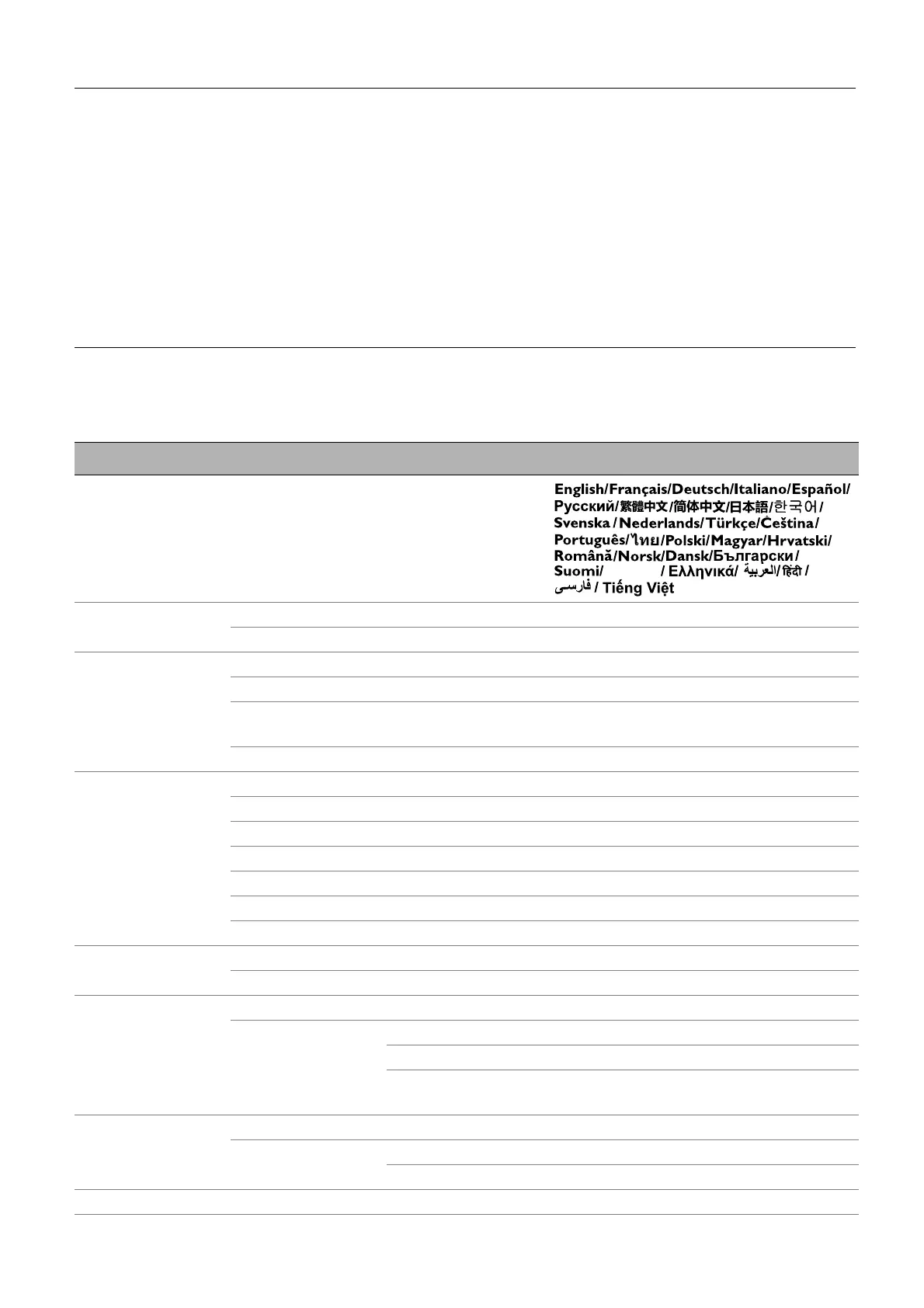
Menu Options
Language
Background
Settings
Background Color Black/Blue/Purple
Splash Screen BenQ/Black/Blue
Menu Settings
Menu Type Basic/Advanced
Menu Display Time 5 sec/10 sec/20 sec/30 sec/Always
Menu Position
Center/Top-Left/Top-Right/
Bottom-Right/Bottom-Left
Reminder Message Off/On
Light Source
Information
Light Source Usage Time
Normal Mode
ECO Mode
SmartEco Mode
Custom Mode
Equivalent Light Hours
Refer to UM for detailed formula
Standby Settings
Standby Mode Eco/Normal
Audio Pass Through Off/HDMI-1/HDMI-2
Operation Settings
LED Indicator Off/On
Power On/Off
Settings
Direct Power On Off/On
Signal Power On HDMI-1/HDMI-2/Type C
Auto Power Off
Disable/3 min/10 min/15 min/
20 min/25 min/30 min
Security Settings
Panel Key Lock Off/On Yes/No
Password
Change Password
Power On Lock
Factory Default Reset/Cancel
Bhs Ind


 To Next Page