BenQ DC 2410 User’s Manual
10
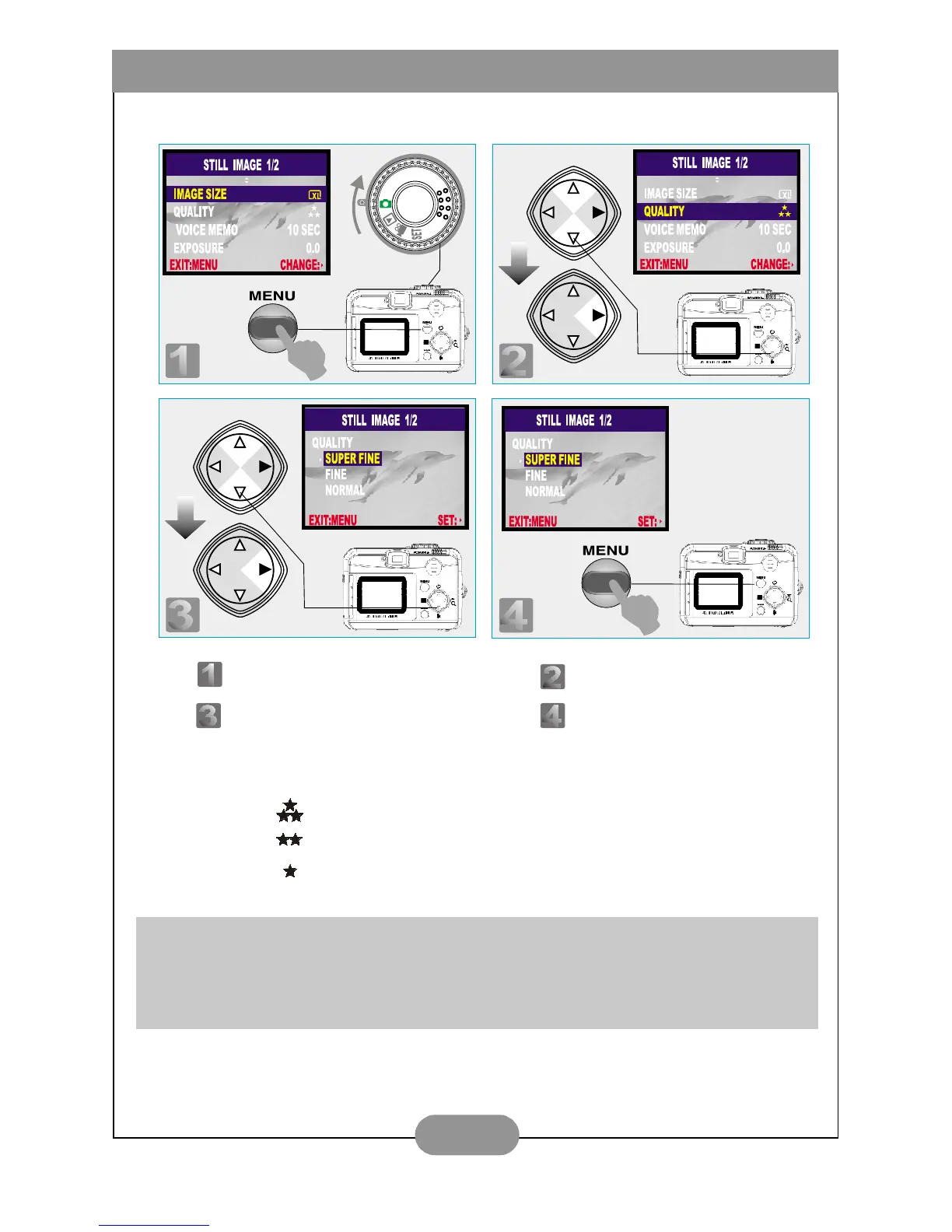
VII. Set Up Image Quality (Preset at Fine quality)
Three levels of image quality can be selected as follows:
( ) Super Fine
( ) Fine
( ) Normal
Note
The better the image quality is set, the less number of images can be stored in the built-
in flash memory or the memory card.
Step : To enter the setting mode. Step : To select and enter the option.
Step : To select and confirm the option. Step : To escape the setting.



 To Next Page