BenQ DC 2410 User’s Manual
17
VII. Formatting the Built-in Flash Memory
Please make sure no memory card is inserted.
Refer to page 16 and follow the steps, selecting "FORMAT" in step 3 , "YES"
in step 4.
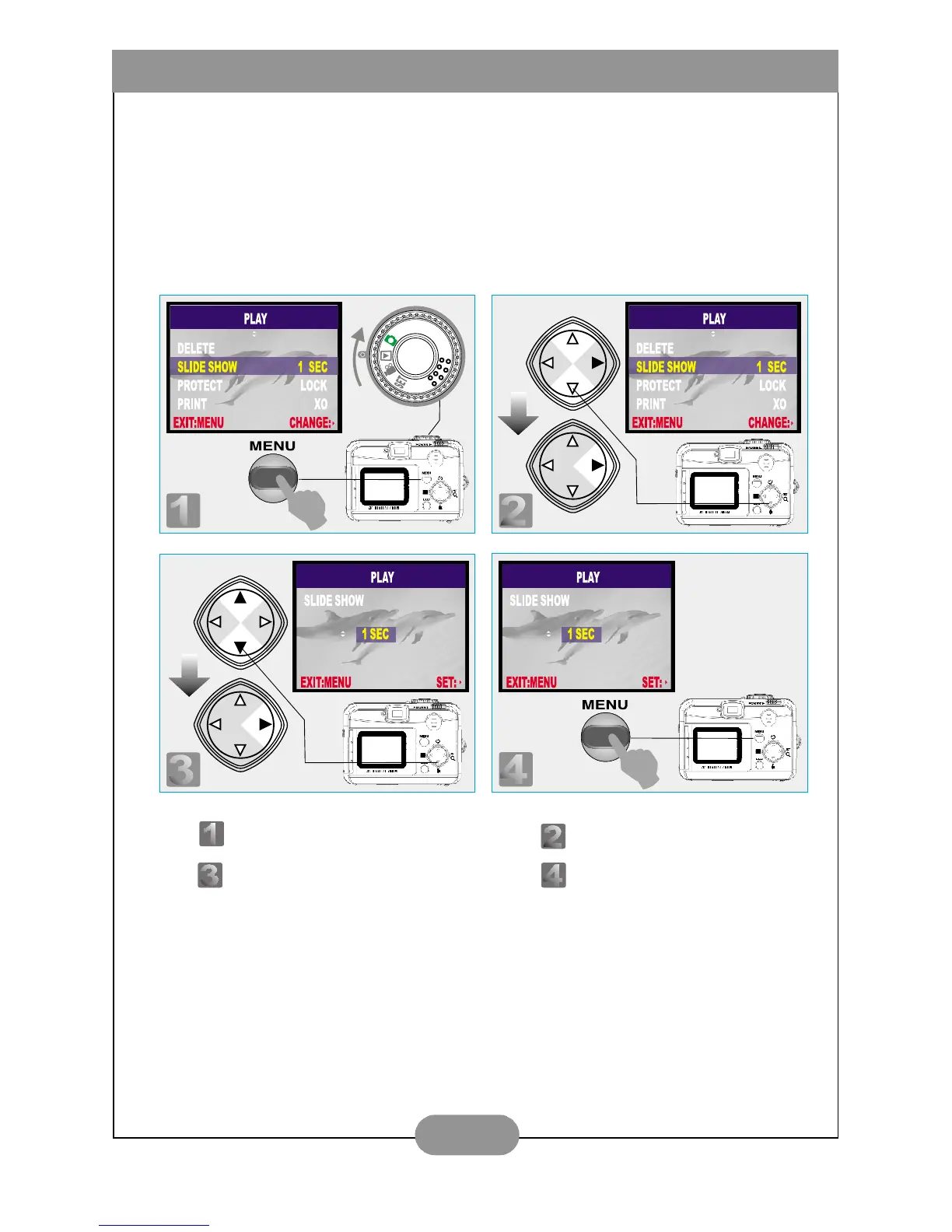
VIII. Set Up Slide Show (Preset at 1 second)
Step : To enter the setting mode. Step : To select and enter the option.
Step : To select and confirm the option. Step : To escape the setting.



 To Next Page