BenQ DC 2410 User’s Manual
16
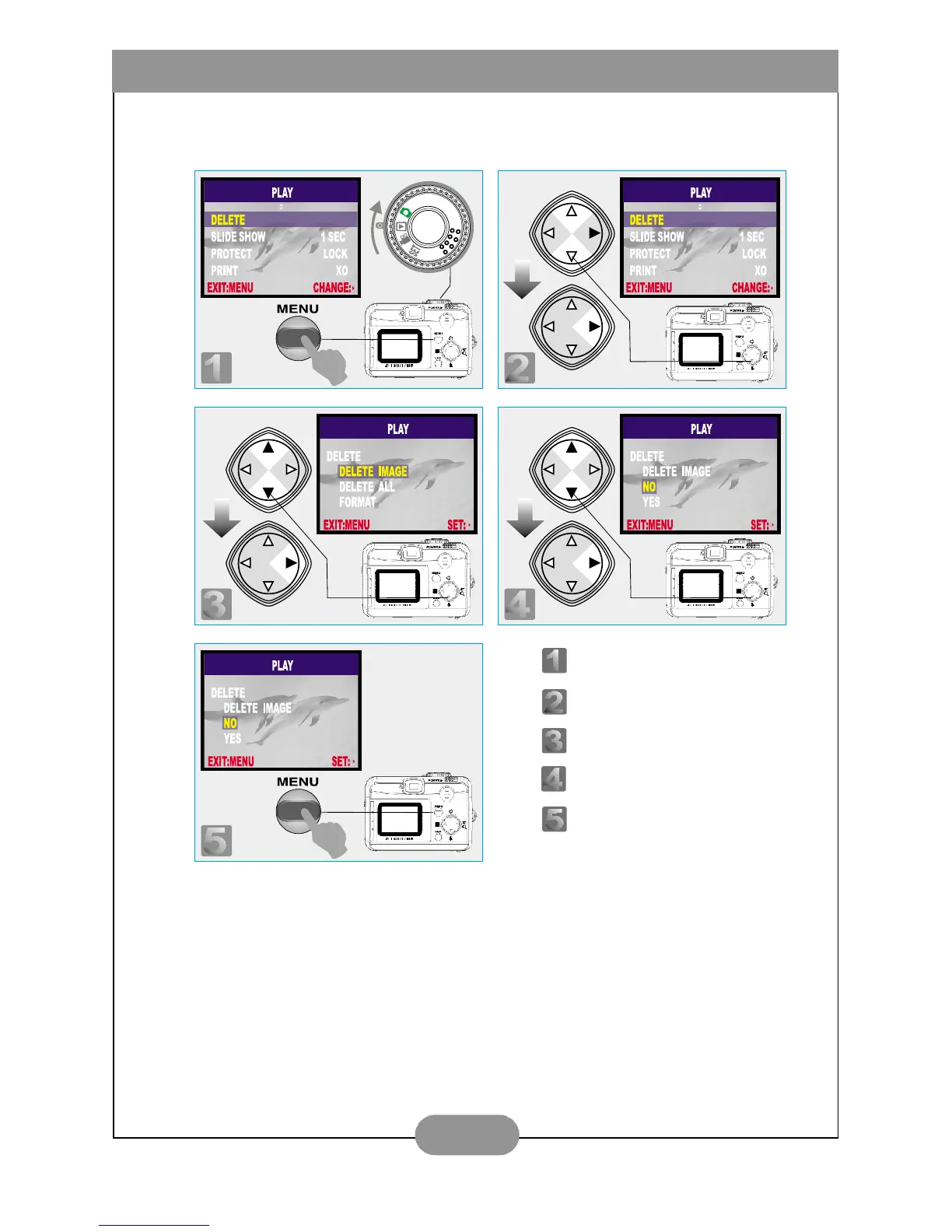
V. To Delete Image(s)
VI. To Format a SD Card
Please insert a SD Card in advance.
Follow the above steps, selecting "FORMAT" in step 3, "YES" in step 4.
Step : To enter the setting mode.
Step : To select and enter the option.
Step : To select and enter the option.
Step : To select and confirm the option.
Step : To escape the setting.



 To Next Page