BenQ DC 2410 User’s Manual
22
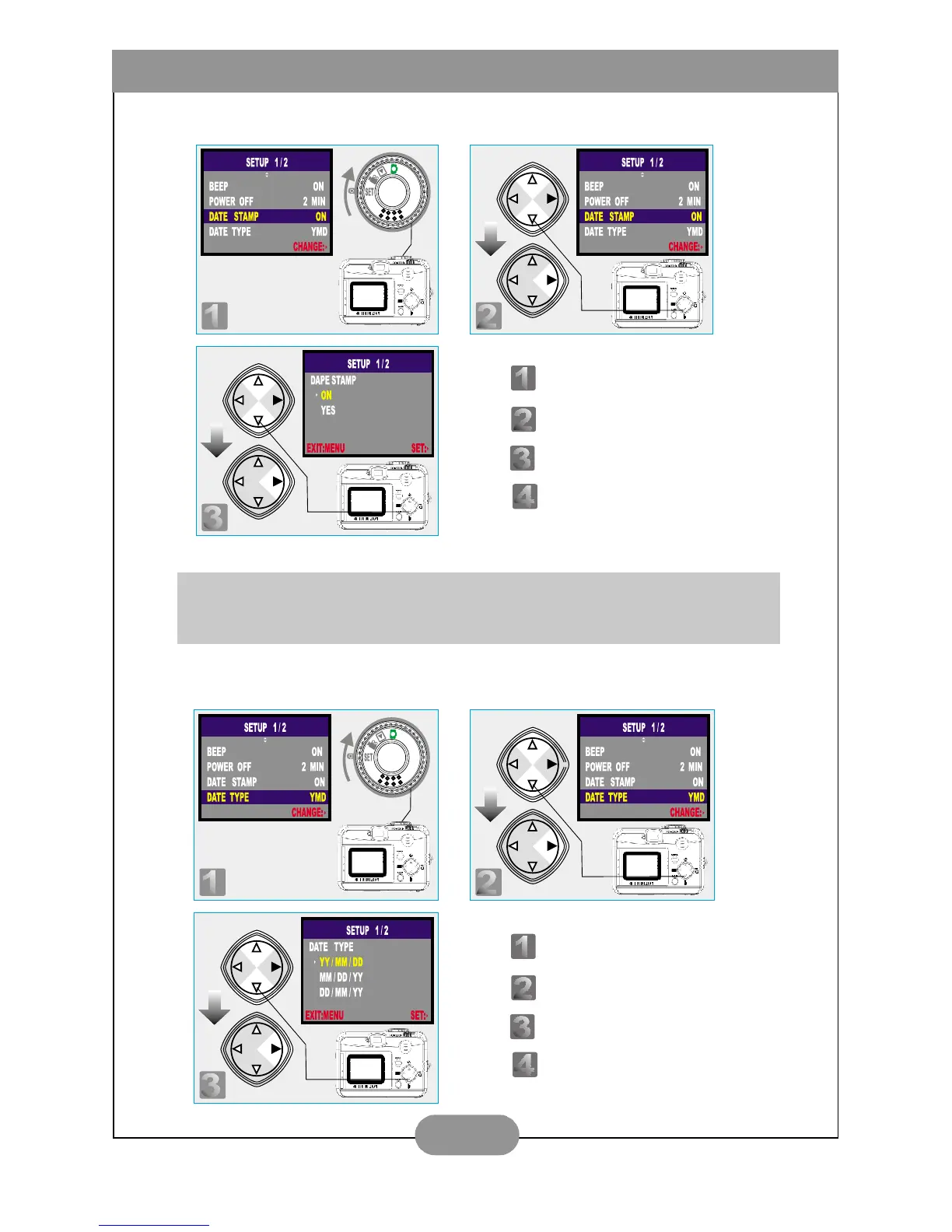
III. Set Date Stamp (Preset On)
IV. Set Date Type
Note
If this function is turned "ON", the date will be printed on the image.
Step : To enter the setting mode.
Step : To select and enter the option.
Step : To select and confirm the option.
Step : To escape the setting.
Step : To enter the setting mode.
Step : To select and enter the option.
Step : To select and confirm the option.
Step : To escape the setting.



 To Next Page