BenQ DC 2410 User’s Manual
23
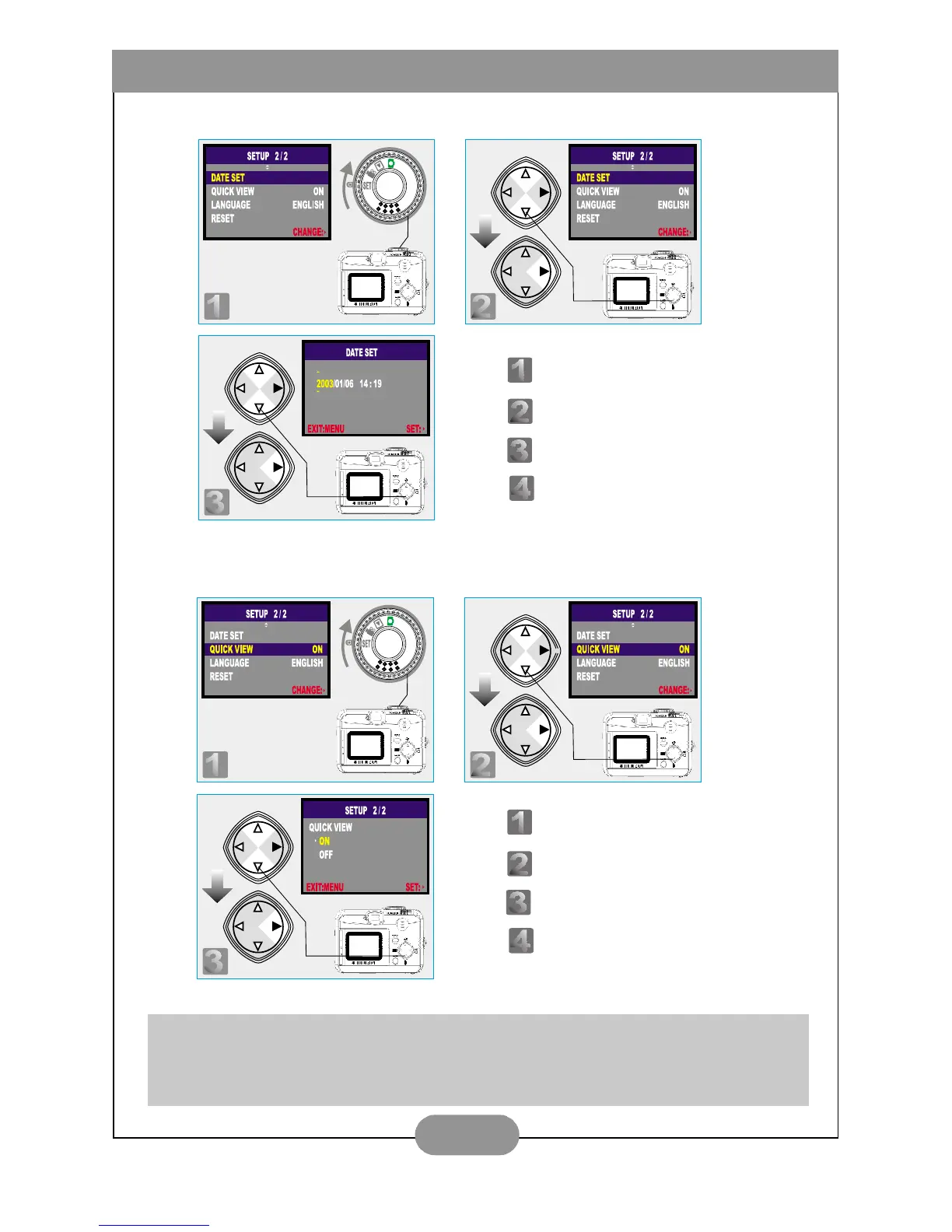
V. Date Set Up
VI. Set Up Quick View (Preset at On)
Note
This can allow you to view the image on the TFT LCD Monitor right after you
take a picture.
Step : To enter the setting mode.
Step : To select and enter the option.
Step : To set up the date.
Step : To escape the setting.
Step : To enter the setting mode.
Step : To select and enter the option.
Step : To select and confirm the option.
Step : To escape the setting.



 To Next Page