BenQ DC 2410 User’s Manual
24
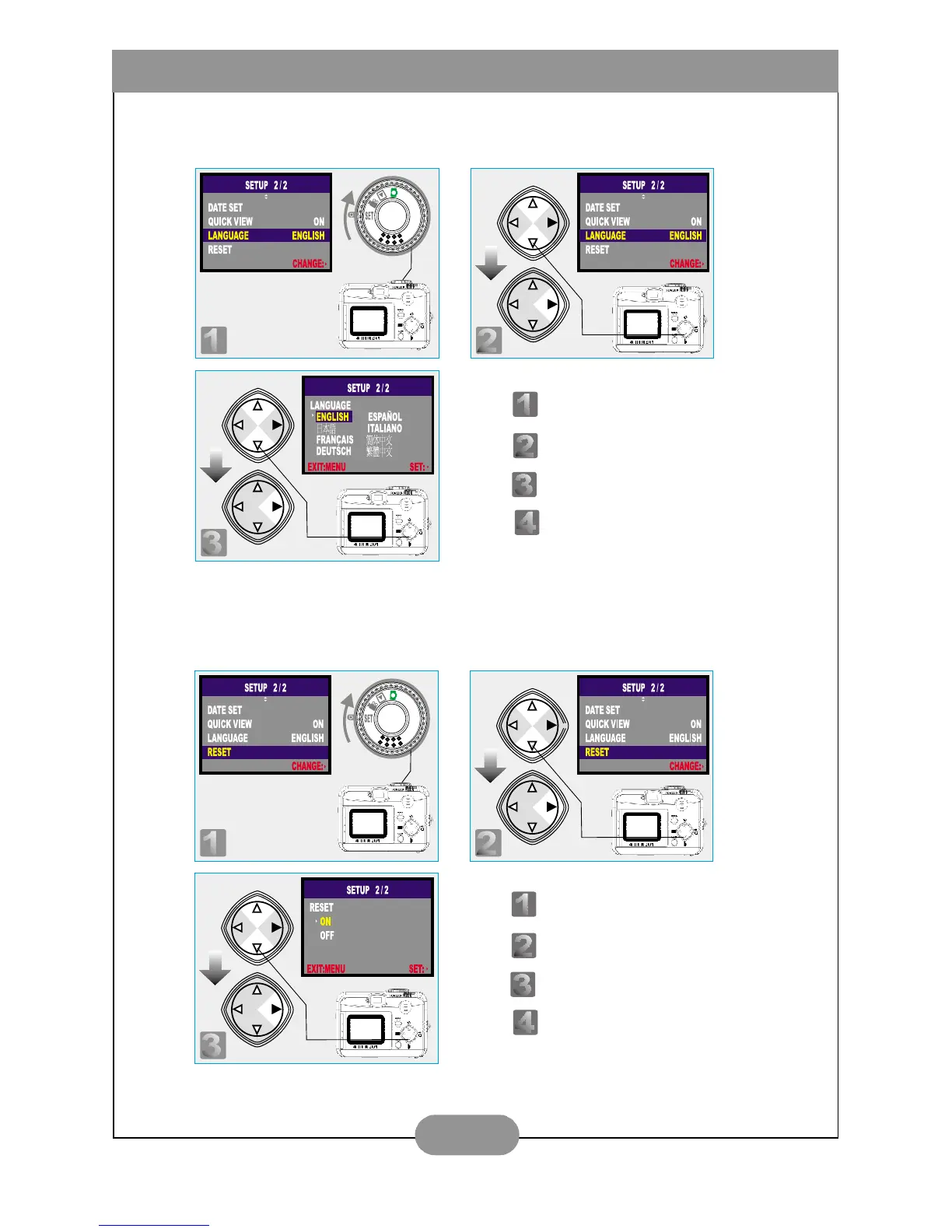
VII. Set Up Language (Preset at English)
VIII. Reset to Default Setting
Step : To enter the setting mode.
Step : To select and enter the option.
Step : To select and confirm the option.
Step : To escape the setting.
Step : To enter the setting mode.
Step : To select and enter the option.
Step : To select and confirm the option.
Step : To escape the setting.



 To Next Page