34 Menu operation
Basic menu
Brightness
The higher the value, the brighter the image. Adjust this control so the black areas
of the image appear just as black and that detail in the dark areas is visible.
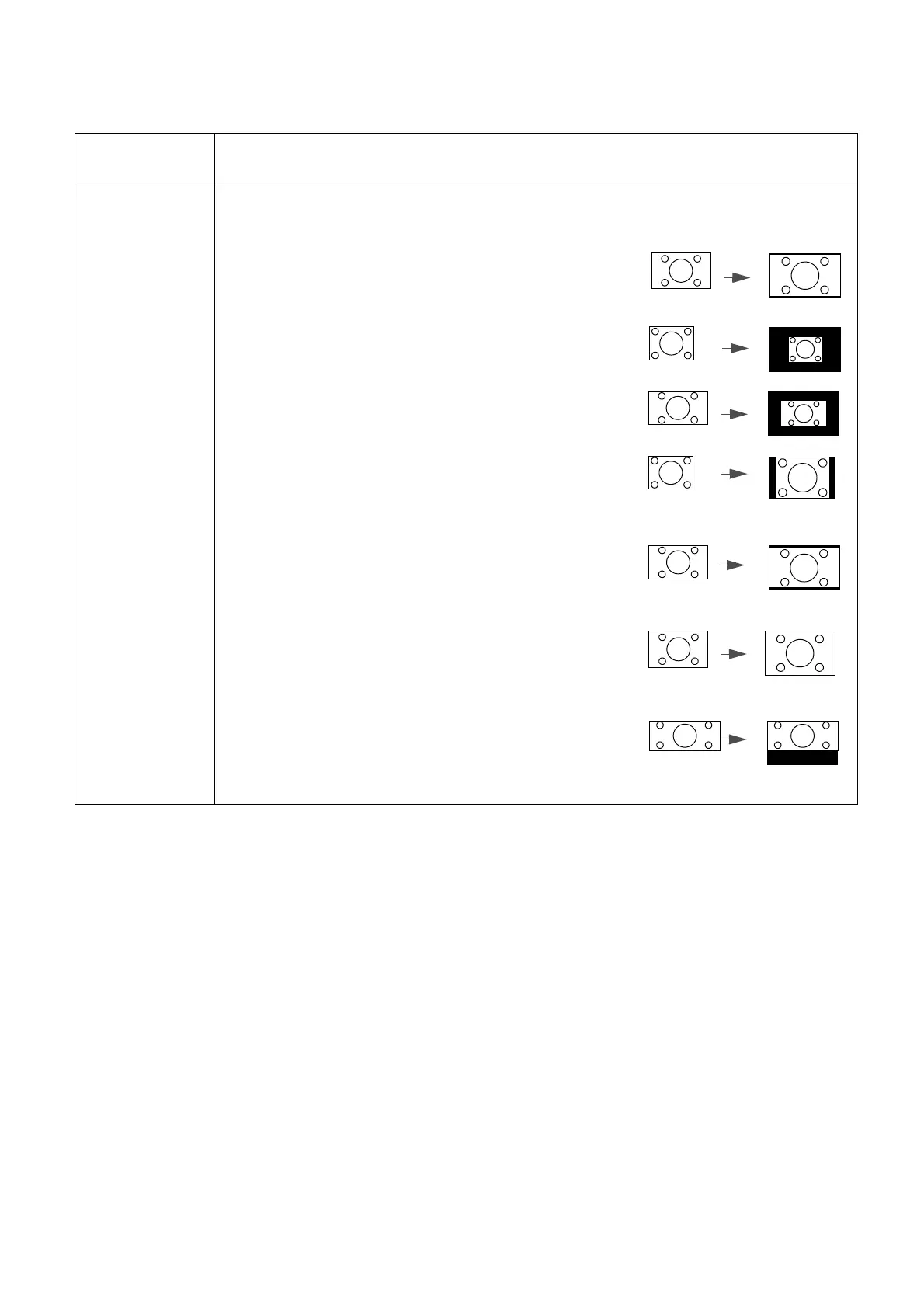
Aspect Ratio
There are several options to set the image's aspect ratio depending on your input
signal source.
• Auto: Scales an image proportionally to fit the
projector's native resolution in its horizontal or
vertical width.
• Real: Projects an image as its original resolution and
resizes it to fit within the display area. For input signals
with lower resolutions, the projected image will be
displayed in its original size.
• 4:3: Scales an image so that it is displayed in the center
of the screen with a 4:3 aspect ratio.
• 16:9: Scales an image so that it is displayed in the
center of the screen with a 16:9 aspect ratio.
• 16:10: Scales an image so that it is displayed in the
center of the screen with a 16:10 aspect ratio.
• 2.4:1: Scales an image so that it is displayed aligned
with the upper edge of the display region with a 2.4:1
aspect ratio.



 To Next Page