7
English
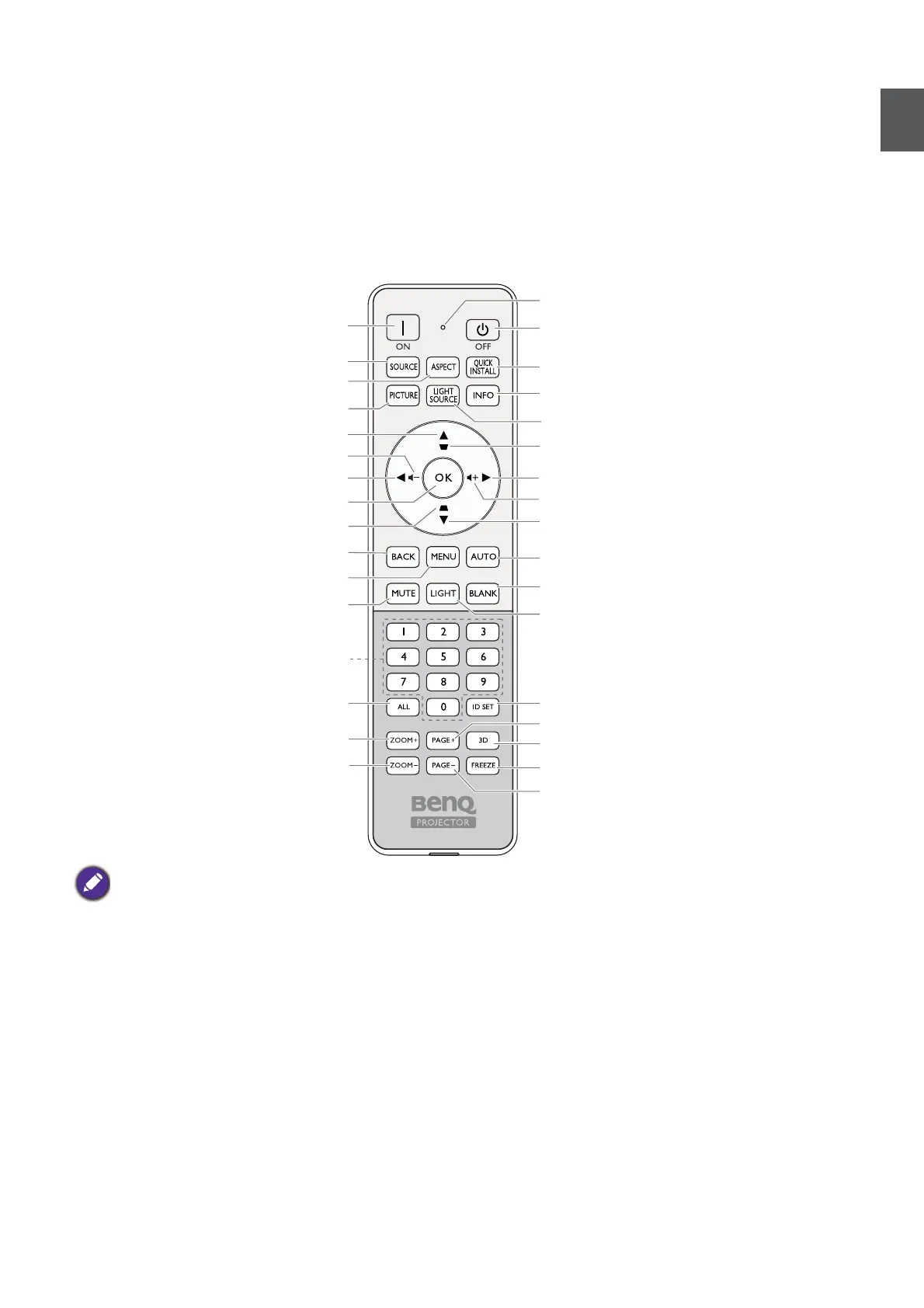
Remote control
• AUDIO OUT
Connection to a speaker or headset.
• 12V TRIGGER
Trigger external devices such as an electric screen or
light control, etc.
• HDMI 3
Connection to HDMI source.
• HDMI OUT
Connection to other display equipment for concurrent
playback display. (Used with HDMI 3 port.)
* This button is not available for this model.
On
Off
PICTURE
ASPECT
Volume down
Up
Left
OK
Keystone key
MENU
MUTE
BACK
ALL
ZOOM+
ZOOM-
QUICK INSTALL
LIGHT SOURCE
Right
Down
AUTO
ID SET
3D
No function*
FREEZE
No function*
LIGHT
INFO
BLANK
Numeric buttons
SOURCE
Keystone key
Volume up
ID setting indicator



 To Next Page