21
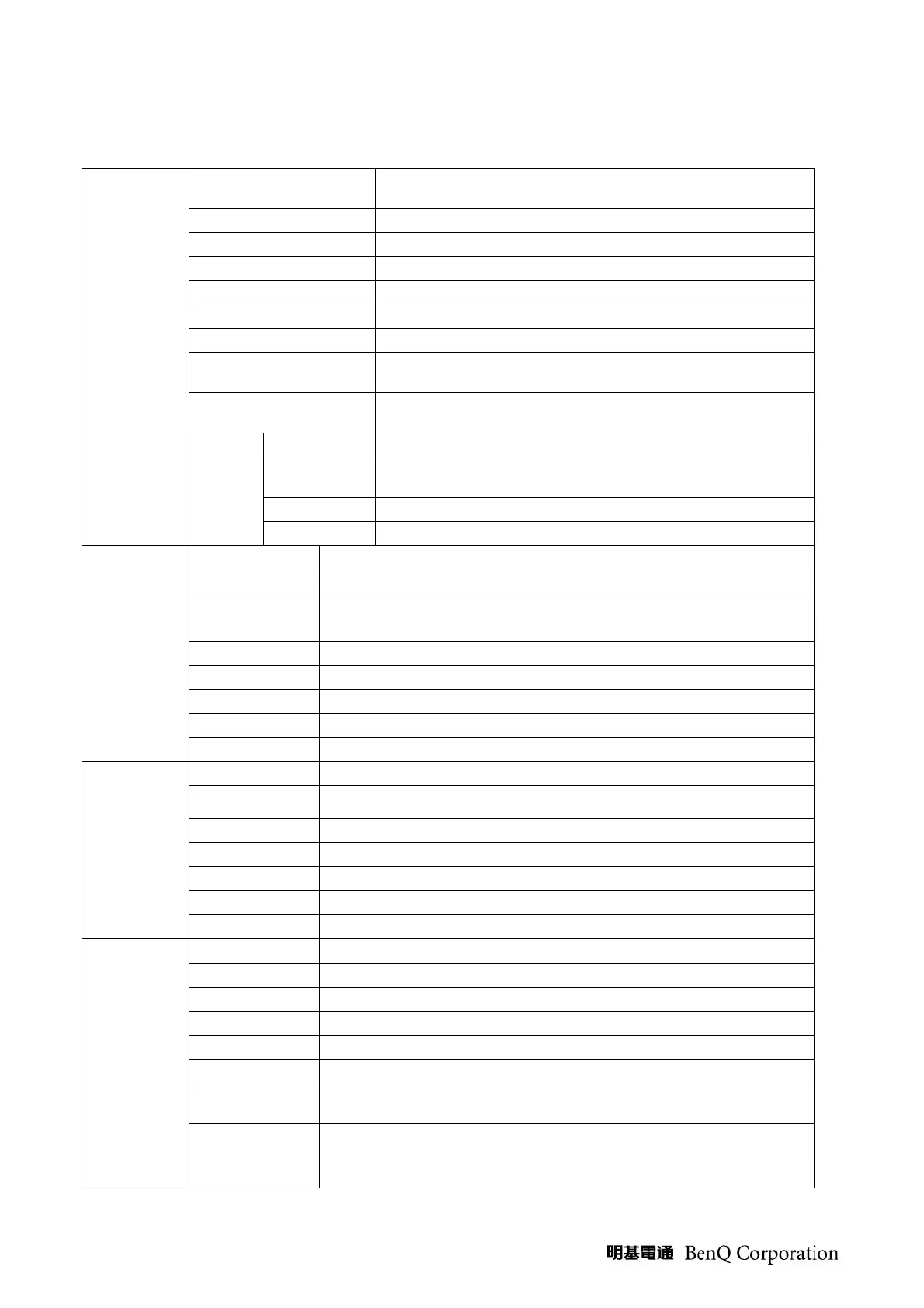
(7) OSD Control flow
Picture
(For Video
sources)
Picture Mode
Picture effect selections on Dynamic (default), Standard,
Cinema, Personal
Brightness Adjust the Black levels (0~100)
Contrast Adjust the White levels (0~100)
Color Adjust the Color levels (0~100)
Hue Adjust the Tint levels (-50~ 0~ + 50)
Sharpness Adjust the Sharpness levels (0~100)
Backlight Control brightness via back light adjustment
Color Temp
Color temperature
selections on Normal, Warm, Cool
(default)
Aspect Ratio
Selections the Image Size on 4:3, 16:9 (default), Zoom,
and Panorama
Senseye
ACE Advance Contrast Enhance (Off/Low/Middle/High)
Noise Reduce
Noise reduce level setup on Off, Low, Middle(default),
High
DCR Dynamic contrast ratio On/ Off (default)
Skin Tone Skin color adjust
Picture
(Only for PC
input)
Backlight Control brightness via back light adjustment
Brightness Adjust the Black levels (0~100)
Contrast Adjust the White levels (0~100)
Color Temp Color temperature selections on Normal, Warm, Cool (default)
Auto Adjust To auto adjust picture’s H. / V. Position, phase and clock
Clock To adjust the delay time of clock to reduce the noise of picture
Phase To adjust the delay time of phase to reduce the noise of picture
H-Position Adjust the horizontal position of image
V-Position Adjust the vertical position of image
Audio
Sound Mode Sound effect selections on Classic (default), Pop, Jazz, and Rock
Volume Adjust volume Up/Down
Bass Adjust the Low Frequency levels (0~100)
Treble Adjust the High Frequency levels (0~100 )
Balance Adjust the Speak output levels (-50~ 0~ + 50)
Steady Sound Auto control to limit Audio volume
Speaker Internal speaker On/Off
Setup
Language
OSD Menu Language Selections on 繁中 (default) and English
Sleep To set TV Power off time
ECO Auto power off as TV no signal within 10 minutes
Blue Screen Set blue display On (default) or Off when no input signal
NTSC Setup Select CVBS video blank level
Overscan Turn screen overscan on/off for HDMI 720p/1080i/1080p
Text Mode
Turn on or off edge sharpness on HDMI Video mode or PC
mode.
HDMI RGB
Range (a)
Select HDMI RGB range Full or Standard(Limited)
Reset To set user settings to factory preset value.


 To Next Page