37
1. Color Wheel Delay Alignment
(1)With Equipment:
Equipment:
- Battery Biased Silicon PIN Detector
- Oscilloscope (Vertical scale set to 10mV)
- Probe
Procedure:
1. Probe impedance matches 50 ohm
2. Open Factory OSD, and select color wheel delay item
3. Leave the image pure blue (DMD blue curtain)
4. Put the detector on the screen that blue image was projected.
5. Watch the oscilloscope and notice the square waveform
6. Use the “Æ” and “Å” key to increment or decrement the color wheel delay value
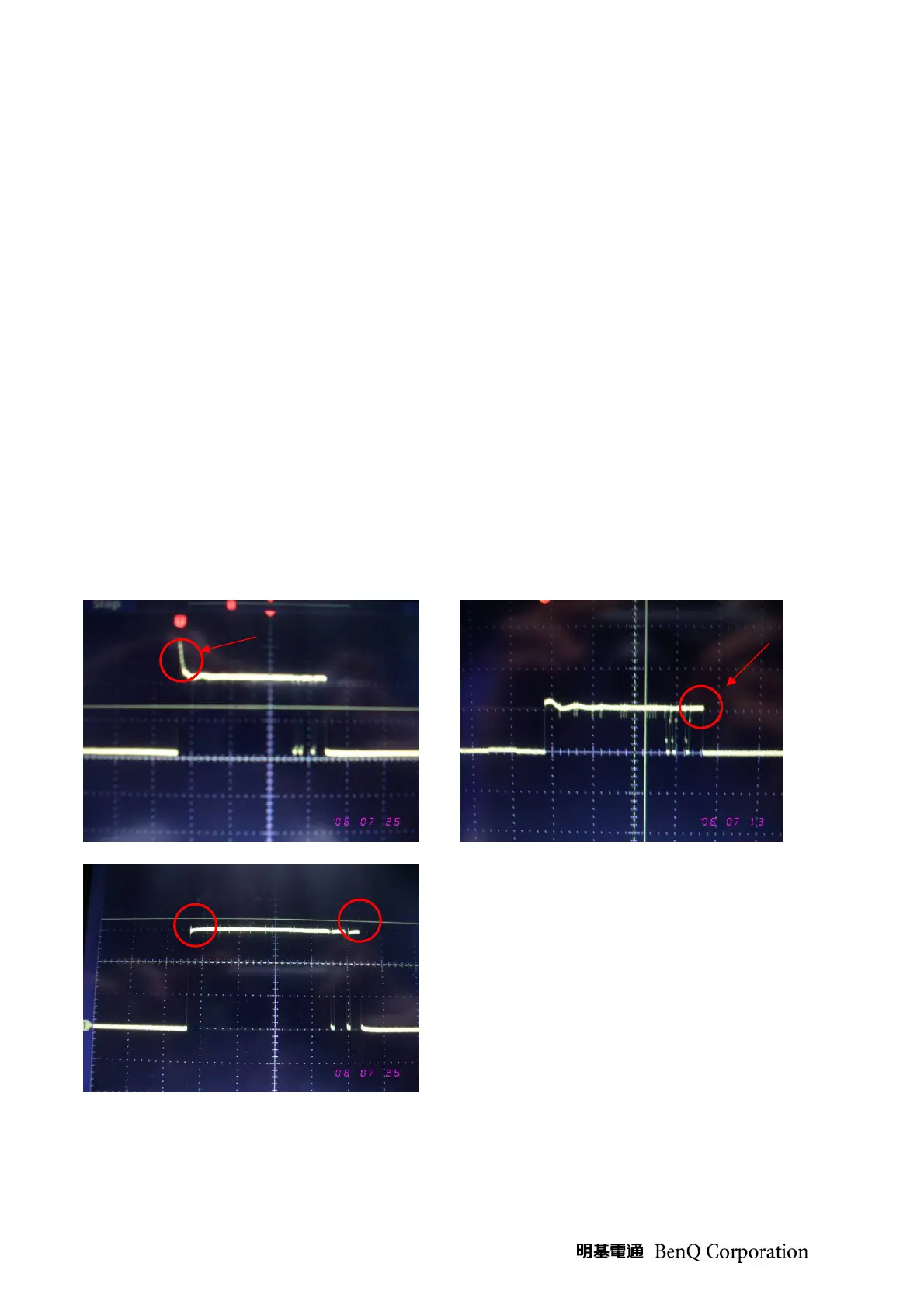
7. No matter the waveform is square or not, let the waveform was lagged first.(see picture 1)
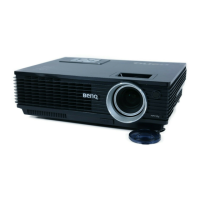
8. Then increment or decrement the value to let the waveform just to be square.(see picture 2)
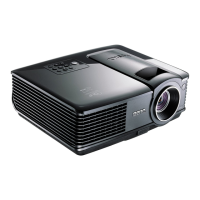
9. Change to green curtain and check waveform again. If waveform is square (see picture 3), CW
delay value is ok. If waveform is a little lag, then adjust CW value to let waveform square.
Picture 1 Picture 2
○2
Lag
Picture 1
OK
OK


 To Next Page