EasyManua.ls Logo

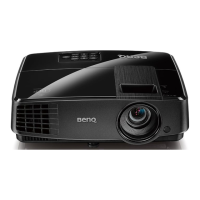
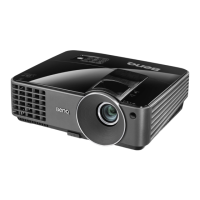
BenQ MS500H - User Manual

BenQ MS500H
57 pages
Print Icon
To Next Page IconTo Next Page
Loading...
Welcome
MS500H/TS513P Digital Projector
User Manual

Other manuals for BenQ MS500H

Questions and Answers

  • A
    Ashley RhodesAug 10, 2025
    What to do if my BenQ Digital projector has no picture?
    • B
      balldustinAug 11, 2025
      If your BenQ Digital projector displays no picture, there are several potential causes: * The video source might not be turned on or correctly connected. Ensure the video source is on and the signal cable is properly connected. * The projector may not be correctly connected to the input signal device. Check the connection. * The input signal might not be correctly selected. Use the SOURCE key on the projector or remote control to select the correct input signal. * The lens cover might still be closed. Open the lens cover.
  • M
    Matthew GainesAug 18, 2025
    How to fix if my BenQ Digital projector does not turn on?
    • D
      Dr. Olivia McfarlandAug 18, 2025
      If your BenQ Digital projector doesn't turn on, here are a couple of things to check: * Ensure the power cord is properly plugged into both the AC power jack on the projector and a working power outlet. If the outlet has a switch, make sure it's on. * If you've recently tried turning it on, the projector might be cooling down. Wait until the cooling process is complete before attempting to turn it on again.
  • B
    browncathyAug 26, 2025
    Why is my BenQ Digital projector image blurred and how to fix it?
    • A
      Ashley BowmanAug 26, 2025
      If you're experiencing a blurred image with your BenQ Digital projector, consider these potential causes: * The projection lens might not be correctly focused. Adjust the focus of the lens using the focus ring. * The projector and screen may not be aligned properly. Adjust the projection angle, direction, and height of the projector if needed. * The lens cover might still be closed. Open the lens cover.
  • M
    mpriceSep 2, 2025
    What to do if BenQ Digital projector remote control does not work?
    • K
      Kelsey GallegosSep 2, 2025
      If the remote control for your BenQ Digital projector isn't working, try these solutions: * The battery may be out of power. Replace it with a new one. * There might be an obstacle between the remote and the projector. Remove any obstructions. * You might be too far from the projector. Ensure you are within 8 meters (26 feet) of the projector.

Summary

Safety Instructions

General Safety Precautions

Essential safety guidelines for operating the projector.

Ceiling Mounting Safety

Specific safety advice for mounting the projector on a ceiling.

Introduction and Hardware Overview

Connections and Signal Management

Switching Input Signals

How to select and manage different video input sources.

Projector Operation and Controls

Starting Up the Projector

Step-by-step procedure for powering on and initial setup.

Adjusting the Projected Image

How to adjust projection angle, focus, size, and clarity.

Maintenance and Troubleshooting

Lamp Management

Guidance on lamp life, replacement, and warnings.

Troubleshooting Common Issues

Solutions for common projector operational problems.

BenQ MS500H Specifications

General IconGeneral
BrandBenQ
ModelMS500H
CategoryProjector
LanguageEnglish

Related product manuals