EasyManua.ls Logo

BenQ MS512H - User Manual

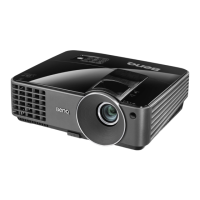
BenQ MS512H
58 pages
Print Icon
To Next Page IconTo Next Page
Loading...
MS512H/MS521P/TS521P/TS537/
MX522P/TX538/TW523P/TW539
Digital Projector
User Manual

Questions and Answers

  • N
    Nicholas Shelton DDSAug 6, 2025
    How to fix BenQ MS512H Projector that does not turn on?
    • B
      Bradley BuckleyAug 6, 2025
      If your BenQ Projector doesn't turn on, first ensure the power cord is securely plugged into both the projector's AC power jack and a working power outlet, checking that the outlet switch is on. Also, if the projector is cooling down, wait for the process to complete before attempting to power it on again.
  • R
    Richard MooreAug 10, 2025
    Why my BenQ MS512H Projector does not turn on?
    • K
      kimberlysmithAug 10, 2025
      If your BenQ Projector is not turning on, it could be due to the following reasons: * There's no power from the power cord. Make sure the power cord is plugged into the AC power jack on the projector and into a working power outlet. If the power outlet has a switch, ensure it is switched on. * You're attempting to turn the projector on again during the cooling process. Wait until the cooling down process has completed.
  • M
    mcooleyAug 14, 2025
    What to do if my BenQ MS512H Projector has no picture?
    • V
      vincentsantosAug 15, 2025
      If you have no picture on your BenQ Projector, make sure the video source is turned on and correctly connected. Check the connection between the projector and the input signal device. Select the correct input signal using the SOURCE key on the projector or remote control. Finally, ensure the lens cover is open.
  • T
    Tracy HuffmanAug 19, 2025
    How to fix blurred image on BenQ MS512H?
    • M
      Matthew HenryAug 19, 2025
      If you're experiencing a blurred image with your BenQ Projector, try these steps: 1. Adjust the focus of the lens using the focus ring. 2. Adjust the projection angle, direction, and height of the projector to properly align it with the screen. 3. Ensure the lens cover is open.
  • S
    Sheila CaseAug 25, 2025
    Why does not BenQ MS512H remote control work?
    • S
      Susan WilliamsAug 25, 2025
      If the remote control for your BenQ Projector isn't working, try the following: * Replace the battery with new ones. * Remove any obstacles between the remote control and the projector. * Ensure you are within 8 meters (26 feet) of the projector.
  • B
    Brian BlairAug 28, 2025
    How to fix a BenQ MS512H remote control that is not working?
    • T
      Tabitha HensleyAug 28, 2025
      If the remote control for your BenQ Projector isn't working, consider these possible causes: * The battery is out of power. Replace the battery with new ones. * There is an obstacle between the remote control and the projector. Remove the obstacle. * You are too far away from the projector. Move closer, standing within 8 meters (26 feet) of the projector.
  • D
    diana15Sep 1, 2025
    How to fix a blurred image on a BenQ MS512H Projector?
    • K
      Kenneth FloresSep 1, 2025
      If the image from your BenQ Projector appears blurred, here are a few things to check: * The projection lens is not correctly focused. Adjust the focus of the lens using the focus ring. * The projector and the screen are not aligned properly. Adjust the projection angle and direction, as well as the height of the projector if necessary. * The lens cover is still closed. Open the lens cover.

Summary

Safety Information

General Safety Precautions

Essential guidelines for safe operation and handling of the projector.

Ceiling Mount Safety Warnings

Safety advice for installing the projector on a ceiling to prevent accidents.

Controls and Functions

Projector Control Panel Functions

Details of buttons and indicators on the projector unit.

Remote Control Operation

Overview of remote control buttons and their operations.

Positioning Your Projector

Choosing the Optimal Projector Location

Guidance on selecting the optimal placement for the projector based on installation needs.

Projected Image Size Guidance

Projection Dimensions and Charts

Technical details and charts for calculating projected image size based on distance.

Connection

Connecting Signal Sources

Instructions for connecting different video and audio sources to the projector.

Video Source Connection

Guidance on connecting different video sources for optimal picture quality.

Starting Up the Projector

Adjusting the Projected Image

Keystone Correction

Methods to correct trapezoidal distortion in the projected image.

Using the Menus

Display Menu Options

Menu options for image display, 3D settings, and teaching templates.

Picture Menu Options

Menu options for adjusting picture quality, color, and brightness.

Source Menu Options

Menu options for selecting input signals and color space.

System Setup: Basic Menu Options

Basic system settings including language, installation, and operation.

Securing the Projector

Projector Password Security

How to set up and use the projector's password security features.

Optimizing the Image

Image Quality Fine-Tuning

Image Quality Fine-Tuning

Detailed guide to adjusting brightness, contrast, color, tint, sharpness, and color temperature.

Projector Shutdown Procedure

Projector Shutdown Procedure

Proper procedure for turning off the projector and its cooling fan.

Maintenance

Projector Care and General Maintenance

Guidelines for cleaning, storing, and transporting the projector.

Lamp Information

Lamp Replacement Timing

Understanding warning indicators and messages for lamp replacement.

Lamp Replacement Procedure

Procedure for replacing the projector lamp, contact service personnel.

Indicators

Indicator Lights and Status Meanings

Explanation of projector indicator lights and their corresponding status messages.

Troubleshooting

Troubleshooting: Projector Not Turning On

Solutions for the projector failing to power on.

Troubleshooting: No Picture

Troubleshooting steps for when no image is displayed.

Troubleshooting: Blurred Image

How to resolve issues with a blurry or unfocused projected image.

Troubleshooting: Remote Control Issues

Steps to fix problems with the projector's remote control.

Specifications

Warranty and Copyright Information

Limited Warranty Details

Details of the warranty coverage, terms, and conditions for the projector.

BenQ MS512H Specifications

General IconGeneral
ResolutionSVGA (800 x 600)
Contrast Ratio13000:1
Weight2.3 kg
Display TechnologyDLP
Zoom Ratio1.1x
Aspect Ratio4:3 (Native), 16:9 (Compatible)
Image Size30 - 300 inches
Lamp Type190W
Throw Ratio1.96-2.15:1
Projection Distance1.2-10 m
Input ConnectorsComposite Video
Output ConnectorsVGA (D-sub 15 pin) x 1, Audio (Stereo mini jack) x 1
Power ConsumptionStandby <0.5W
Noise Level29 dB (Eco Mode)

Related product manuals