EasyManua.ls Logo

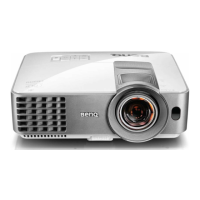
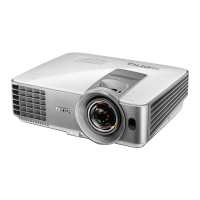
BenQ MS616S T - User Manual

BenQ MS616S T
58 pages
Print Icon
To Next Page IconTo Next Page
Loading...
MS616ST/MX618ST
Digital Projector
User Manual
Downloaded From projector-manual.com BenQ Manuals

Other manuals for BenQ MS616S T

Questions and Answers

  • V
    vmartinAug 12, 2025
    How to fix BenQ Projector that does not turn on?
    • P
      Paul MorrisAug 12, 2025
      If your BenQ Projector doesn't turn on, first ensure the power cord is securely plugged into both the projector's AC power jack and a working power outlet, checking that the outlet switch is on. Also, if the projector is cooling down, wait for the process to complete before attempting to power it on again.
  • C
    Clinton TurnerAug 19, 2025
    Why does not BenQ Projector remote control work?
    • E
      Emma ArellanoAug 20, 2025
      If the remote control for your BenQ Projector isn't working, try the following: * Replace the battery with new ones. * Remove any obstacles between the remote control and the projector. * Ensure you are within 8 meters (26 feet) of the projector.
  • C
    craig83Aug 27, 2025
    What to do if my BenQ Projector has no picture?
    • K
      Katrina JenningsAug 27, 2025
      If you have no picture on your BenQ Projector, make sure the video source is turned on and correctly connected. Check the connection between the projector and the input signal device. Select the correct input signal using the SOURCE key on the projector or remote control. Finally, ensure the lens cover is open.
  • J
    Jacqueline HallSep 3, 2025
    How to fix blurred image on BenQ MS616S T?
    • T
      Todd RodriguezSep 3, 2025
      If you're experiencing a blurred image with your BenQ Projector, try these steps: 1. Adjust the focus of the lens using the focus ring. 2. Adjust the projection angle, direction, and height of the projector to properly align it with the screen. 3. Ensure the lens cover is open.

BenQ MS616S T Specifications

General IconGeneral
BrandBenQ
ModelMS616S T
CategoryProjector
LanguageEnglish

Related product manuals