EasyManua.ls Logo

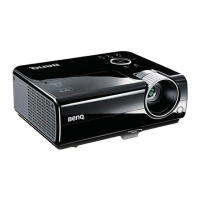
BenQ MW820ST - User Manual

BenQ MW820ST
62 pages
Print Icon
To Next Page IconTo Next Page
Loading...
MX819ST/TS819ST/MW820ST/
TW820ST
Digital Projector
User Manual

Table of Contents

Other manuals for BenQ MW820ST

Questions and Answers

  • D
    deborah23Aug 11, 2025
    What to do if my BenQ projector has no picture?
    • T
      tamaramooreAug 11, 2025
      If your BenQ projector isn't displaying a picture, here are a few things to check: * Ensure the video source is turned on and the signal cable is correctly connected. * Verify the projector is correctly connected to the input signal device. * Select the correct input signal using the SOURCE key on the projector or remote. * Make sure the lens cover is open.
  • W
    Whitney WatkinsAug 17, 2025
    How to fix a BenQ projector that does not turn on?
    • A
      Alexander VanceAug 18, 2025
      If your BenQ projector isn't turning on, here's what you can check: * Ensure the power cord is securely plugged into both the projector's AC power jack and a working power outlet. If the outlet has a switch, make sure it's on. * If you've recently turned the projector off, wait for the cooling process to complete before attempting to turn it on again.
  • J
    Jesse JonesAug 26, 2025
    What to do if the BenQ projector remote control does not work?
    • K
      Karina BrooksAug 26, 2025
      If your BenQ projector's remote control isn't working, consider these potential causes: * The battery may be out of power. Try replacing it with a new one. * There might be an obstacle blocking the signal between the remote and the projector. Remove any obstructions. * You might be too far from the projector. Ensure you are within 8 meters (26 feet).
  • A
    Adam RandallSep 2, 2025
    How to fix a blurred image on my BenQ MW820ST Projector?
    • W
      Wesley ArmstrongSep 2, 2025
      If you're experiencing a blurred image with your BenQ projector, try the following: 1. Adjust the focus of the lens using the focus ring. 2. Ensure the projector and screen are properly aligned by adjusting the projection angle, direction, and projector height if needed. 3. Make sure the lens cover is open.

Summary

Important Safety Instructions

General Safety Guidelines

Covers essential safety precautions for projector operation and handling.

Ceiling Mounting Safety Precautions

Specific safety advice for mounting the projector on a ceiling.

Projector Installation and Setup

Connecting and Initializing

Projector Operation Guide

Startup, Shutdown, and Basic Controls

Instructions for powering on, powering off, and basic projector controls.

Maintenance and Care

Lamp Information and Replacement

Details on lamp life, extending it, replacing the lamp, and resetting the timer.

Troubleshooting Common Issues

Resolving Power and Picture Problems

Solutions for issues like no power, no picture, or blurred images.

Addressing Control and Password Errors

Fixes for remote control malfunctions and incorrect password entries.

BenQ MW820ST Specifications

General IconGeneral
BrandBenQ
ModelMW820ST
CategoryProjector
LanguageEnglish

Related product manuals