Maintenance54
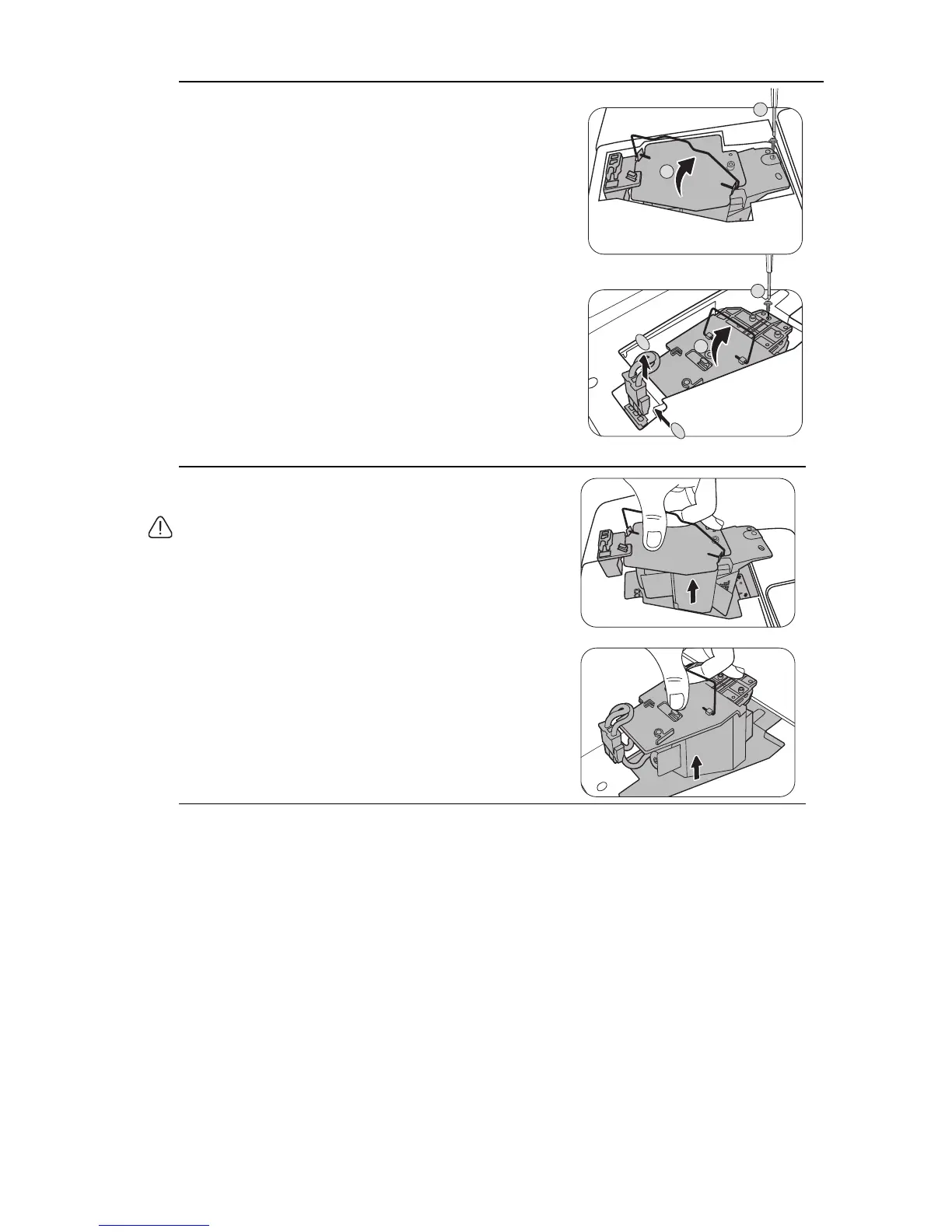
5. Disconnect the lamp connector from the
projector as illustrated (for the MX717).
6. Loosen the screw that secures the lamp.
7. Lift the handle so that it stands up.
8. Use the handle to slowly pull the lamp out of the
projector.
• Pulling it too quickly may cause the lamp to break and scatter
broken glass in the projector.
• Do not place the lamp in locations where water might splash
on it, children can reach it, or near flammable materials.
• Do not insert your hands into the projector after the lamp is
removed. If you touch the optical components inside, it could
cause color unevenness and distortion of the projected
images.
3
2
1
MX717
4
1
MX716
MX717
MX716



 To Next Page