Maintenance 55
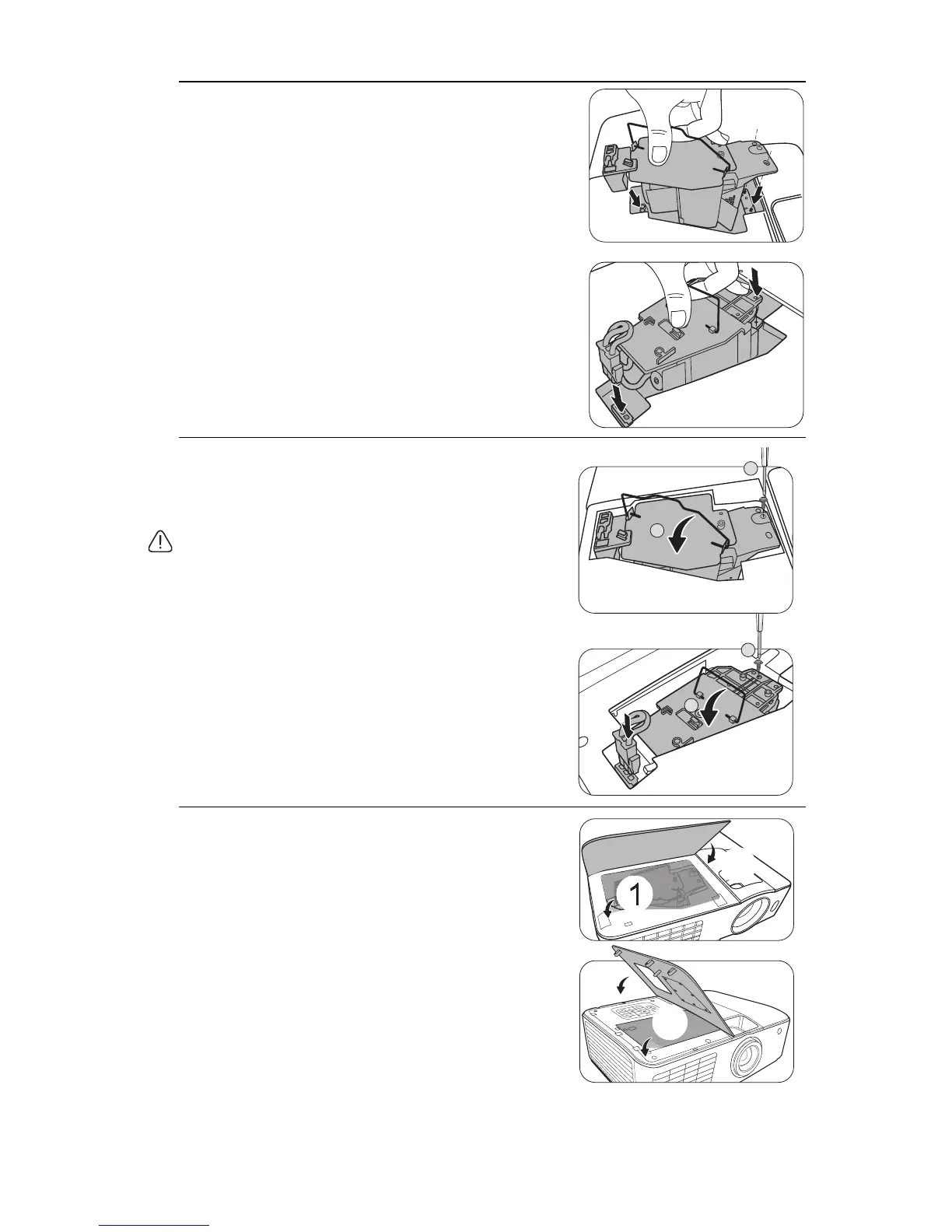
9. As shown in the figure, lower the new lamp.
10. Tighten the screw that secures the lamp.
11. Ensure the handle is fully laid flat and locked in
place.
12. Reconnect the lamp connector (for the MX717).
• Loose screw may cause a bad connection, which could result
in malfunction.
• Do not over tighten the screw.
13. Replace the new protection film that comes with
the new lamp.
14. Replace the lamp cover on the projector.
MX717
MX716
2
1
MX717
MX716
2
1



 To Next Page