Setting up the display
8
Installing a camera mount
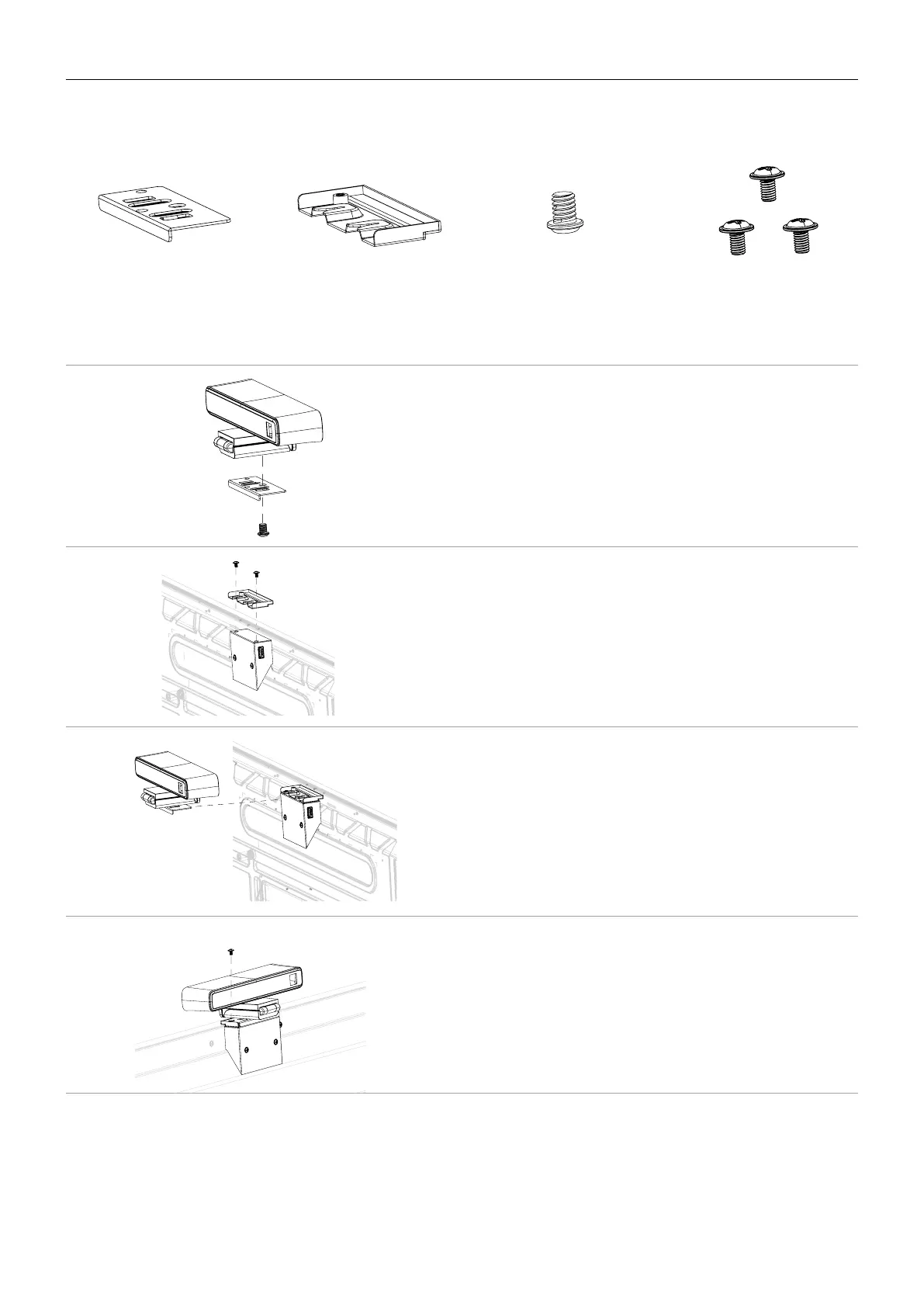
Check the mounting component list before installing:
Upper mount Lower mount 1/4" screw (8mm) M3x5 mm screw x 3
To install the camera mount:
1. Place your camera onto the upper mount
and secure the camera by screwing the
1/4" screw into the camera’s screw hole.
2. Install the lower mount with two
M3x5mm screws and secure it on the top
of the display.
3. Insert your camera with the upper mount
attached into the lower mount.
4. Secure the camera mount by screwing a
M3x5mm screw into the screw hole at
the left side of the upper mount.


 To Next Page