Menu operations
34
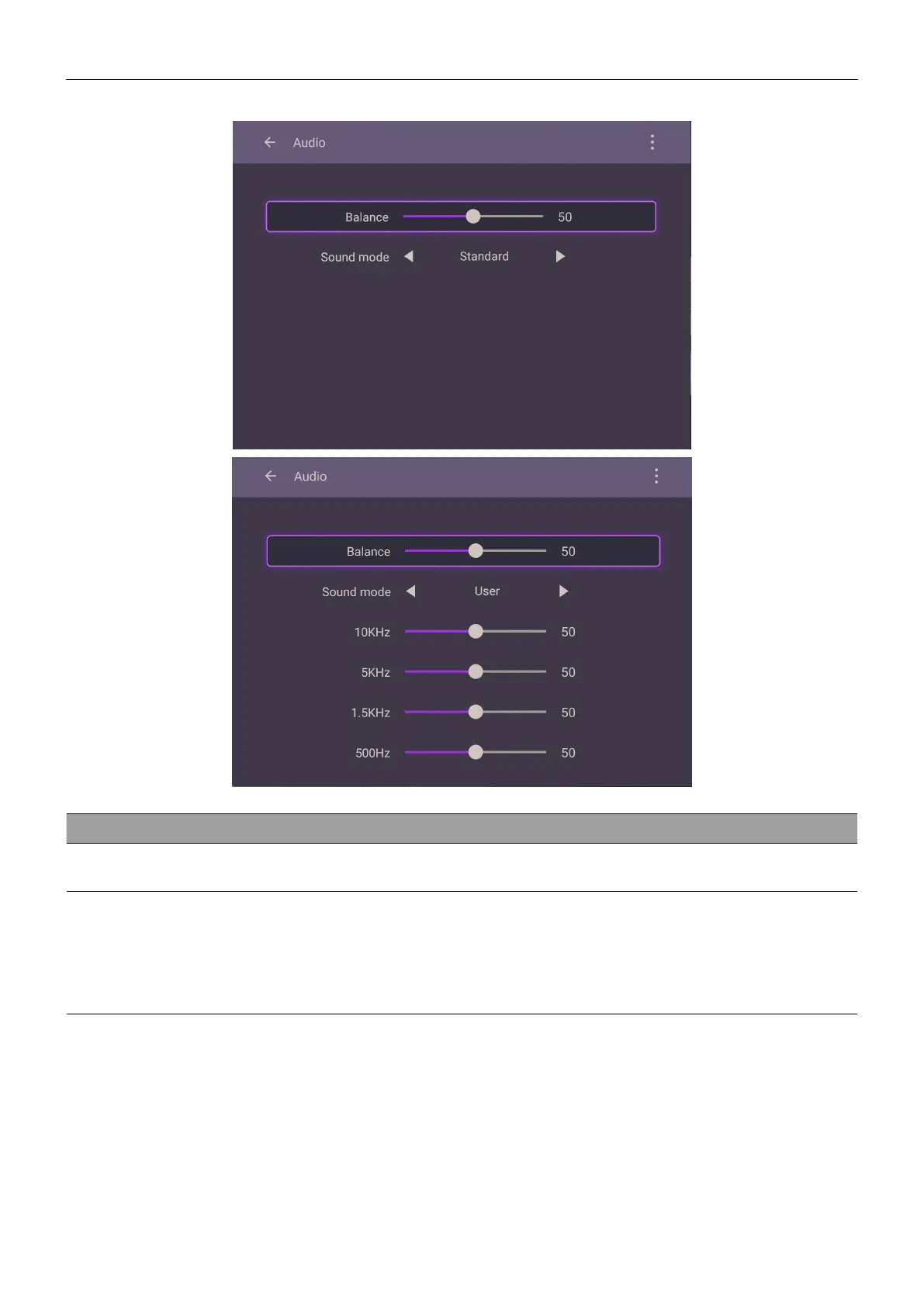
Audio settings
Menu Descriptions
Balance
Drag the knob to adjust the balance.
Sound Mode
Touch a preset sound environment. Options are Standard, News,
Music, Movie, Sport, or User mode.
Under User mode, you can adjust the level of frequency bands
(10KHz, 5KHz, 1.5KHz, 500Hz).



 To Next Page