Input Mode 83
• Check your PC instruction book for information about connecting your PC to a display.
• If a vertical and horizontal frequency-select mode exists, select 60Hz (vertical) and
31.5KHz (horizontal). In some cases, abnormal signals (such as stripes) might appear on
the screen when the PC power is turned off (or if the PC is disconnected). If so, press
the INPUT button to enter the video mode. Also, make sure that the PC is connected.
• When horizontal synchronous signals seem irregular in RGB mode, check PC power
saving mode or cable connections.
• The display settings table complies to the IBM/VESA standards, and based on the analog
input.
• The DVI support mode is regarded as same to the PC support mode.
• The best timing for the vertical frequency to each mode is 60Hz.
Pixel efect Policy
We strive to deliver the highest quality products and use some of the industry’s most
advanced manufacturing processes whilst practicing stringent quality control. However,
pixel or sub-pixel defects on the PDP / TFT panels used in Plasma- & LCD- displays are
sometimes unavoidable. No manufacturer can guarantee that all panels will be free from
pixel defects, but Benq guarantees that any Plasma- & LCD- displays with an unacceptable
number of defects will be repaired during the warranty period in line with your local
guarantee conditions.
This notice explains the different types of pixel defects and denes the acceptable defect
level for the LCD screen. In order to qualify for repair under warranty, the number of
pixel defects must exceed a certain level as shown in the reference table. If the LCD
screen is within specication a warranty exchange / claim back will be refused.
Additionally, because some types or combinations of pixel defects are more noticeable
than others, Benq sets even higher quality standards for those.
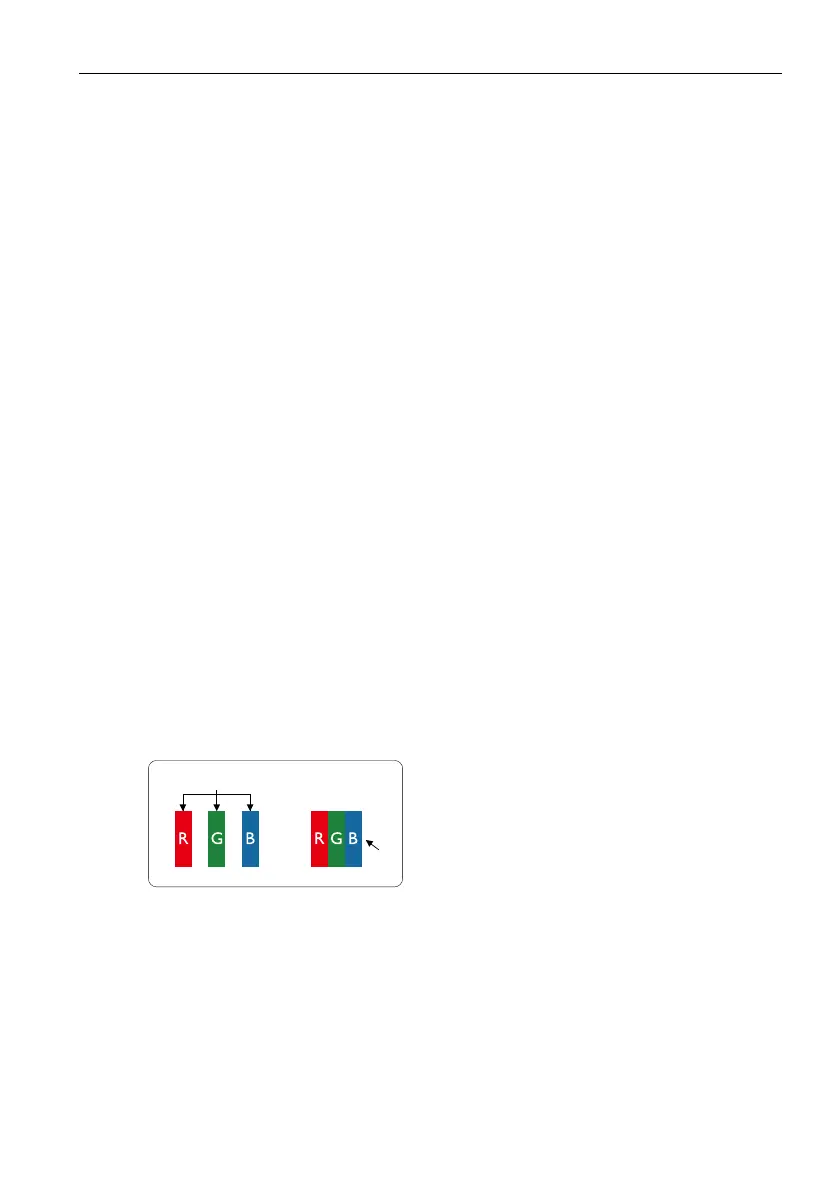
Pixels and Sub-Pixels
subpixel
pixel
A pixel, or picture element, is composed of
three sub-pixels in the primary colors of red,
green and blue. Many pixels together form an
image. When all sub-pixels of a pixel are lit, the
three colored sub-pixels together appear as a
single white pixel. When all are dark, the three
colored sub-pixels together appear as a single
black pixel. Other combinations of lit and dark
sub-pixels appear as single pixels of other colors.
Types of Pixel Defects + Dot Denition
Pixel and sub-pixel defects appear on the screen in different ways. There are three
categories of pixel defects and several types of sub-pixel defects within each category.
Dot denition = What is a defective “Dot”? :
One or more defective, adjacent sub-pixel are dened as one “dot”. The no. of defective
sub-pixels are not relevant to dene a defective dot. This means that a defective dot can
consist of one, two or three defective sub-pixels which can be dark or lit.



 To Next Page