Connecting External Equipment20
Connecting Multiple Displays in a Daisy-chain
Conguration
You can interconnect multiple displays to create a daisy-chain conguration for
applications such as a video wall.
Things to know before connecting displays in a daisy-chain conguration:
1. If the signal is stable and there is no cable loss, in general, up to 25/12/9 monitors can
be connected via the DVI-I(Digital signal)/DP/DVI-I(Analog) Out port. To connect
more than these numbers of monitors, it is recommended to use a splitter.
2. If the signal cable between your computer and the product is too long, make certain
to use the booster or optical cable.
Maximum 25 displays (5x5) can be used in a DVI daisy-chain conguration. For VGA daisy-chain,
Maximum 9 displays can be used.
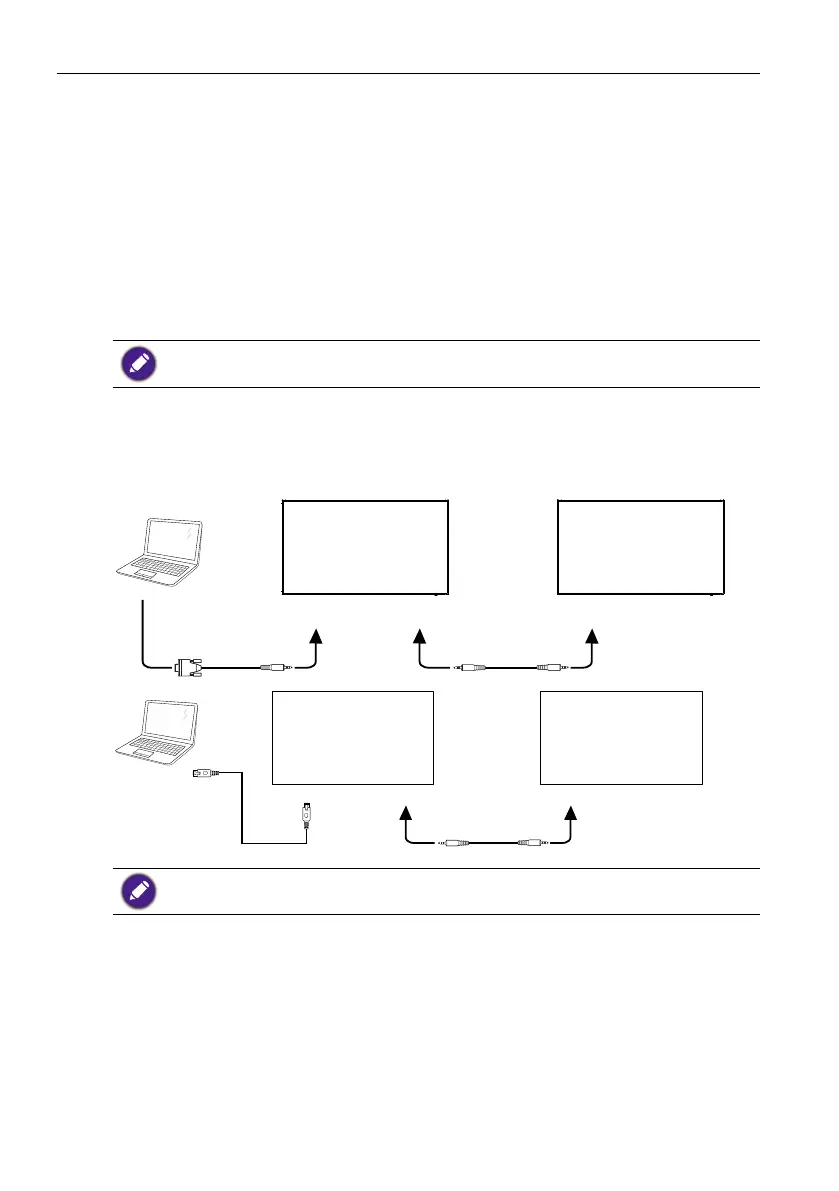
Display control connection
Connect the RS232 OUT connector of DISPLAY 1 to the RS232 IN connector of
DISPLAY 2.
RS-232C INRS-232C OUTRS-232C IN
RS-232C
PC
DISPLAY 1 DISPLAY 2
RJ-45
RJ-45
PC
DISPLAY 1
RS-232C OUT RS-232C IN
DISPLAY 2
Connect the RJ-45 connector of DISPLAY 1 to the RJ-45 connector of DISPLAY 2
(Ethernet Switch).
Digital video connection
Connect the DVI OUT / DVI-I OUT connector of DISPLAY 1 to the DVI IN connector of
DISPLAY 2.



 To Next Page