The OSD (On-Screen Display) menu 35
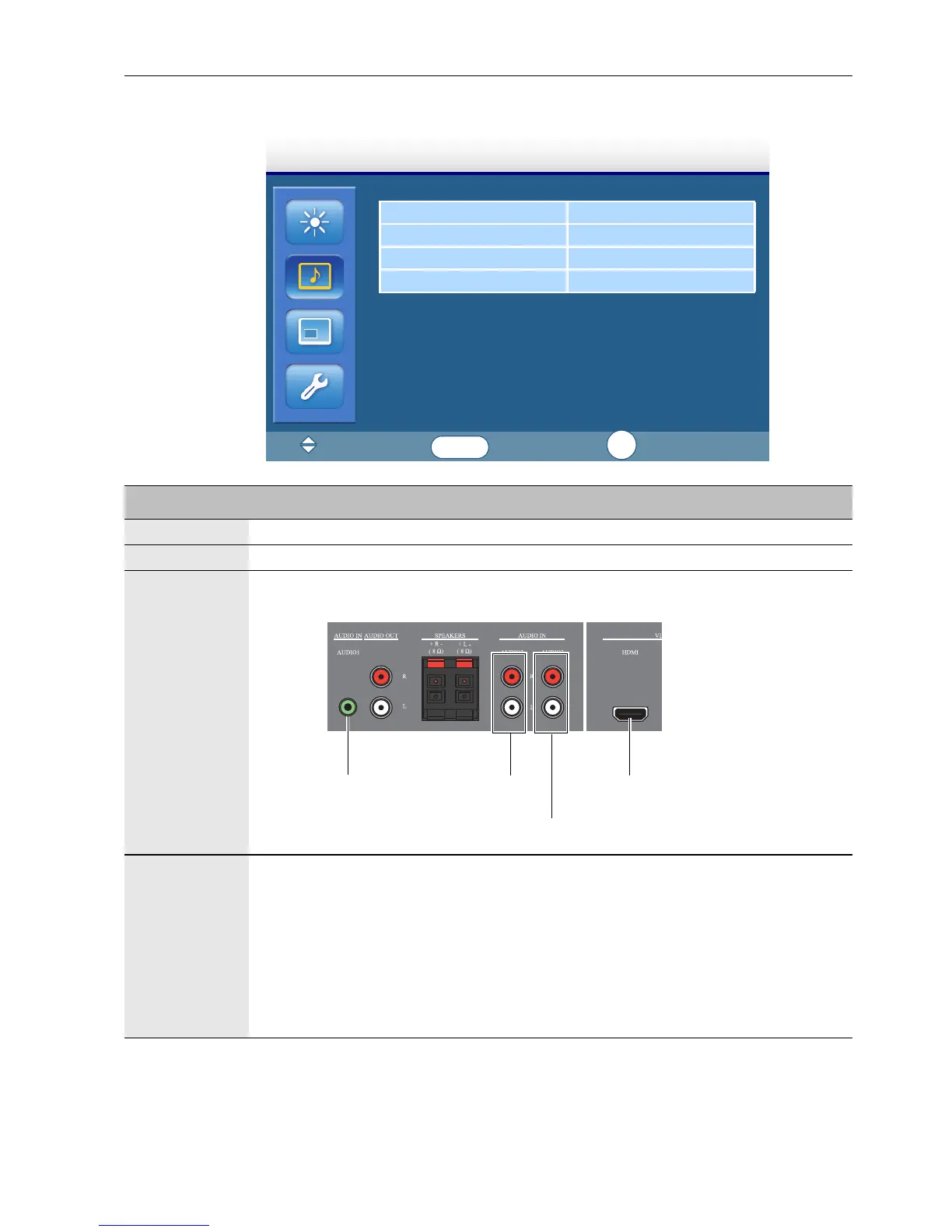
Sound menu
Volume 8
Mute OFF
Audio Source Audio 1
Speaker
Sound
:Move
:Input
:Exit
ENTER
EXIT
Name Description
Volume Adjusts the volume.
Mute Turns the mute function on or off.
Audio
Source
Sets the audio input source.
Speaker Sets the audio source.
External: Selects the audio output source from
SPEAKERS (R/L)
on the rear connector panel.
Line-Out: Selects the audio output source from
AUDIO OUT (R/
L)
on the rear connector panel.
Internal: Select the audio input source from AUDIO IN on the
rear connector panel. (This is an optional feature and may not be
available for all models.)
Audio 2
Audio 3
Audio 1
HDMI



 To Next Page