EasyManua.ls Logo

BenQ W1500 - User Manual

BenQ W1500
72 pages
Print Icon
To Next Page IconTo Next Page
Loading...
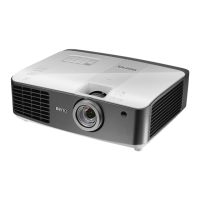
W1500
Digital Projector
Home Cinema Series
User Manual

Table of Contents

Other manuals for BenQ W1500

Questions and Answers

  • J
    Jonathan ParkerJul 26, 2025
    How to fix BenQ W1500 that does not turn on?
    • K
      Kristen GouldJul 26, 2025
      If your BenQ Projector doesn't turn on, there might be a few reasons: 1. **Power Cable Issues:** Ensure the power cable is securely plugged into both the AC inlet on the projector's rear and the power outlet. Also, verify that the power outlet switch is turned on. 2. **Cooling Process:** If you've recently turned the projector off, wait for the cooling process to complete before attempting to turn it on again. 3. **Lamp Cover:** Make sure the lamp cover is correctly and securely attached.
  • G
    Gina TrujilloJul 31, 2025
    Why does BenQ W1500 Projector remote control not work?
    • D
      Denise ParkerJul 31, 2025
      If your BenQ Projector's remote control isn't working correctly: 1. **Batteries:** Replace both batteries with new ones. 2. **Obstacles:** Remove any obstacles between the remote control and the projector. 3. **Distance:** Ensure you are within 8 meters (26.2 feet) of the projector.
  • K
    kbellAug 5, 2025
    What to do if there is no picture on BenQ W1500 Projector?
    • D
      Derrick WilliamsAug 5, 2025
      If you're not seeing a picture on your BenQ Projector, here's what you can check: 1. **Video Source:** Ensure your video source is turned on and the signal cable is correctly connected. 2. **Connection to Input Source:** Verify that the projector is correctly connected to the input source device. 3. **Input Source Selection:** Select the correct input source using the Source keys on the remote control or the SOURCE button on the projector.
  • C
    Cheryl EvansAug 10, 2025
    How to fix blurred picture on BenQ Projector?
    • D
      davidwilkinsAug 10, 2025
      If the image from your BenQ Projector is blurred: * **Focus Adjustment:** Adjust the focus of the lens using the focus ring. * **Alignment:** Adjust the projection angle, direction, and height of the projector to properly align it with the screen.
  • L
    Linda GibsonAug 15, 2025
    What to do if the image is unstable on BenQ Projector?
    • G
      Gary BondAug 15, 2025
      If the image from your BenQ Projector is unstable, ensure that the connection cables are correctly connected to the appropriate terminals on both the projector and the signal source.
  • E
    Eric RangelAug 20, 2025
    How to fix BenQ W1500 when 3D content does not display correctly?
    • B
      Benjamin GriffinAug 20, 2025
      If 3D content is not displaying correctly on your BenQ Projector, consider the following: * **3D Glasses Battery:** Recharge the 3D glasses. * **3D Menu Settings:** Correctly configure the settings in the 3D menu. * **Blu-ray Disc Format:** Use a 3D Blu-ray Disc. * **Input Source Selection:** Select the correct source using the Source keys on the remote control or SOURCE on the projector.

Summary

Important Safety Instructions

Safe Placement and Environmental Precautions

Guidelines for projector placement, angles, ventilation, temperature, and humidity.

Operational Safety and Hazard Warnings

Instructions on avoiding vent blockage, power fluctuations, liquids, lens damage, and operating hazards.

Continued Safety Instructions

Lamp and Installation Safety Precautions

Precautions for lamp operation, heat, replacement, and ceiling mounting safety.

General Handling and Service Guidelines

Advice on not stepping on the projector, avoiding liquids, and service requirements.

Further Safety Guidelines

Moisture, Liquids, and Disposal Warnings

Warnings about moisture condensation, volatile liquids, and proper product disposal.

Remote Control Operations

Ceiling Mounting Recommendations and Safety

Safety advice and recommendations for installing the projector on a ceiling.

Ceiling Mount Safety Considerations

Projector Key Features Overview

Controls and Functions

Projector Control Panel Explained

Explains the function of each button and indicator light on the projector's control panel.

Remote Control Functions Explained

Remote Control Button Operations Guide

Details the purpose and operation of each button on the projector's remote control.

Projector Positioning and Installation

Image Size and Placement Determination

Determining Projector Position for Screen Size

Steps to find projector placement based on screen size and aspect ratio.

Finding Recommended Screen Size for Distance

Method to determine the appropriate screen size for a given projection distance.

Connecting Video Equipment

Connecting HDMI Devices

Wireless Transmitter Synchronization Process

Using the Projector: Power On

Initial Setup and Power On Procedure

Procedures for preparing and turning on the projector, including power-up sequence.

Selecting Input Sources

Source Selection Methods and Basic Image Tuning

How to select input sources via remote or OSD and basic image size/clarity adjustments.

Navigating Projector Menus

Securing the Projector

Using a Security Cable Lock

Instructions for using a Kensington lock to prevent theft.

Projector Password Security Features

Setting and Managing Projector Passwords

Steps to set, change, or recall a password for projector security.

Password Management and Recall Procedures

Password Recall Procedure

Steps to retrieve a forgotten password via the service center.

Adjusting Projected Image

Correcting Picture Distortion

Methods for fixing trapezoidal image distortion using keystone correction.

Using Picture Modes

Fine-Tuning Picture Quality

Adjusting Brightness and Contrast

How to adjust the picture's brightness and contrast levels for optimal viewing.

Picture Quality Adjustments

Adjusting Color, Tint, and Sharpness

Details on modifying color saturation, tone, and image sharpness for clarity.

Advanced Picture Controls

Setting Black Level and Image Clarity

Adjusting black level (IRE) and controlling noise reduction/detail enhancement.

Adjusting Projector Sound

Selecting Aspect Ratio

Operating in High Altitude Environments

Displaying Multiple Image Sources

Watching 3 D Content

Turning the Projector Off Safely

On-Screen Display (OSD) Menus Overview

Advanced Setup Menu Options

Picture - Basic Menu Functions Detailed

Advanced Setup Menu Functions Detailed

Advanced Setup Options Detailed

Projector Maintenance Procedures

Lamp Information and Life Extension

Lamp Replacement Timing and Warnings

Replacing the Projector Lamp

Lamp Replacement Procedure Completion

Finalizing Lamp Replacement and Resetting Timer

Steps for completing lamp installation and resetting the lamp timer.

Projector Status Indicators Explained

Troubleshooting Common Projector Issues

BenQ W1500 Specifications

General IconGeneral
BrandBenQ
ModelW1500
CategoryProjector
LanguageEnglish

Related product manuals