4
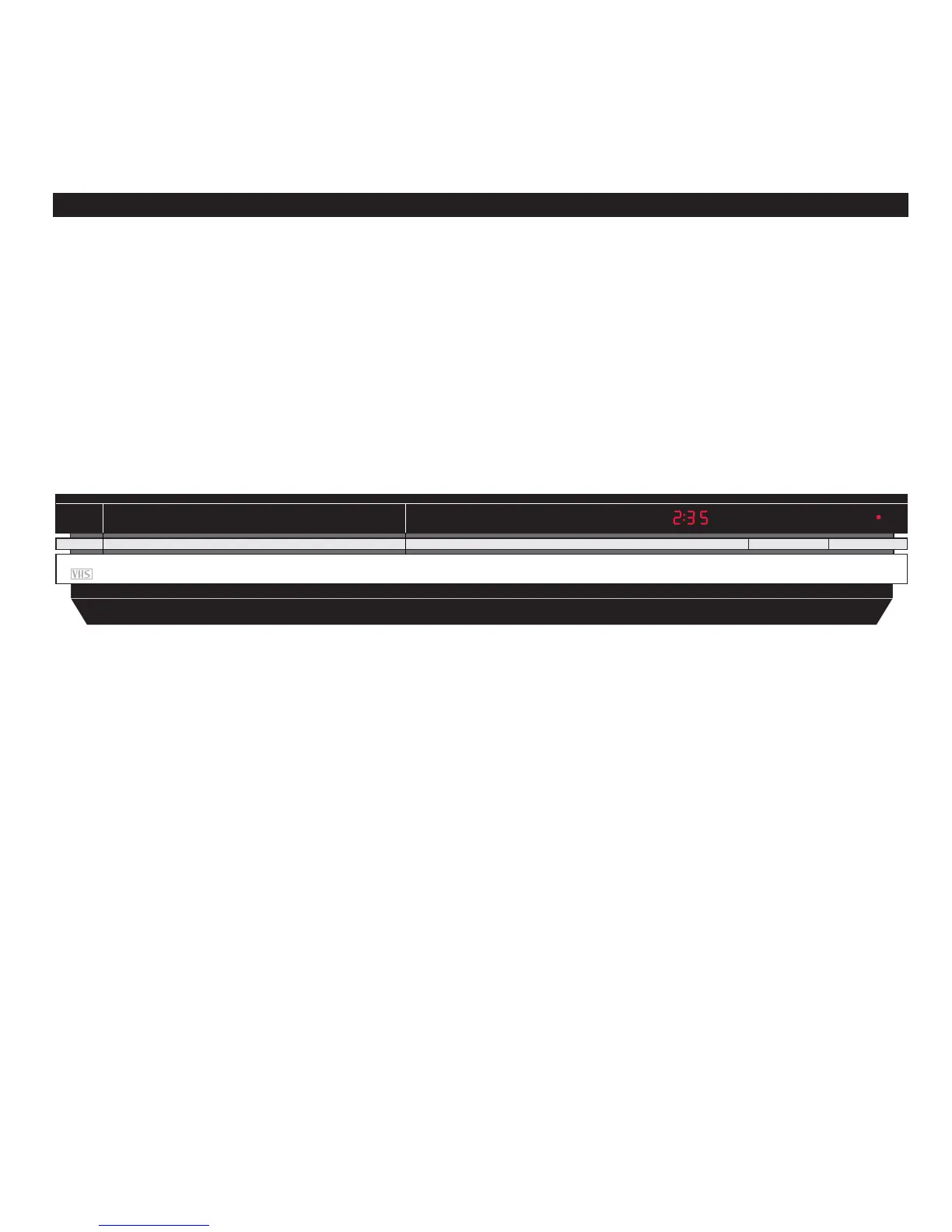
The two buttons on the front of the
BeoCord VX 7000 allow you to unload
tape cassettes and to start and stop
playback of the tape you have loaded.
Each of the red display indications on
the front gives you information about
the video tape recorder...
BEOCORD VX 7000 CLOSE-UP
Displays Buttons
2:35
Indicates the counter
position on the tape:
Track number, Time
left or Time used (see
pages 10-11).
RECORDING PAUSE
Indicates that the VX
7000 is switched to
recording pause.
The display changes to
RECORDING when
recording starts.
TIMER
Indicates that a timer
recording has been
programmed into the
VX 7000.
TIMER blinks if a timer
recording is prevented
from being executed.
●
Stand-by indicator.
The red stand-by
indicator also serves as
a recording level
indicator for external
sources.
EJECT
Unloads the video
cassette you have
loaded into the
BeoCord VX 7000.
PLAY ●
Starts playing the tape.
Stops the tape if it is
already playing.
‘Panic button’
If the button is held for
more than a second,
the video tape recorder
switches off
immediately, stopping
any function in
progress.
Loading a tape
Tapes must be loaded into the compartment in
the left-hand side on the front of the BeoCord
VX 7000.
Load the cassette with the small arrow on the
cassette uppermost and pointing toward the
compartment opening. Push the cassette
through the door until you feel the mechanism
drawing it all the way into the compartment.
Note: See the Setting-up guide which is also
enclosed with the BeoCord VX 7000 for details of
switches and sockets on the rear panel.


 To Next Page