Video playback
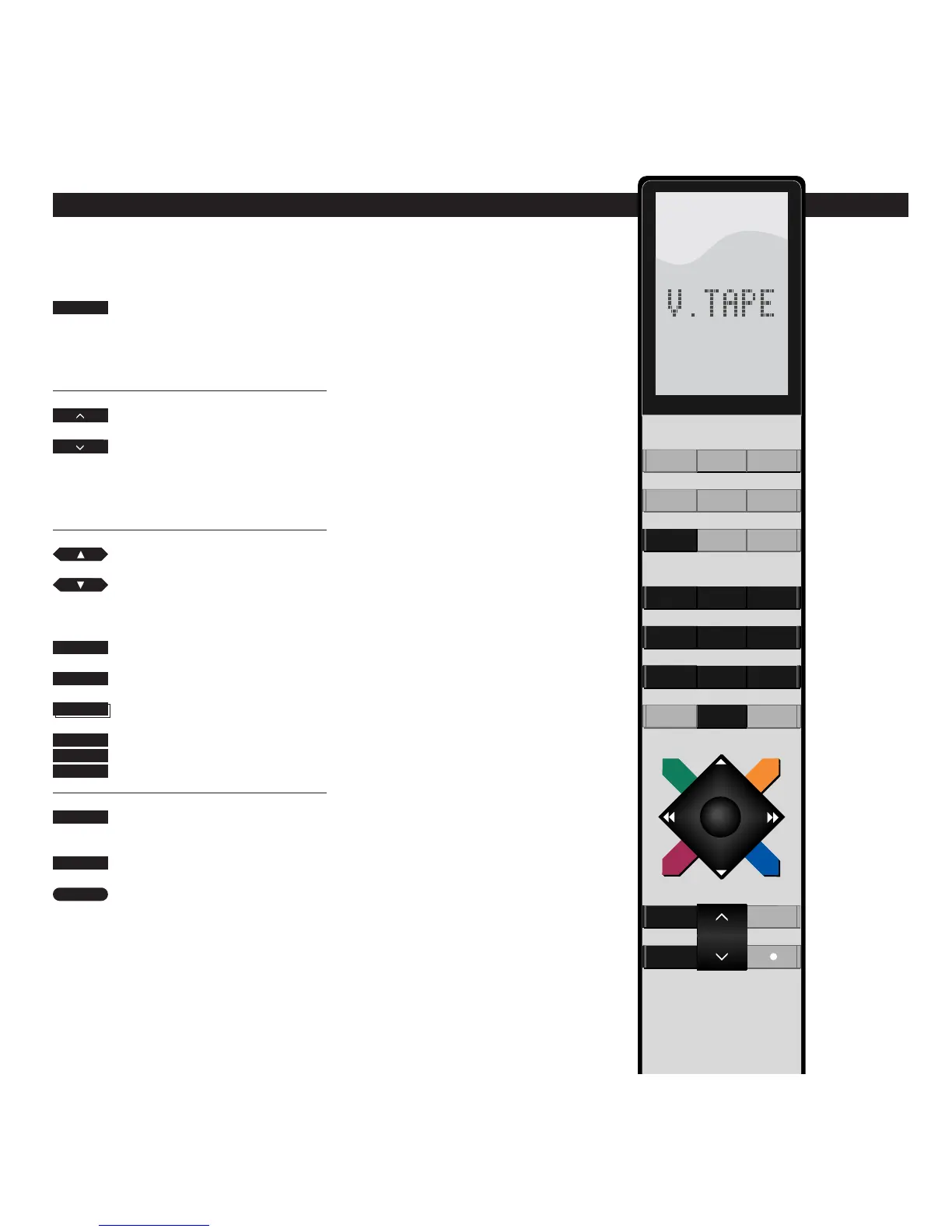
The buttons high-lighted on this
drawing of the Beo4 remote control are
the buttons you must use for daily
operation of your BeoCord VX 7000.
The V.TAPE button starts playing back
the video tape you have loaded.
While the tape is playing, you can adjust
the volume level in your TV speakers by
pressing
∧∧
or
∨∨
, or you can silence the
speakers immediately by pressing right
on the middle. Press again to recall the
sound.
Selecting other tracks on the tape is
easy: Just press the appropriate number
buttons, or press the step buttons ▲ or
▼ to step from one track to the other.
You can also key in an exact counter
position you wish to find by pressing
LIST to display COUNTER and then key
in the number indicating the counter
position.
Whatever you are in the process of
doing, pressing the STOP button twice
always stops the video tape recorder;
and pressing the GO button starts or
resumes playback of the tape you have
loaded.
Press to start playing the tape you
have loaded
The picture appears on the screen
within a few seconds
Press to raise the volume
Press to lower the volume
Press right on the middle to silence
the TV speakers immediately
Press again to recall the sound
Plays the next track on the tape
Plays the current track again – press
twice to play the previous track
Press to find and play specific track
numbers on the tape
Press to display COUNTER
Press to play the tape from a specific
position (Time left or Time used),
for example 2:15
Pauses the tape with a still picture
on the screen
Press again to stop playback
Press any time to start/resume
playing the tape
V TAPE
0
9
through
LIST
then
2
1
5
STOP
STOP
then
GO


 To Next Page