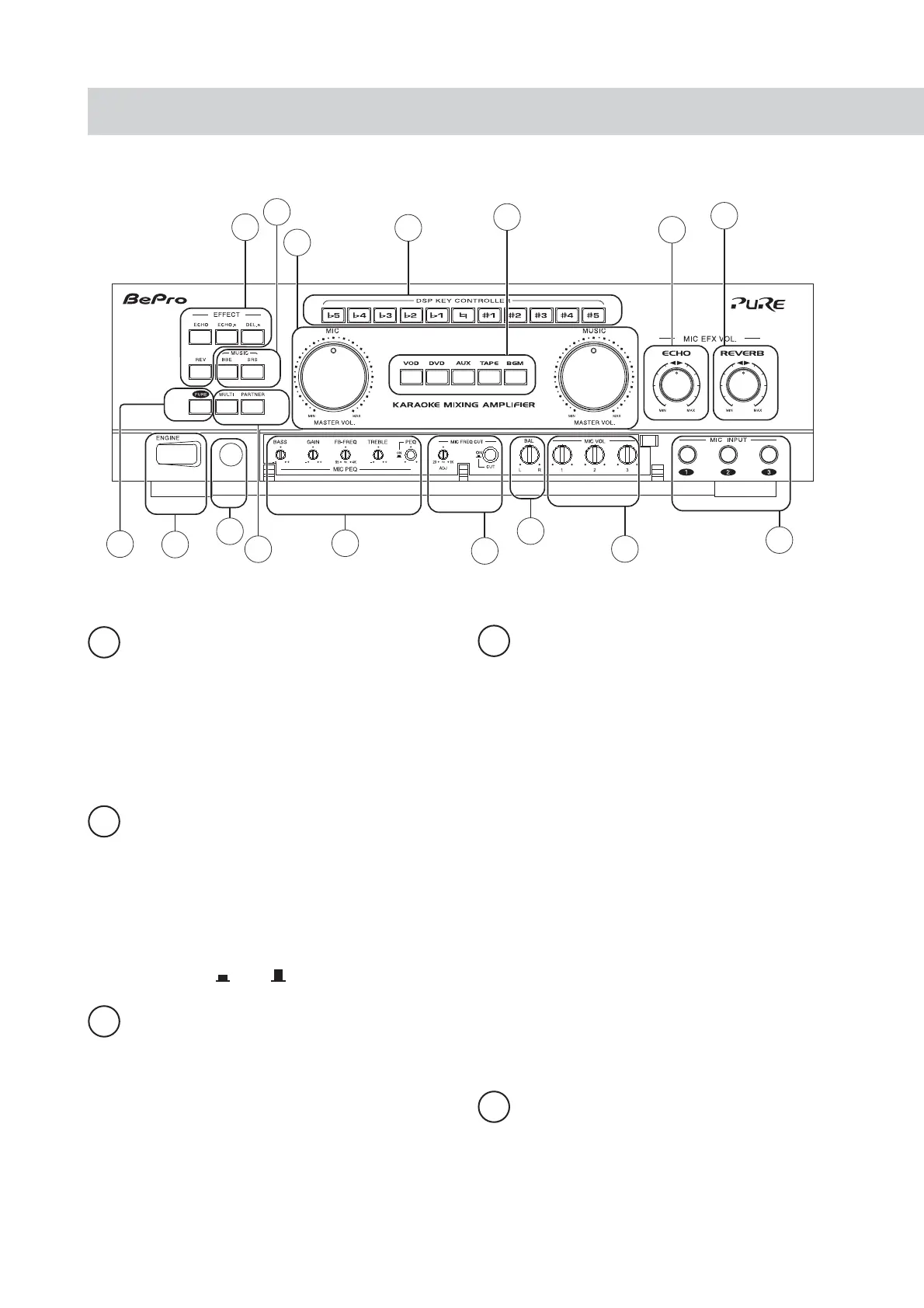
Front panel controls and their functions
PURE - Oure Direct indicator
This is a listening mode of high fidelity that
provides the highest possible signal purity. When it
is selected, the signal follows the most direct path
while functions of timbre tuning and sound effect
are not operational (SETUP MENU disabled); an
ON indicator indicates that the function is in use.
1
ENGINE
-
Power switch
This is a listening mode of high fidelity that
provides the highest possible signal purity. When it
is selected, the signal follows the most direct path
while functions of timbre tuning and sound effect
are not operational (SETUP MENU disabled); an
ON indicator indicates that the function is in use.
ON OFF
2
3
MIC FREQ CUT
-
For adjusting the cutoff
frequency at bass band for microphone.
4
5
Remote signal receiver
To receive the control signal from the remote
controller. Please do not block it from receiving the
signal.
MIC PEQ
Parametric equalizer of microphone
BASS To tune the timbre up and down
of bass for microphone.
* Preset value is the center position.
GAIN To tune the timbre up and down
of mid-frequency for microphone.
* Preset value is the center position.
FB-EREQ To tune the frequency in mid-
frequency band for microphone.
* Preset value is 1KHz.
TREMBLE To tune the timbre up and down
of tremble for microphone.
* Preset value is the center position.
Tuning method: When microphone is howling, fi rstly
rotate the Gain to 9 o’clock position; turn the FB-FREQ
rightward to eliminate large portion of tremble howling
and leftward to eliminate the bass howling; after that,
tune the Gain to an appropriate position to complete the
tuning.
1
3
5
7
8
9
11
10
12
13
14
15
4
6
2
16


 To Next Page