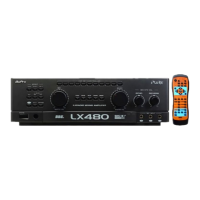
MIC INPUT
-
Microphone input jacks
Both the jack 1 here and the jack 1 at rear panel
can be used for microphone input; also, both the
jack 2 here and the jack 2 at rear panel can be
used for microphone input.
Pushbuttons/indicators for selecting the
input of channel
Can be selected the input channel corresponding
to the video and audio input jacks on the rear
panel.
REVERB
Volume adjustment knob to adjust the volume of
reverberation.
ECHO
Volume adjustment knob to adjust the volume of
echo.
BAL
-
Balance control knob
To balance the output proportion between the left
amplifi er and the right amplifi er.
* Preset value is the center position (left and right
balanced).
6
MIC VOL
Volume adjustment knobs for microphones.
1 : Volume adjustment knob for microphone 1.
*To adjust the volume for microphone 1.
2 : Volume adjustment knob for microphone 2.
*To adjust the volume for microphone 2.
3 : Volume adjustment knob for microphone 3.
*To adjust the volume for microphone 3.
7
MUSIC MASTER VOL
Adjustment knob to adjust the output volume of
music.
11
* If the function of automatic volume setup is
enabled, preset position will be selected when
turning on the machine; meanwhile, it will be
restricted by the setup of maximum volume under
remote control mode (Adjustment of setup should
be made from the setup menu.)
MIC MASTER VOL.
Adjustment knob to adjust the output volume of
microphone.
* If the function of automatic volume setup is
enabled, preset position will be selected when
turning on the machine; meanwhile, it will be
restricted by the setup of maximum volume under
remote control mode (Adjustment of setup should
be made from the setup menu.)
12
8
EFFECT
-
Pushbuttons to select the
sound effect of microphone
4 types of selection for the sound effect of
microphone are available to be selected from the
functional setup items.
9
MUSIC
-
BBE/SRS selection switch/
indicator
Selection of sound field and sound effects are
available when listening to the music is desired
so that the music can be further vivid and felt just
like at the fi eld.
10
DSP KEY CONTROLLER
-
Selective
switches / indicators for tuning the key of
music up and down.
Able to change the key of music at a range of 10
steps, ±2.5 pitch of each step.
* Function to restore the standard key automatically
is included.
13
14
15
MULTI / PARTNER selection switch
LED
General playing and singing.
PARTNER
Automatic linking and singing function
MULTI
Accompanying function
16
To tune the timbre and filter out the unwanted
sound at bass band for microphone. ADJ -
Adjustment range: OFF, 20Hz ~ 1KHz.
* Preset value is OFF position.
Adjustment method:
After power is ON, turn ADJ rightward to eliminate large
portion of bass band; do not over adjust it. After that,
redo the MIC BASS for a fi ne adjustment to its optimum.


 To Next Page
 Loading...